– 164 –
8-5-4. Copying and deleting the custom pattern
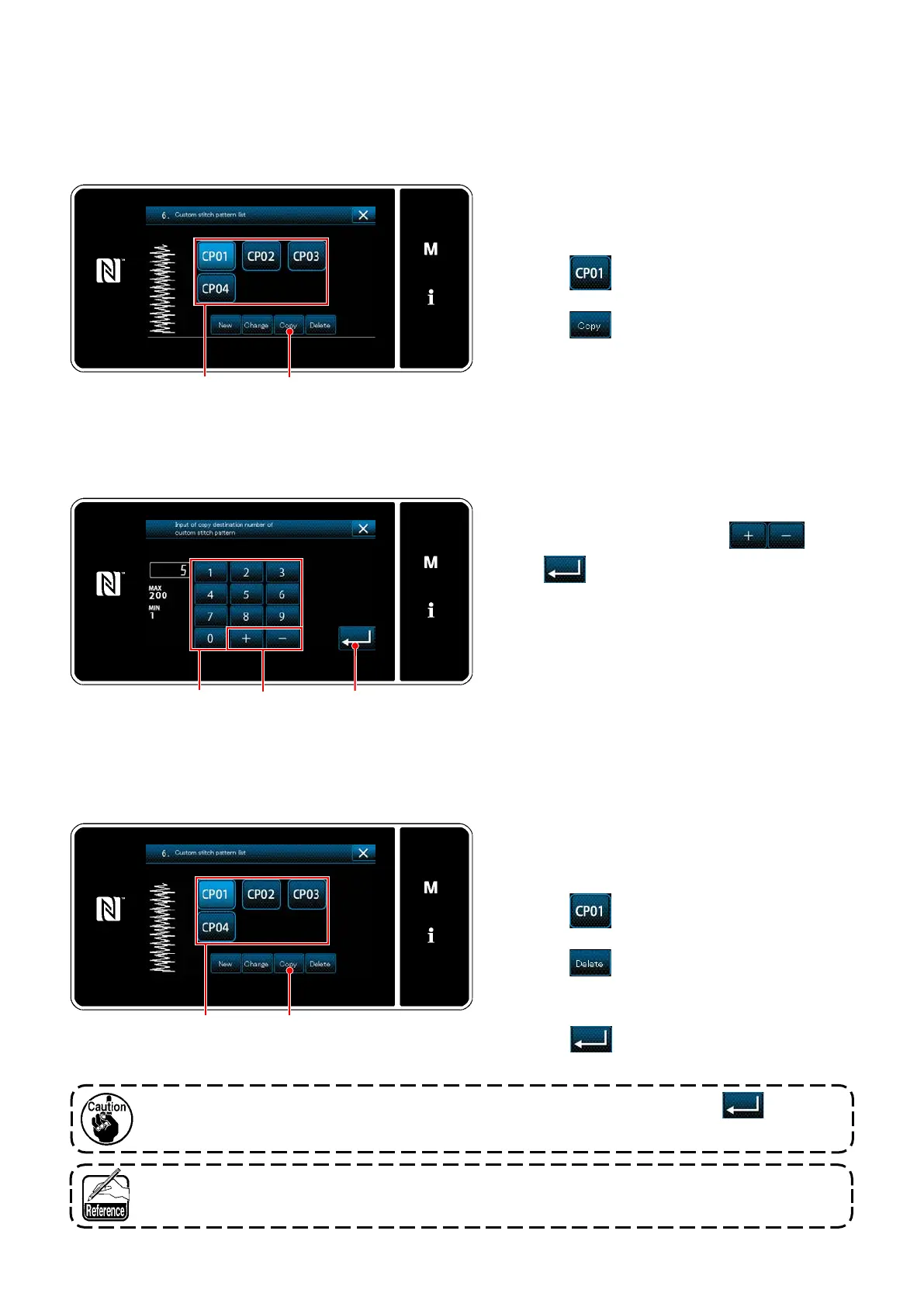
Displaying the custom pattern list screen
<Custom pattern list screen>
Inputting the custom pattern number
Enter the number of destination pattern for copy-
ing with numeric keypad
and
.
Press
.
The copied pattern is registered and the screen
returns to the "Custom pattern list screen".
In the case the entered number has already been
registered, the prompt message for overwrite
conrmation is displayed.
(1) Copying the custom pattern
<Custom pattern copy destination number input screen>
(2) Deleting a custom pattern
<Custom pattern list screen>
1) Display the "Custom pattern list screen"
referring to
"8-5-2. Creating a new custom
pattern" p. 160
.
2) Press
of the copy source to put it in
the selected state.
3) Press
.
The "custom pattern copy destination number
input screen" is displayed.
1) Display the "Custom pattern list screen"
referring to
"8-5-2. Creating a new custom
pattern" p. 160
.
2) Press
to put the custom pitch to be
deleted in the selected state.
3) Press
.
The "deletion conrmation screen" is dis-
played.
Press to conrm the setting.
Once the data is deleted, it does not return to the former one. Be sure to press after care-
fully checking the data.
The custom pattern registered in the pattern cannot be deleted.


 To Next Page
 Loading...