– 177 –
8-11-2. How to assign a function to a key
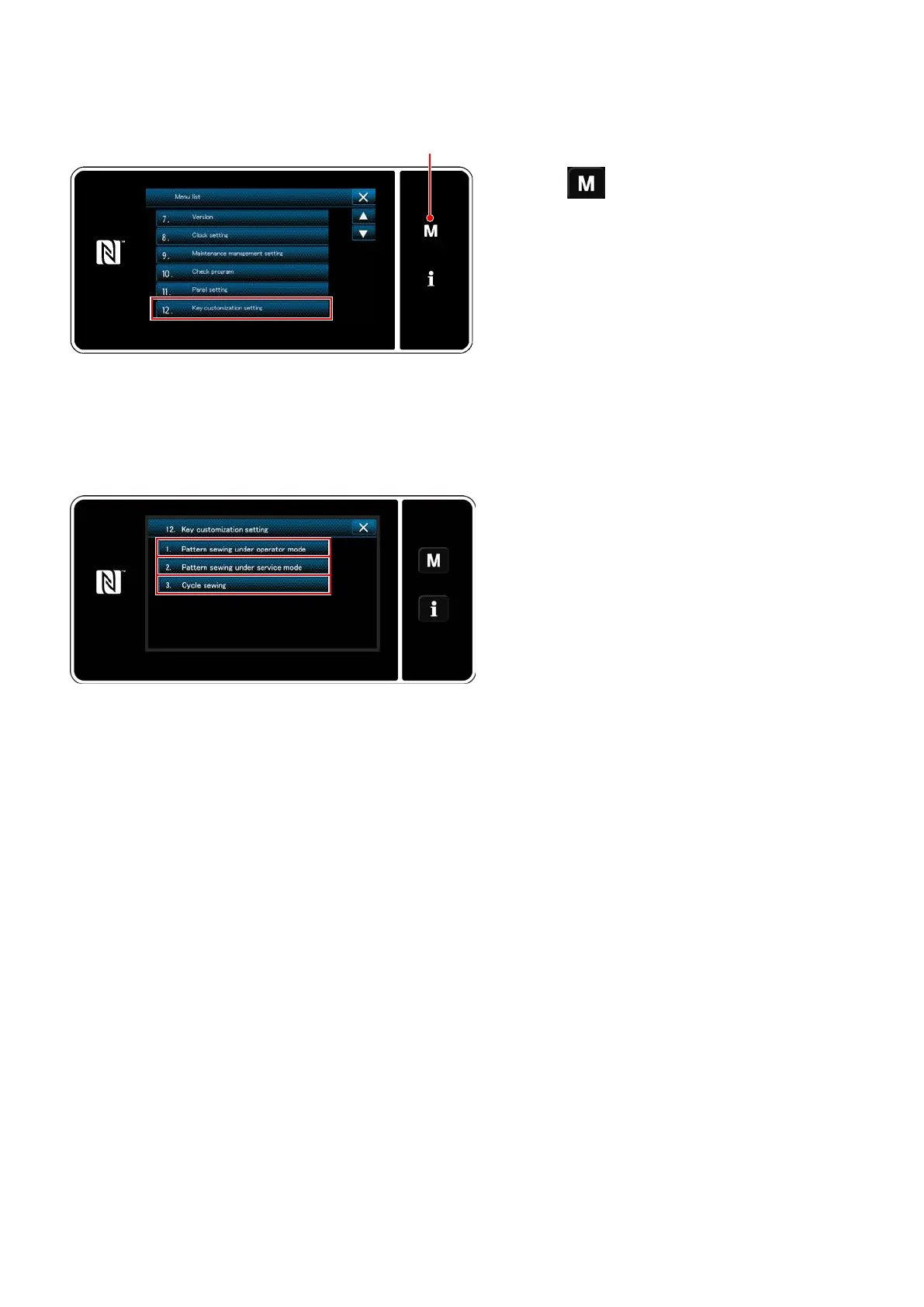
Displaying the key customization mode list screen
1) Keep
held pressed for three second.
The "mode screen" is displayed.
2) Select the "12. Key customization setting".
The "key customization mode list screen" is
displayed.
Setting the key customization
<Key customization mode list screen>
<Mode screen>
1) Select "1. Pattern sewing under operator
mode". Then, "key customization assignment
screen (operator mode)" is displayed.
2) Select "2. Pattern sewing under service
mode". Then, "key customization assignment
screen (Maintenance personnel mode)" is
displayed.
3) Select "3. Cycle sewing". Then, "key custom-
ization assignment screen (Cycle mode)" is
displayed.


 To Next Page
 Loading...