10.4 Switching on / Start - Stop
When pressing the keys, it is advisable to hold the circulator
head with one hand.
OFF
Switching on
• The device is switched on by pressing the power switch (1).
The unit performs a self-test. All the segments of the four
digit LED temperature display will illuminate.
The "OFF" signal then indicates that the unit is ready to
operate.
28.35
Start
• Press OK for approx. 1 second.
The current bath temperature will be shown on LED
temperature display.
Stop
• Press OK for approx. 1 second.
• Switch off the unit with the circulator's mains power switch.
In combination with the cold bath base units 600F, 601F,
900F, 1000F, the flashing control indicator "Cooling" after
temperature regulation is complete indicates that a valve is
still open. Only turn off the main power switch after this
indicator has stopped flashing.
10.5 Setting the desired temperature value
Factory setting: 10 °C
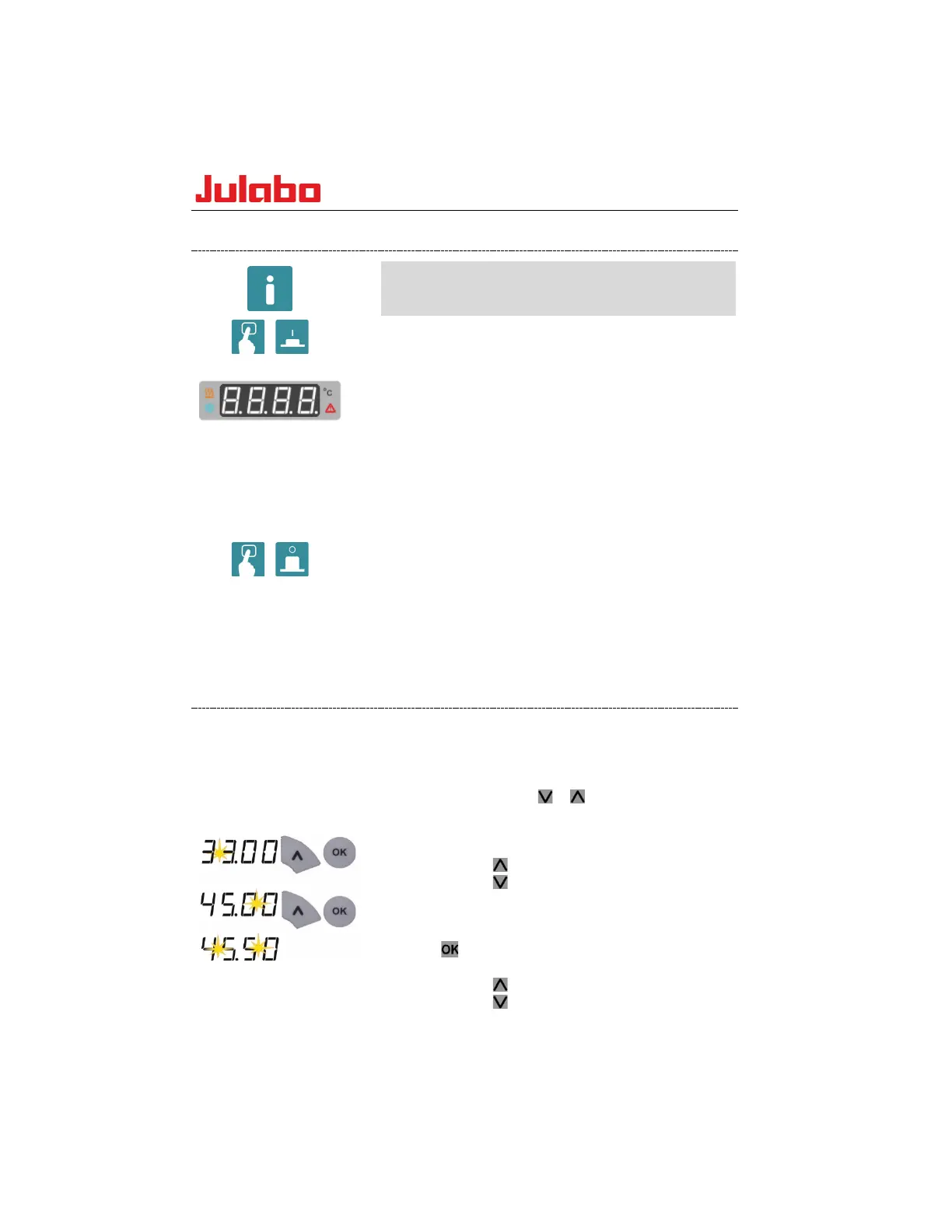
Example:
Changing the desired value
from 33.00 to 45.50
The temperature can be set when the device has been started or
stopped.
The set value is saved so that it will be retained even after a
power outage.
1.
Press the edit key or briefly to switch from
displaying the actual value to the desired value. The
digits before the decimal point flash.
2.
Change the value:
Press the key to set a higher value.
Press the key to set a lower value.
Press the key briefly for single steps, press and hold
the key to adjust the values quickly.
3.
Save the set value as the desired value by pressing the
key. The digits after the decimal point flash.
4. Change the value:
Press the key to set a higher value.
Press the key to set a lower value.
www.GlobalTestSupply.com
Find Quality Products Online at: sales@GlobalTestSupply.com









 To Next Page