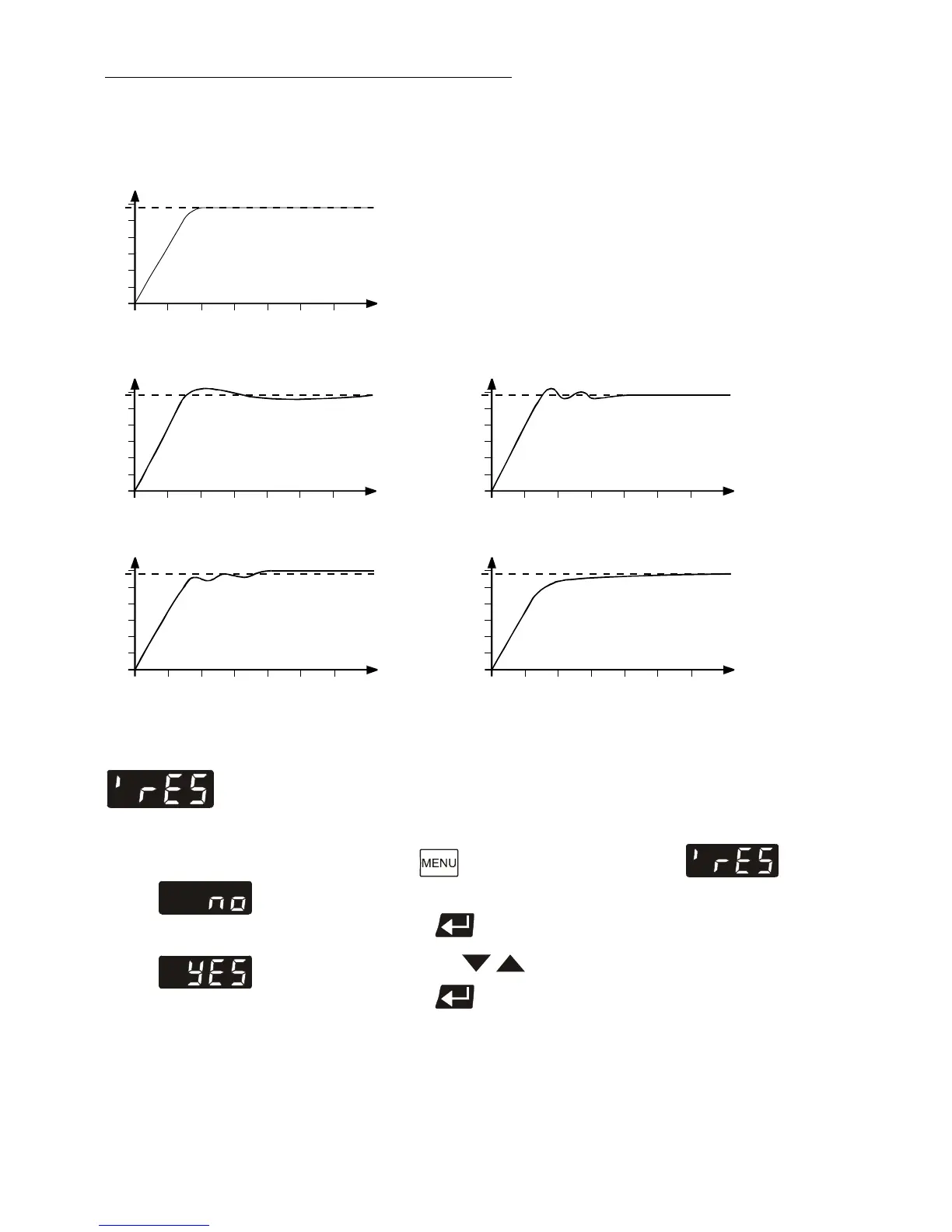
The heat-up curve reveals inappropriate control
settings.
Inappropriate settings may produce the following heat-up curves:
Xp too low
°C
7.7. Reset
Use this to reset all values to factory setting.
Factory setting: no
1. Press the button until the menu item is
displayed.
2. Press enter to indicate the parameter (no).
3. Press the keys to select the parameter (YES).
4. Press enter to confirm the reset.
After the reset is carried out, the parameter is automatically
set to >no<.
Artisan Technology Group - Quality Instrumentation ... Guaranteed | (888) 88-SOURCE | www.artisantg.com


 To Next Page