Operating procedures
18
6.7. PID control parameters
When performing an identification for the controlled system
(temperature application system) (see page 21), the control
parameters Xp, Tn, and Tv will be automatically determined and
stored.
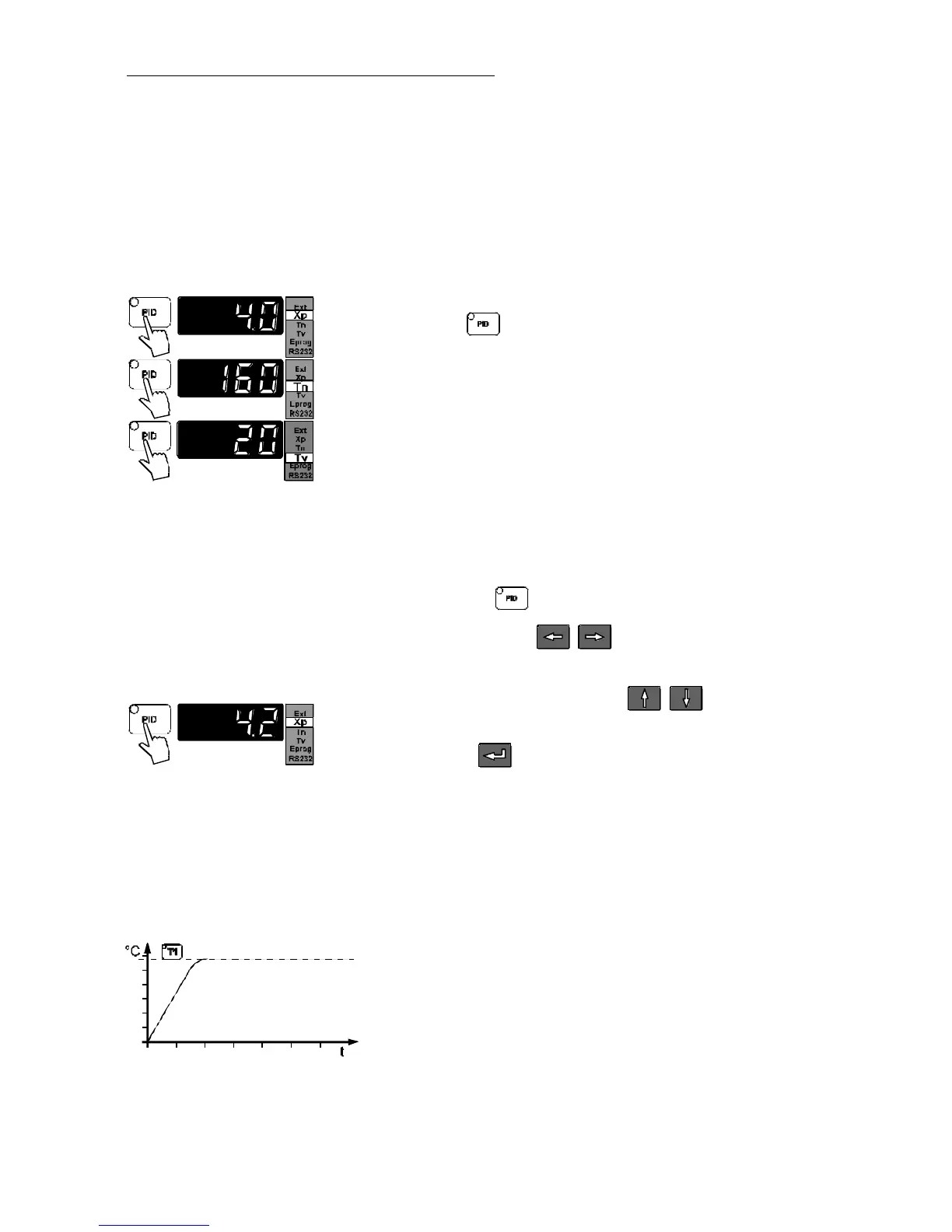
Indication of control parameters:
Press the key
to indicate the parameters in succession:
1) Xp parameter (example 4.0 °C).
2) Tn parameter (example 160 s).
3) Tv parameter (example 20 s).
Each parameter may be manually set via the keypad to allow
optimum control performance.
Setting the control parameters::
Press the key and select the parameter.
Use the cursor keys to move left or right on the
display until the numeral you wish to change is blinking.
Use the increase/decrease arrows to change the
selected numeral (-, 1, 2, 3, ... 9).
Press enter to store the selected value
(example: Xp parameter set to 4.2 °C)
Optimization instructions for the PID control parameters:
The heat-up curve reveals inappropriate control settings (example:
working temperature T1).
optimum setting



 To Next Page