Remote control
32
11. Remote control
11.1. Setup for remote control
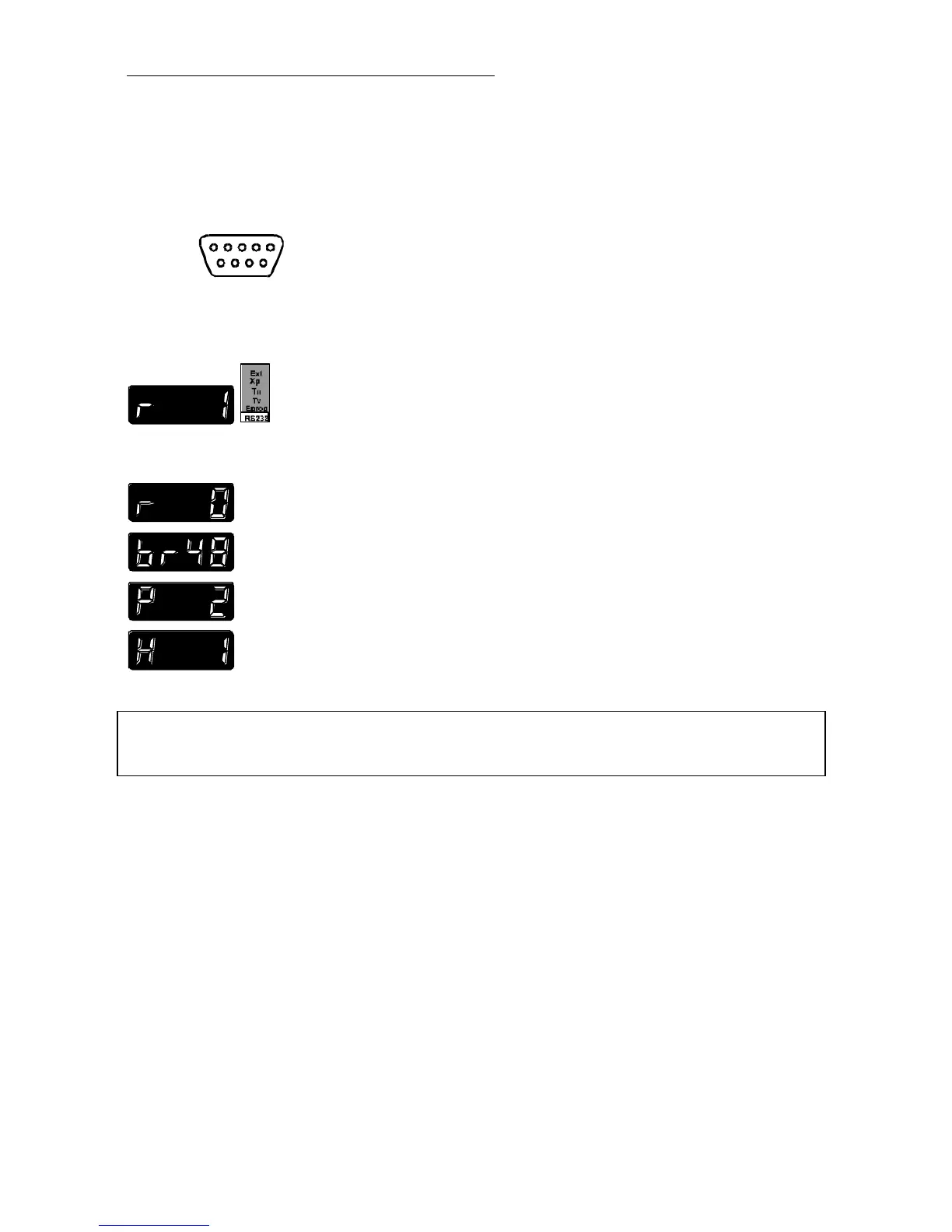
RS232
RS485
Interface parameters for the circulator are adjusted via the
configuration level.
(Selecting and setting menu items, see page 20)
• Set menu item REMOTE to „1“.
Factory settings of the serial interface:
REMOTE 0 = keypad control mode
BAUDRATE 48 = 4800 bauds
PARITY 2 = even parity
HANDSHAKE 1 = Protocol RTS/CTS
(Hardware handshake)
Data bits 7
Stop bit 1
Like all parameters which can be entered through the keypad, interface
parameters are stored in memory even after the circulator is turned off.
11.2. Communication with a PC or a superordinated data system
Suitable terminal programs for communicating with a PC are:
MS-Windows - TERMINAL.EXE (included with MS-Windows).
MS-DOS - Procomm Plus, Datastrom Technologies.
MS-DOS - Norton Utilities.



 To Next Page