2 Installation
14
Type 702072 and 702074
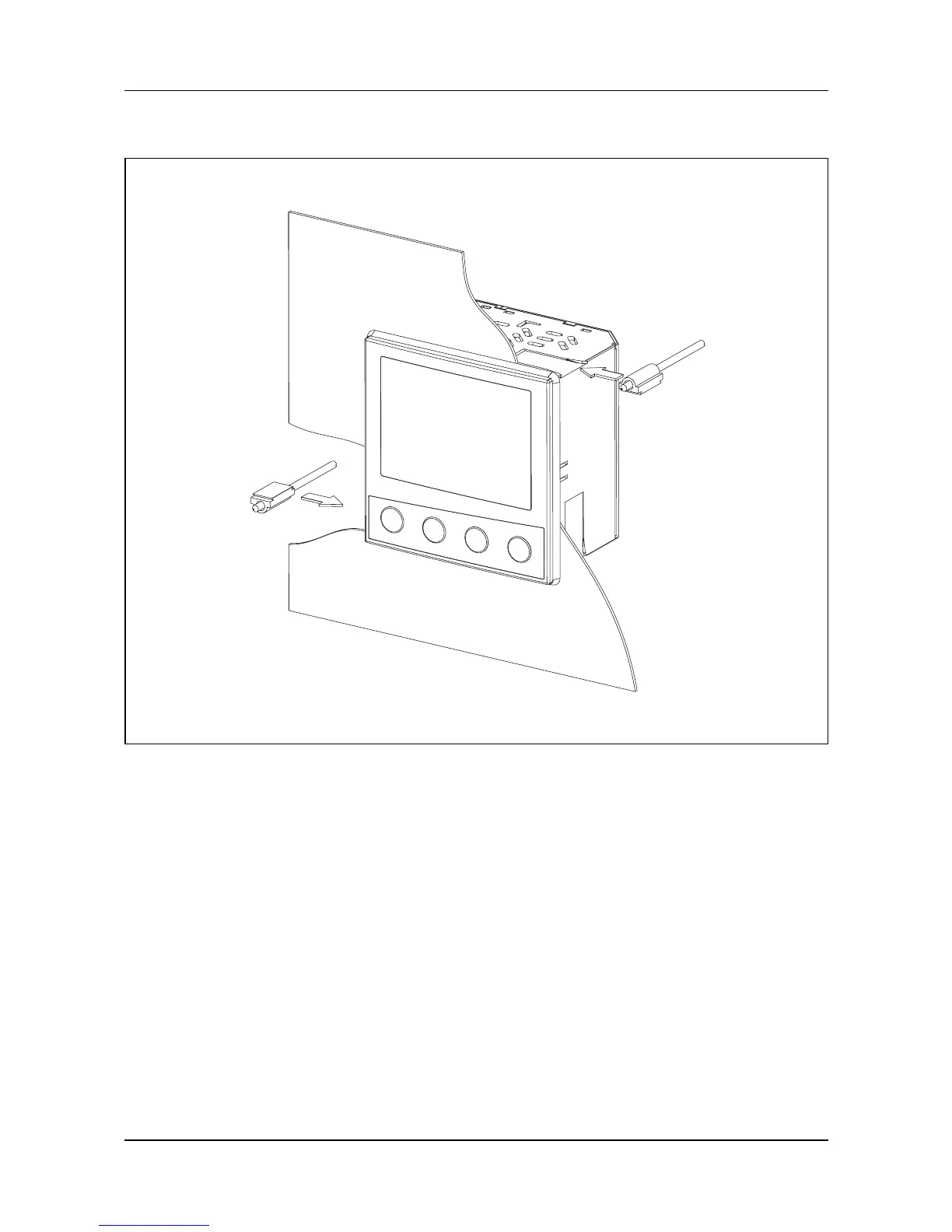
1. Insert the device from the front into the panel cut-out.
2. From the panel rear, slide the mounting brackets into the guides on
the sides of the case. The flat faces of the mounting brackets must
make contact with the case.
3. Place the mounting brackets against the panel rear, and tighten
evenly with a screwdriver.



 To Next Page