3 Installation
20
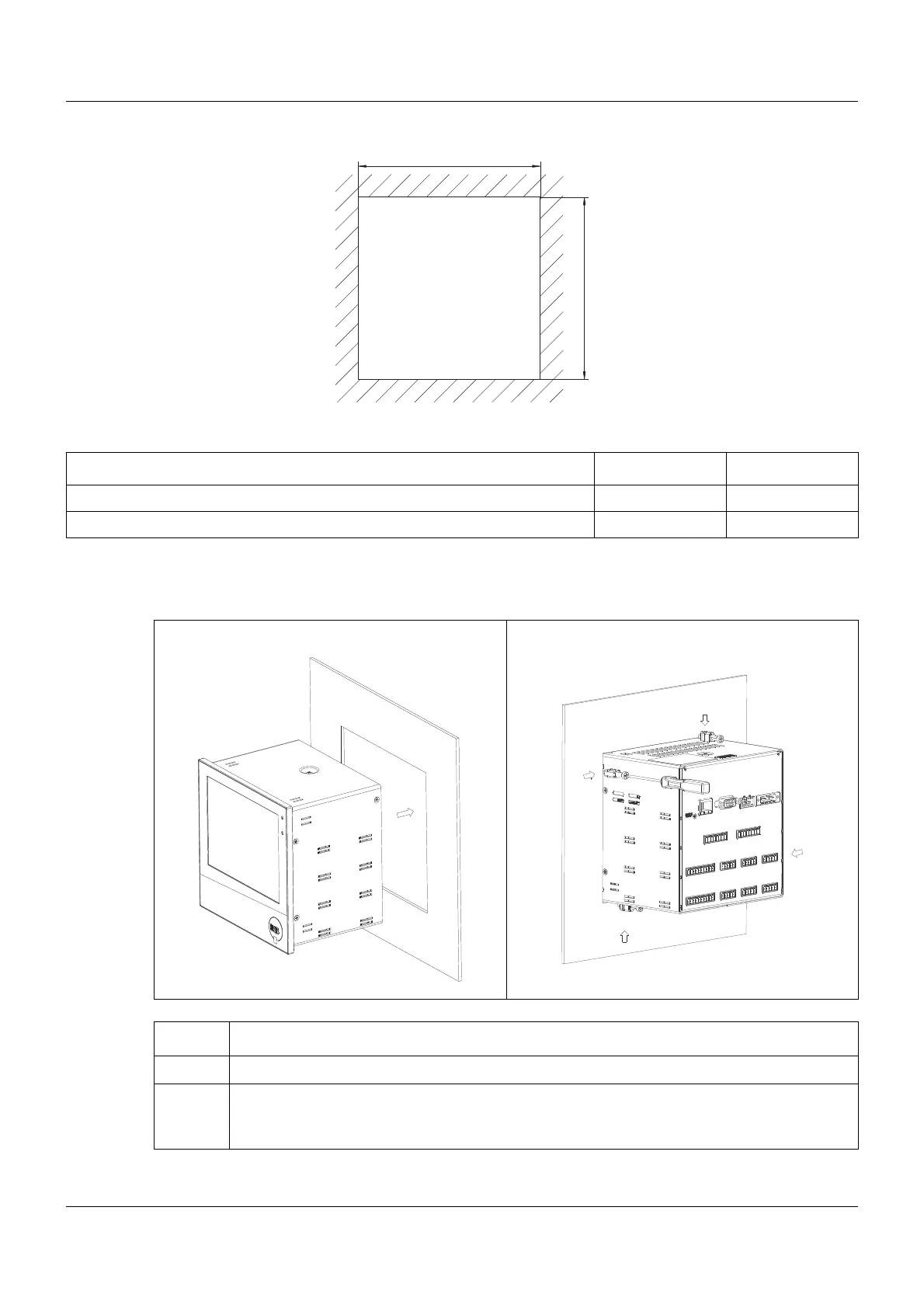
Panel cut-out
Close mounting
3.3 Panel mounting
Distance between panel cut-outs Horizontal Vertical
Minimum clearance 20 mm 20 mm
Recommended distance (easier installation of fastening elements) 50 mm 50 mm
12
Step Activity
1 Insert the device into the panel cut-out from the front until the seal is flush with the panel.
2 Insert the fastening elements into the recesses of the housing (one element on each cor-
ner, see figure) and use a screwdriver to evenly clamp them against the rear side of the
panel with a torque of 1.0 Nm.



 To Next Page