5 Operation
44
5.4.2 Digital diagram
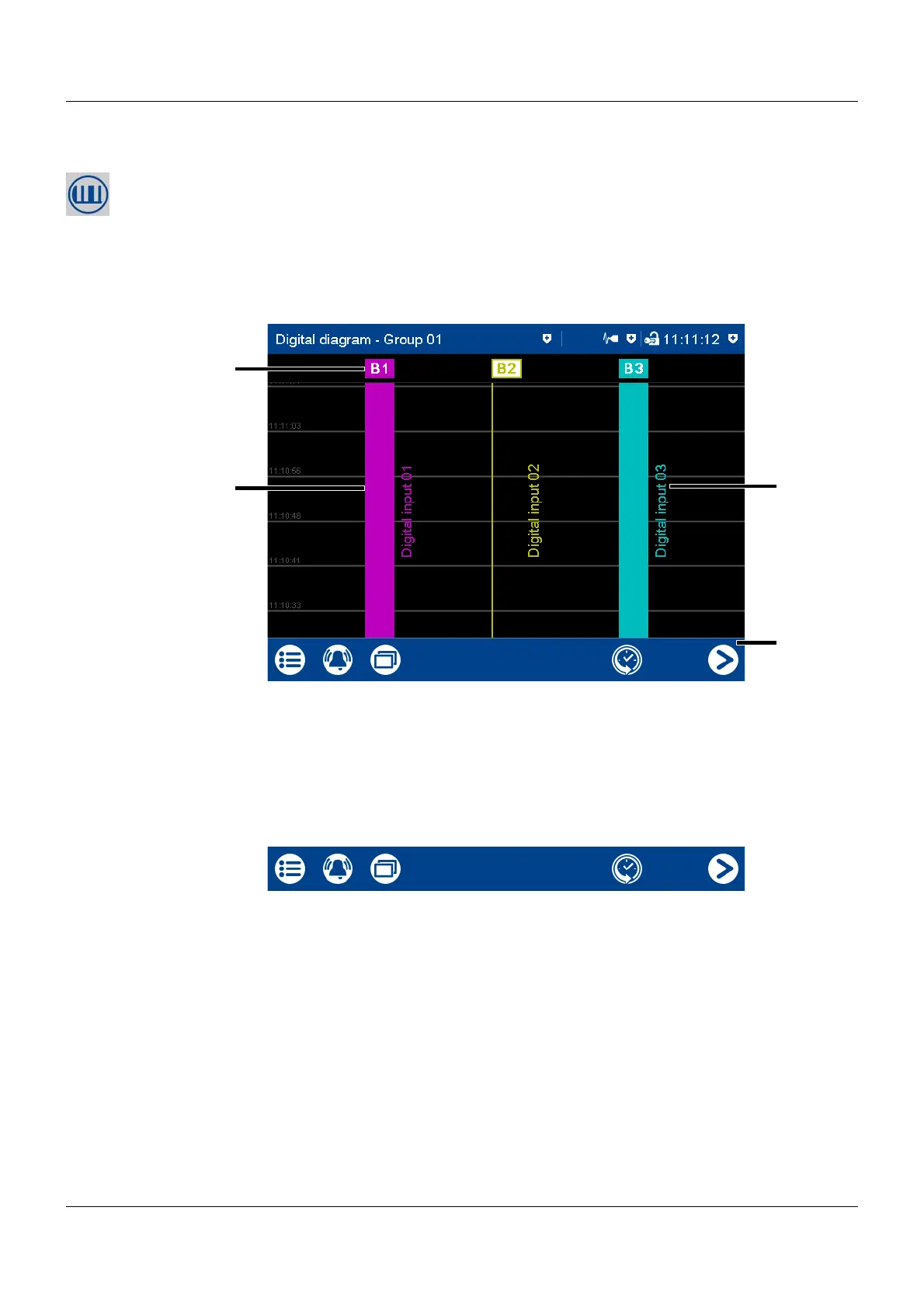
In the digital diagram, the digital signals configured for the relevant group are displayed as dig-
ital traces.
The diagram type (horizontal, vertical) is selected individually for each group in the configura-
tion. The following view shows the vertical diagram. Accordingly, the description also applies to
the horizontal diagram.
Group view
Navigation bar
Memory display
See memory display in the curve diagram.
Chapter 5.4.1 "Curve diagram", page 41
(1) Description (point) of the digital trace
Displays the logical state:
Colored button = HIGH (B1, B3)
Colored frame = LOW (B2)
(3) Digital signal description (configurable)
(2) Digital trace (4) Navigation bar
(1) Call up memory display (history) (2) Go to next active group



 To Next Page