5 Operation
54
5.4.8 Process screen
This visualization shows the individual process screens. You can use the arrow keys in the nav-
igation bar to change to the next process screen.
Up to 6 process screens can be created with the setup program and uploaded to the device.
For a process screen to be displayed, it must be activated (configuration parameters in the set-
up program; see operating manual, chapter "Configuration - in setup program only" > "Process
screens").
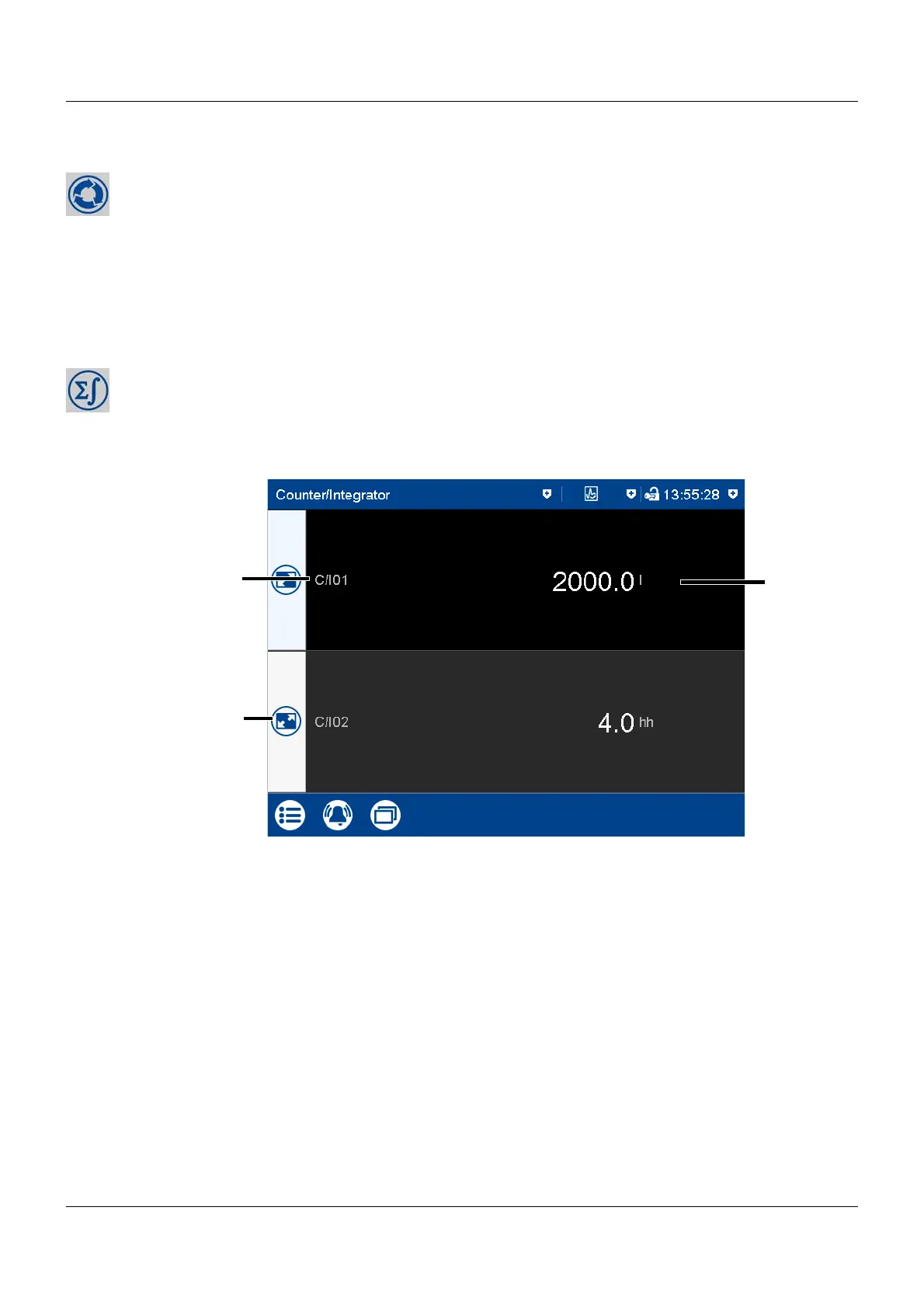
5.4.9 Counter/Integrator
This visualization shows all activated counters/integrators. Up to 6 counters/integrators can be
configured on the device.
View
(1) Short description (configurable) of the
counter/integrator
(3) Current status of the counter/integrator
(unit configurable)
(2) Open detailed view of the counter/inte-
grator



 To Next Page