5 Operation
46
5.4.4 Text image
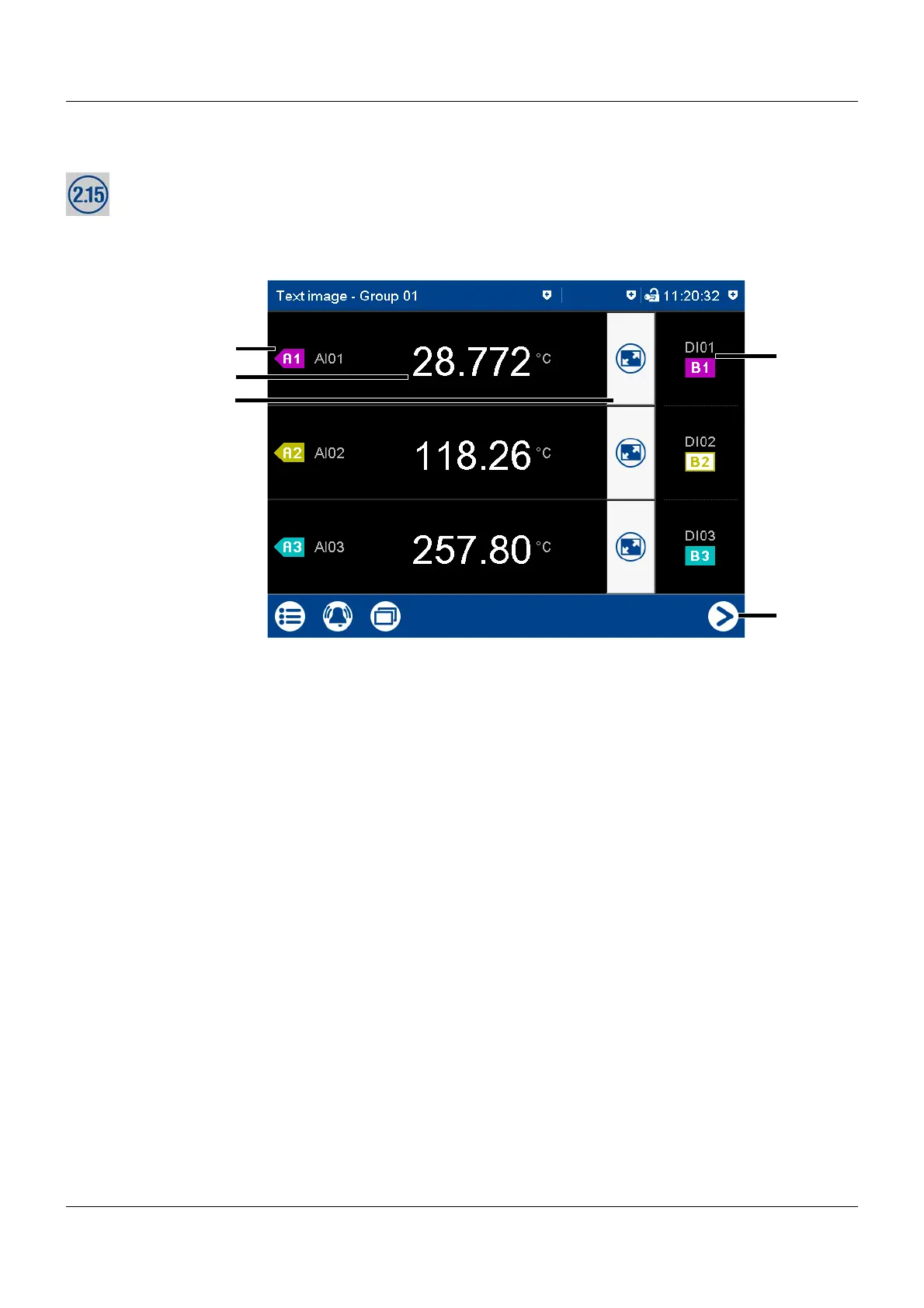
The text image shows the current values for the analog signals configured for the relevant
group as numbers. The digital signals – depending on their logical state – are shown as colored
areas or frames.
Group view
(1) Description (pointer) and short analog
signal description (configurable)
(4) Digital signal with short signal descrip-
tion (configurable) and designation
(pointer)
(2) Current value of analog signal Displays the logical state:
Colored button = HIGH (B1, B3)
Colored frame = LOW (B2)
(3) Call up individual view of analog signal
(numerical view and bar graph)
In the individual view, all digital signals
of the group are also displayed.
(5) Go to next active group



 To Next Page