49
5 Operation
5.4.5 Report
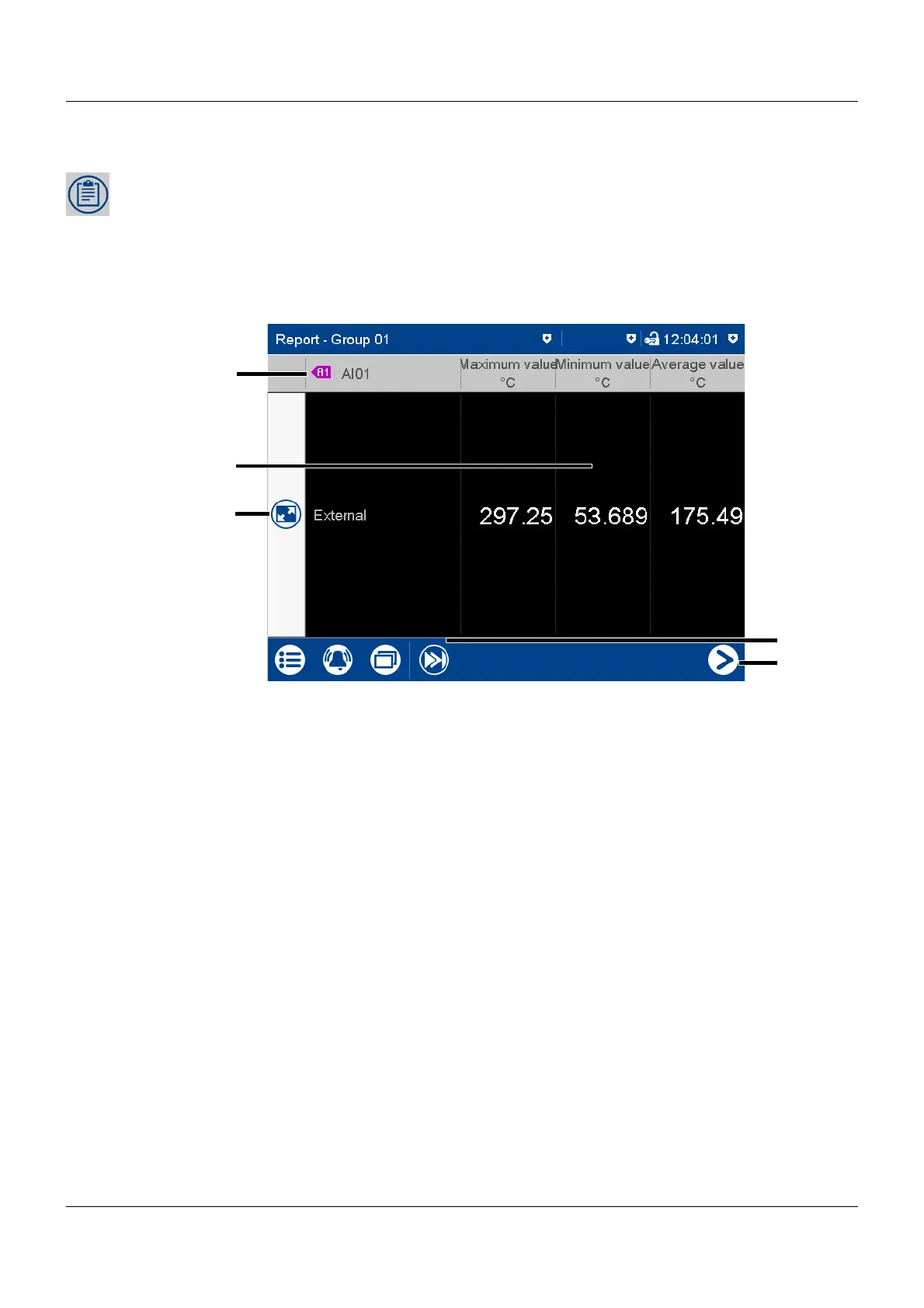
A report shows the statistical information for the relevant group. A report contains the maxi-
mum, minimum, and mean values of the analog signals during the recording time (the recording
period is configurable). A distinction is made between the current (on-going) report and the
completed report.
To create a report, it must be activated in the configuration for the relevant group.
View
(1) Description (pointer) and short analog
signal description (configurable)
(4) Go to the next analog signal within the
group
(2) Values of analog signal in the current
(not completed) report
The type (configurable; here: external)
decides when the report is stored and
thus completed.
(5) Go to the report for the next group
(3) Call up detailed view of analog signal



 To Next Page