5 Operation
34
5.2 Main menu
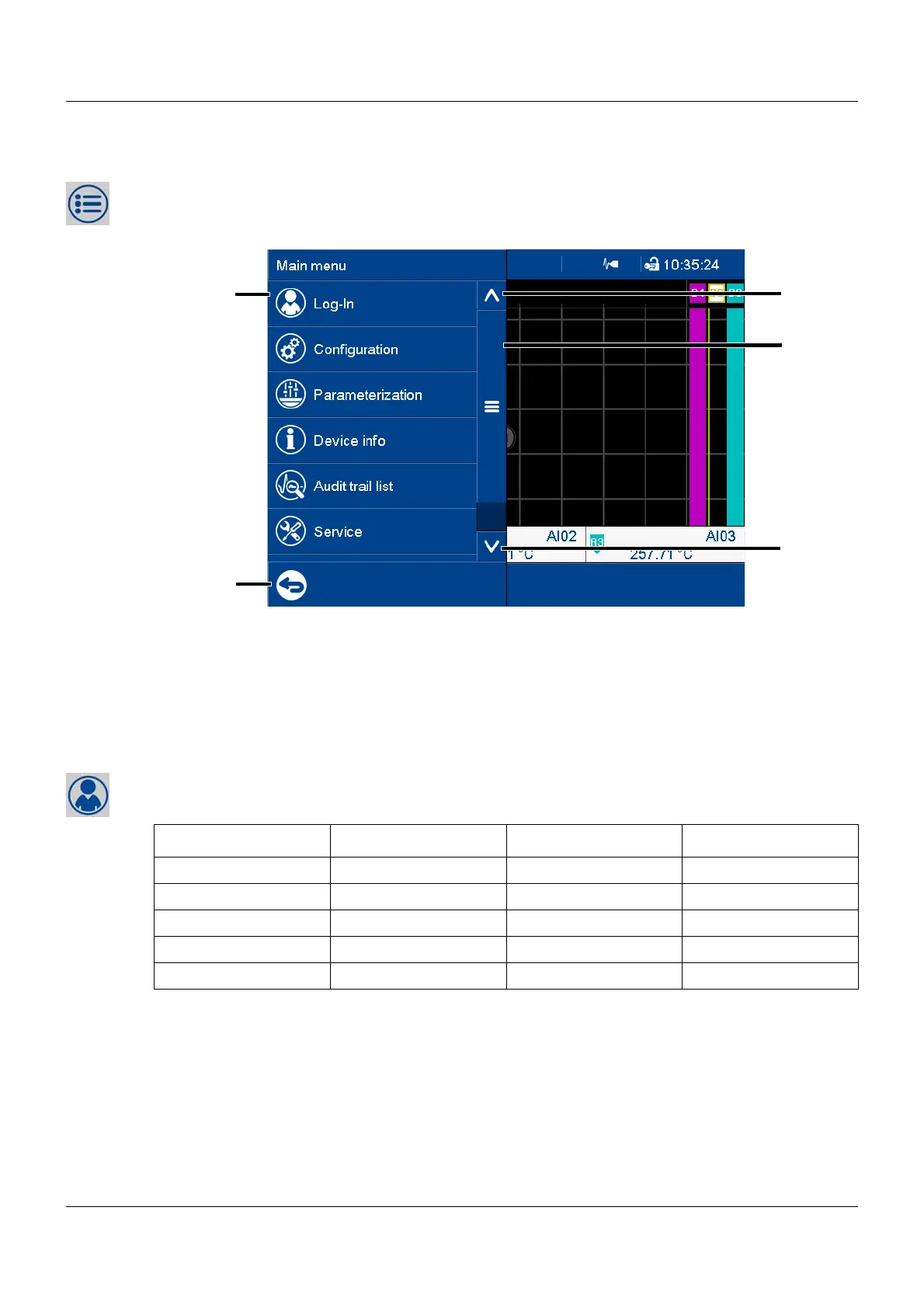
The main menu contains functions for configuring, parameterizing, and operating the device.
View
5.2.1 Log-In
This is the menu in which users log on and off, and change their passwords.
The following IDs, names, and passwords are set by default:
For further information: see operating manual, chapter "Configuration - only in setup program"
> "User list" > "Default user settings").
Logoff with signature
With extra code 888 (FDA, as of device version 02) and with the corresponding configuration
in the PCS software, an electronic signature is required when logging off. The signature applies
to the entire time period for which the user is logged on.
(1) Menu items (3) Scroll up
(2) Quit main menu (4) Scroll box (current position within the
menu); movable
(5) Scroll down
Users ID Name Password
User 1 Master System Master 9200
User 2 User 1 Data Management 1
User 3 User 2 Data Management 2
User 4 User 3 Data Management 3
User 5 Service Service 9200



 To Next Page