51
5 Operation
5.4.6 Current batch
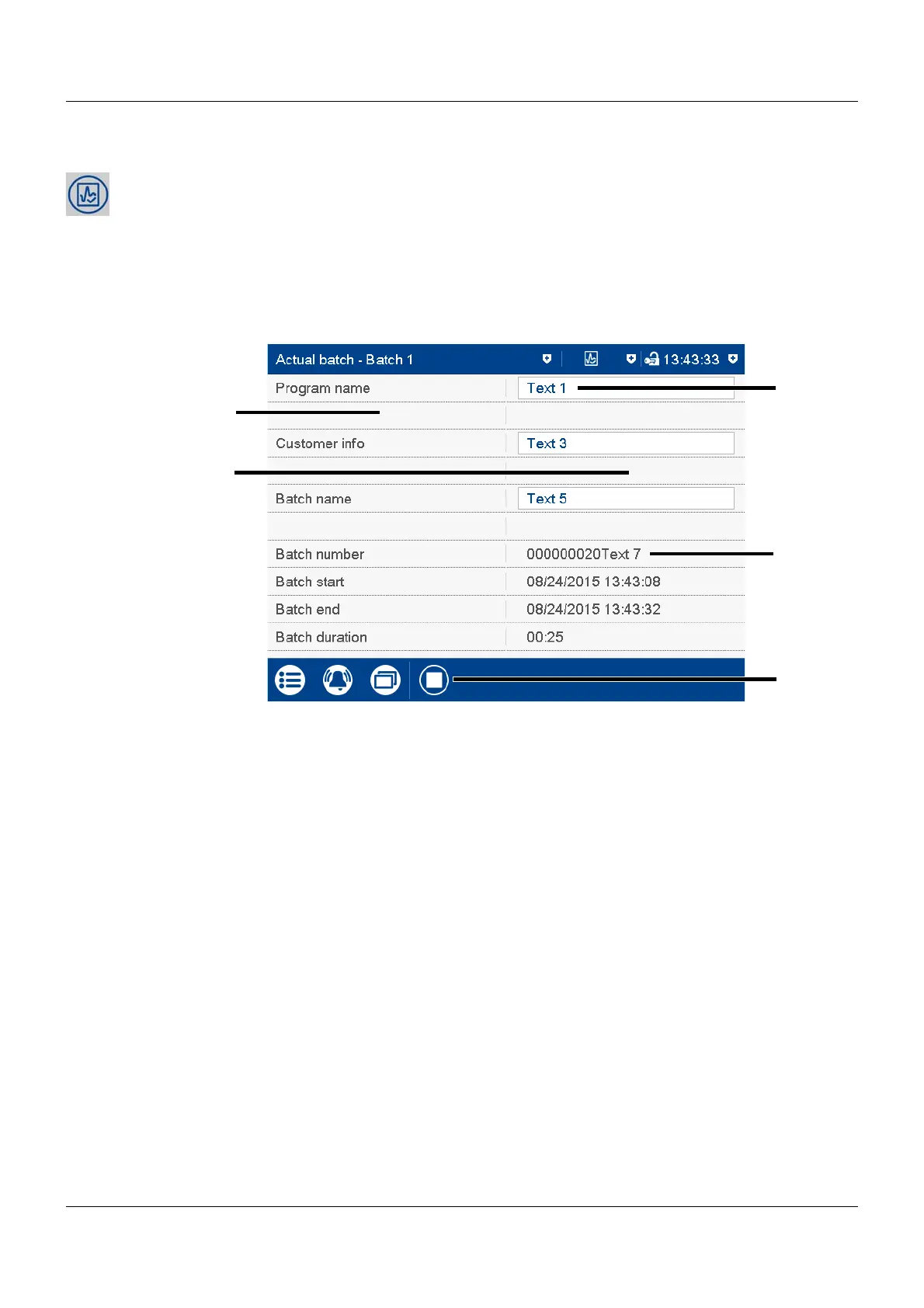
This function opens the protocol for the current batch recording. Batch recording can be started
and stopped (depending on the configuration).
The protocol layout is defined in the batch configuration. This is where the individual lines of
the protocol are defined, and the text for the left column, and content of the right column, are
specified (Device: Main menu > Configuration > Batch > Batch line x; see also the "Configura-
tion" chapter in the operating manual).
View
(1) Left column (3) Editable text (depending on the configu-
ration)
(2) Right column (4) Batch number and non-editable text
(depending on the configuration)
(5) Stop/start batch recording (only for con-
figured "Batch start via touchscreen")



 To Next Page