5 Operation
64
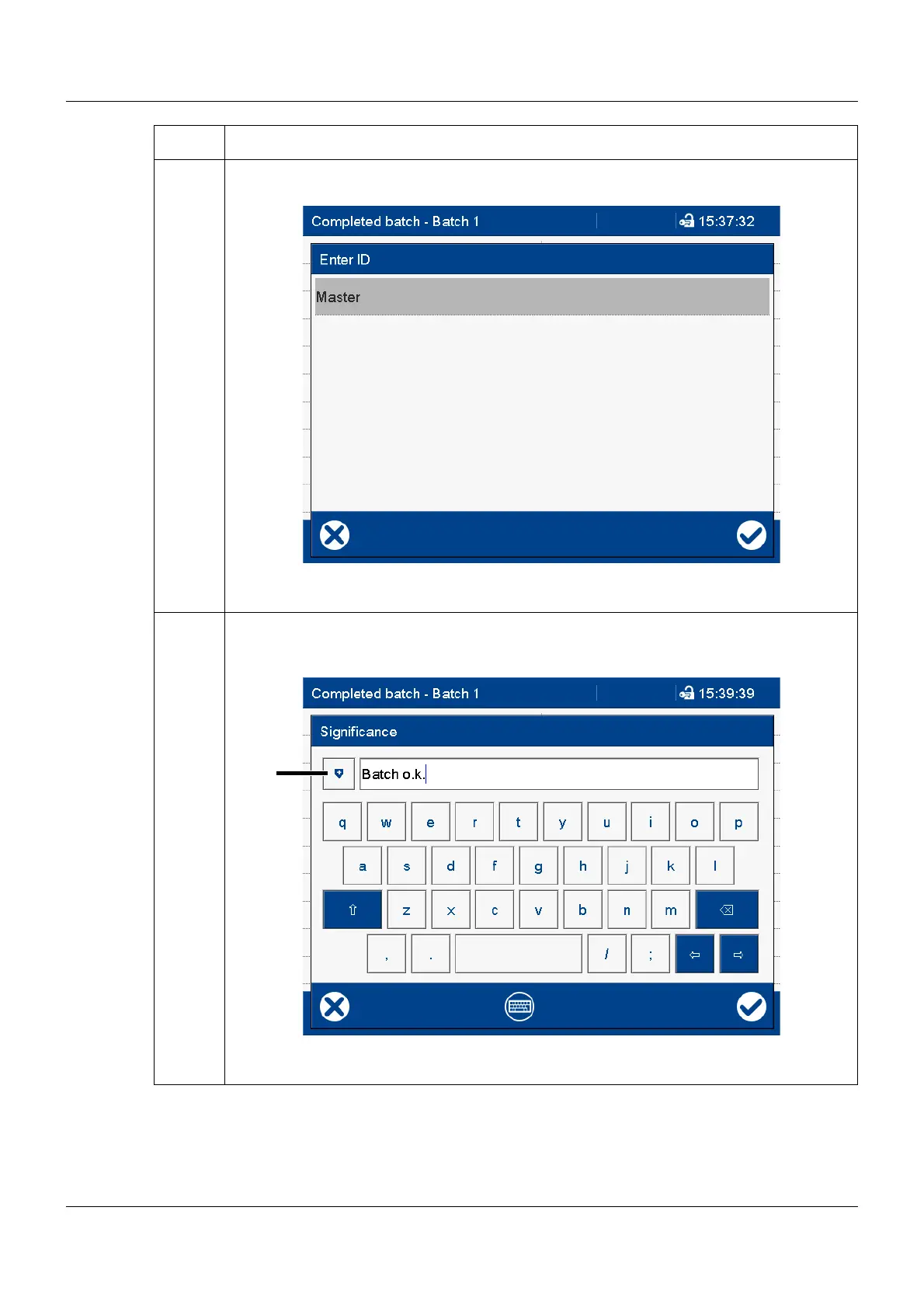
2 Select your user ID (in this case: Master)
The user has to select his/her ID. This step is required because someone other than the
currently logged-on user can provide this signature.
3 Enter text that describes the meaning of the signature (evaluation text) using the keyboard.
Alternatively, select text from the text list (1) and, if required, edit it:
The possibilities of entering a text depend on the configuration (no text available, enter text
via keyboard, select text from text list, select text from text list and edit).
Step Activity



 To Next Page