25
3 Operator level (visualization)
3.3 Curve presentation
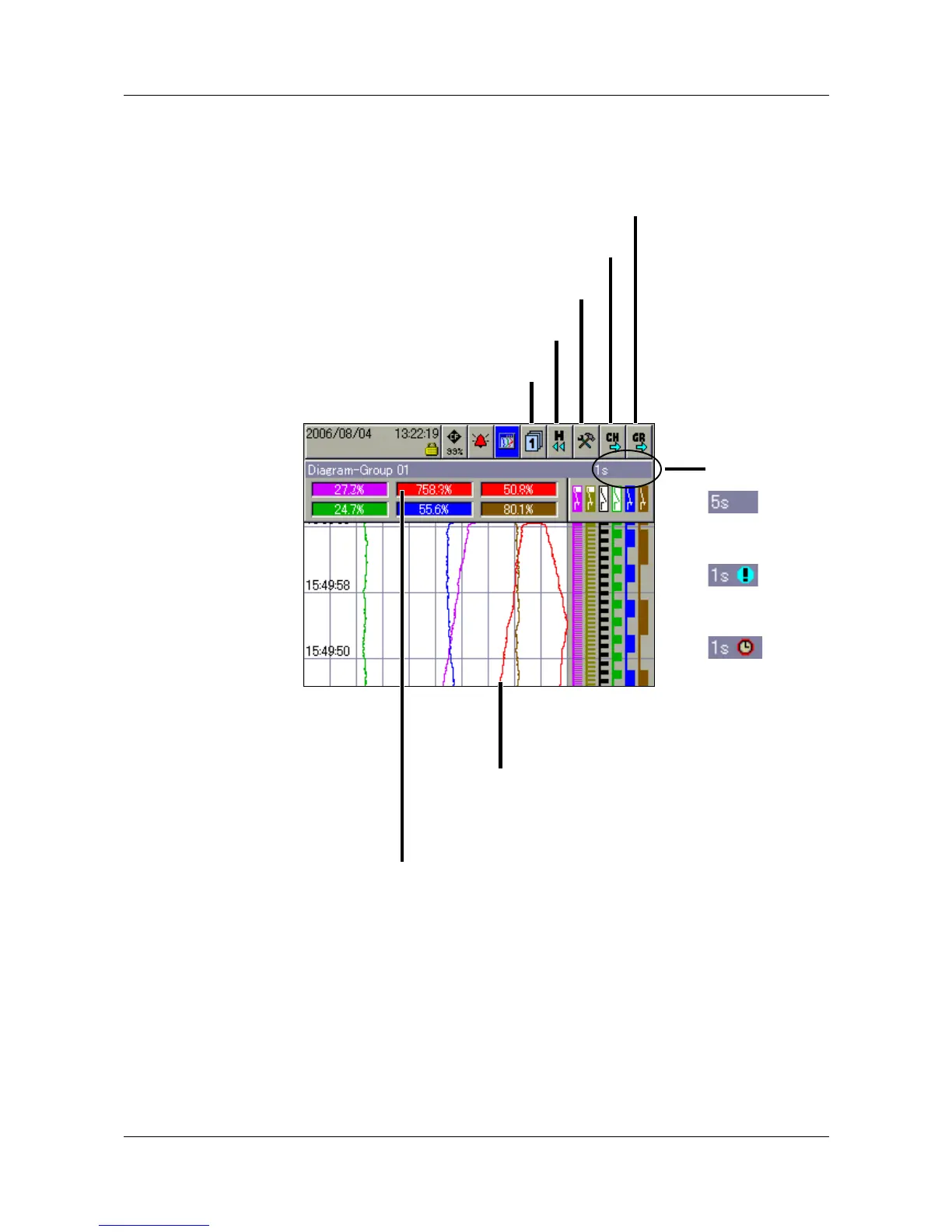
In the curve presentation, the individual signal traces run from top to bottom of
the display (vertical presentation).
Group selection You can use this function to directly select and display any one of the groups.
Memory
presentation
This function starts the presentation of the data that are available in the history
memory.
v Chapter 4 “Memory presentation (History)”
Numerical
measurement
display
This function is used to switch the numerical measurement display or diagram
header on or off.
Group selection
Memory presentation
Numerical measurement display
Channel step-on
Group step-on
Sampling rate
and operating
mode:
=
Normal
operation
=
Event
operation
=
Timed
operation
An alarm (Alarm 1 or Alarm 2) is
indicated by an orange or red background. The colors
can be configured in the setup program.
An alarm (Alarm 1 or Alarm 2) is
indicated by a red or orange color for the
curve. The colors can be
configured in the setup program.



 To Next Page