29
3 Operator level (visualization)
3.8 Report
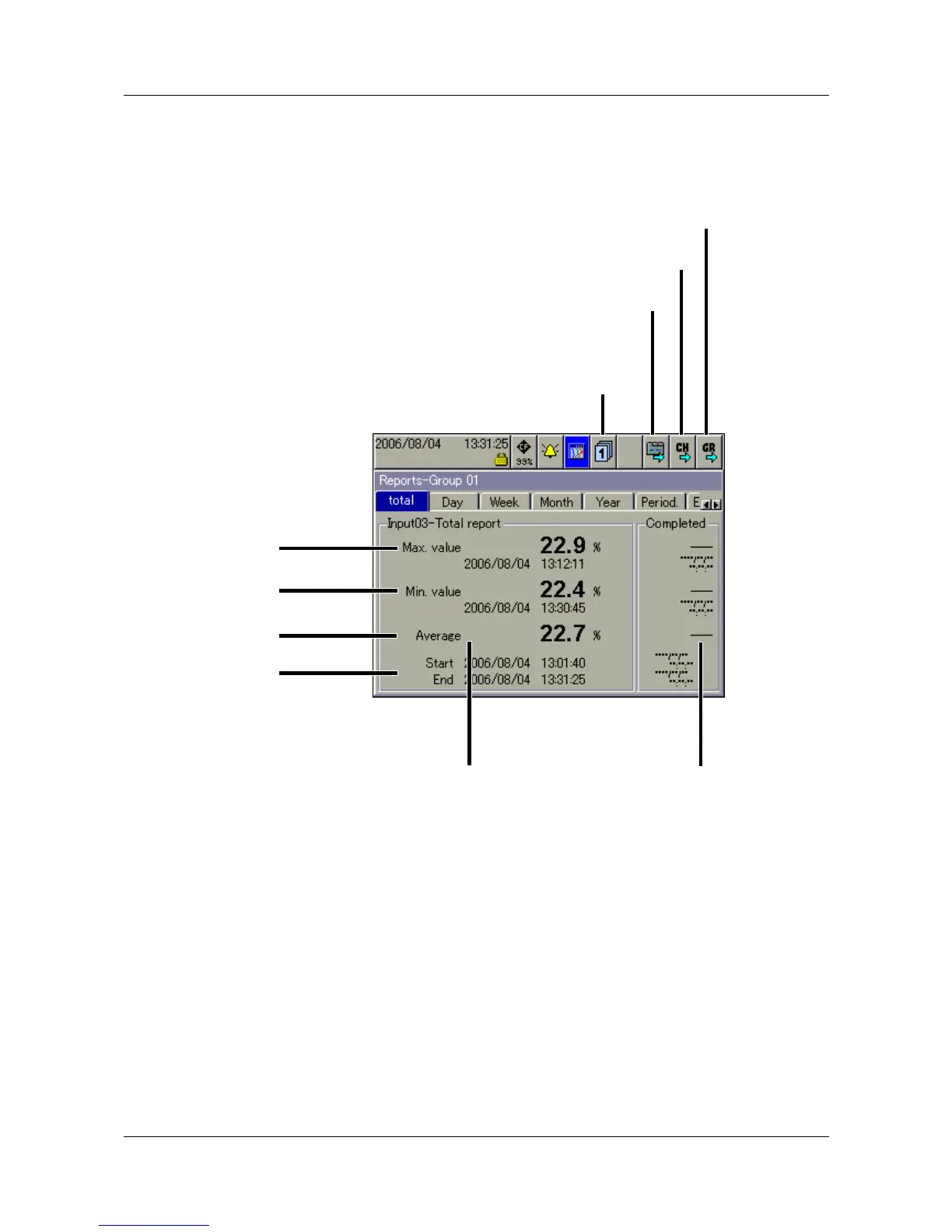
Each one of the reports covers all the analog channels in a group. An
individual and configurable report is provided for each group.
The current reports are visualized in the presentation.
Group selection You can use this function to directly select any one of the groups and display
the report data.
Report
step-on
This function is used to switch between the various types of report for the
current channel.
Channel
step-on
This function can be used to switch between the individual channels of the
currently active group.
Group
step-on
Unlike “Group selection”, where any group can be selected, this function is
used to select the groups one after another.
Group selection
Report step-on
Channel step-on
Group step-on
Here you can find the
current
report data for a channel.
Here you can find the
completed report
data for a channel.
MAX value
MIN value
Average
Time period



 To Next Page