8 Entering text and values
56
Character
entry
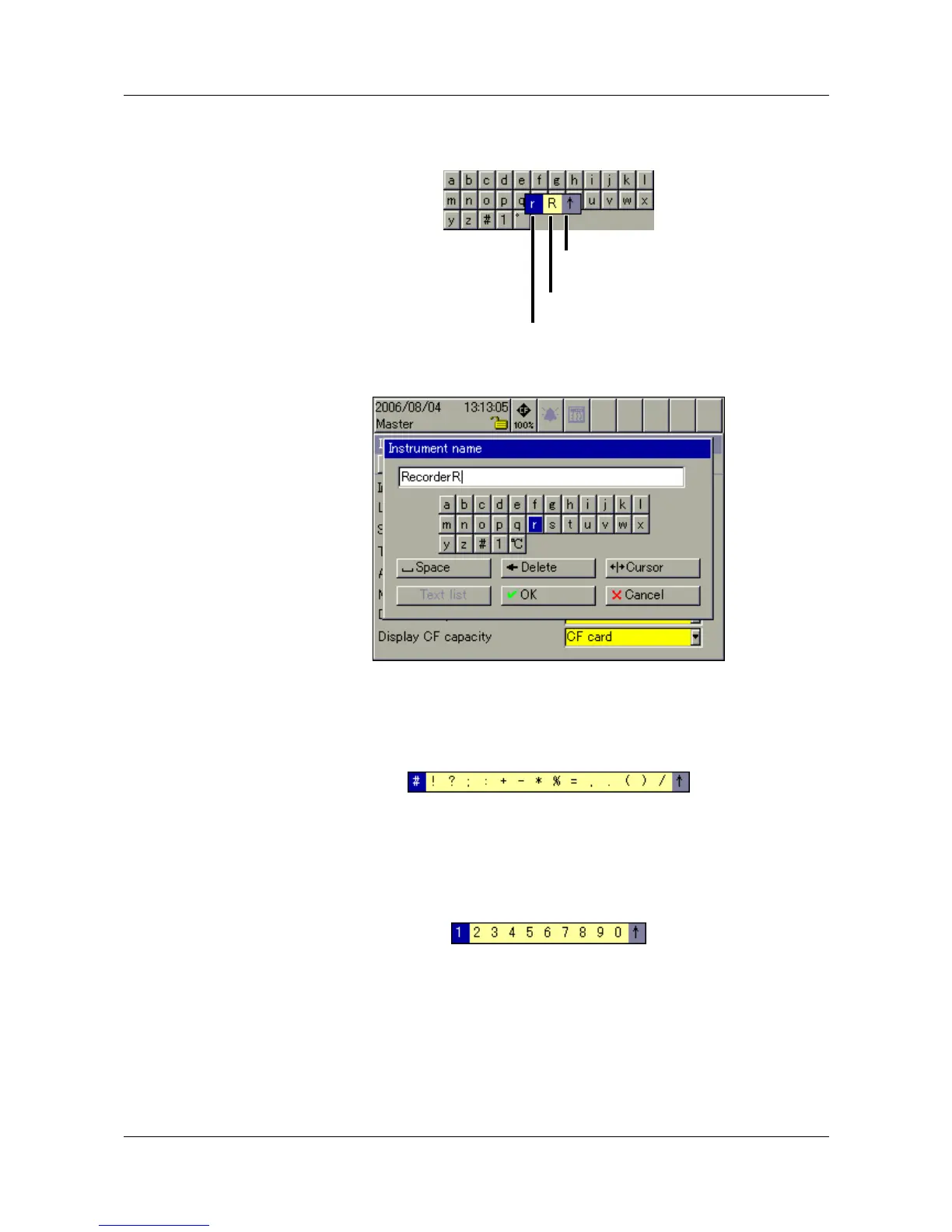
h Move the cursor onto the required character, and press the control knob.
Another selection window will open.
h Rotate the control knob to select upper case (capital) or lower case (small)
letters, activate/confirm the choice by pressing the control knob.
Entering special
characters
Special characters are entered as text.
h Select the # symbol, and press the control knob.
All the special characters that can be selected will now be shown.
Here, too, the selection and confirmation of the characters are made, by
rotating and pressing the control knob.
Numerical
entry
h Select number “1”, and press the control knob.
All the numbers that can be selected will now be shown.
The selection and confirmation of the numbers are made by rotating and
pressing the control knob.
Reject entry
Upper case letter
Lower case letter



 To Next Page