36
Turning on the power
BR-DV6000
PROFESSIONAL
RESET
A.DUB
EJECT
COUNTER
AUDIO INPUT
SELECT
MONITOR OUTPUT REMOTE
LOCAL
CTL L
MIX
R
CH-1/2
MIX
CH-3/4
DV
LINE
Y/C
(CPN)
TC
UB
REW STOP FF
REC
OPERATE
PLAY PAUSE
DISP
SET SEARCH+
BLANK CUE UP
REC LEVEL
CH-1/3 CH-2/4
PREPARATION – Turning on/off the power –
Note
After the OPERATE button is pressed and BR-
DV6000 is turned on, if the green indicator
blinks or the monitor or the LCD displays “UN-
PLUG MAIN POWER, PLUG BACK IN AFTER
A WHILE”, unplug the power cord from the
power outlet, leave it for a while before turning
on the power again.
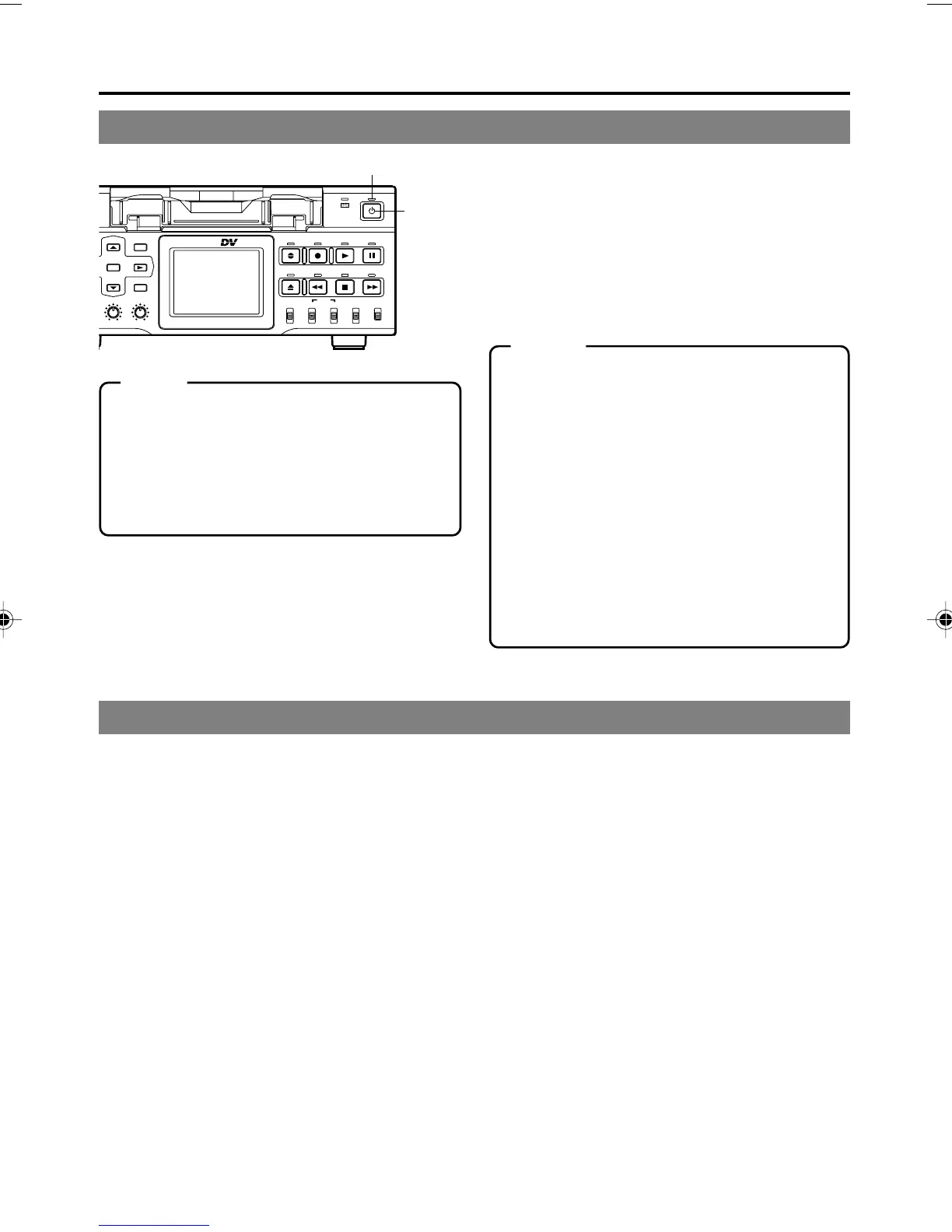
Press the OPERATE button when BR-
DV6000 is in the OPERATE OFF mode
(with the OPERATE indicator lit up in
red)
• The power is turned on and the OPERATE
indicator lights up in green. BR-DV6000 is
ready for operation. (OPERATE ON mode)
Turn off BR-DV6000
1.
Press the OPERATE button.
• BR-DV6000 enters the OPERATE OFF mode and the OPERATE indicator lights up in red.
2.
If BR-DV6000 is not to be used for a long period of time, unplug the AC adapter.
To unplug the AC adapter, remove the power cord from the power outlet first.
Memo
● In the OPERATE OFF mode, if a cassette
tape is inserted, the power is turned on and
BR-DV6000 goes into the OPERATE ON
mode.
● Whether BR-DV6000 goes into the OPER-
ATE ON or OFF mode when the power is sup-
plied to the DC IN terminal can be selected
with DC IN MODE in the SYSTEM (2/2) Menu
screen.
● If TIMER REC or TIMER PLAY is selected,
BR-DV6000 starts up in the OPERATE ON
mode regardless of the DC IN MODE Menu
settings. If a cassette tape is loaded, BR-
DV6000 starts recording or playback.
Turning off the power
OPERATE indicator
OPERATE
button
DV6000U_28-051_Eng.p65e 06/03/03, 11:39 PM36



 To Next Page