50
BR-DV6000
PROFESSIONAL
MENU RESET
A.DUB
EJECT
COUNTER
AUDIO INPUT
SELECT
MONITOR OUTPUT REMOTE
LOCAL
CTL L
MIX
R
CH-1/2
MIX
CH-3/4
DV
LINE
Y/C
(CPN)
TC
UB
REW STOP FF
REC
OPERATE
PLAY PAUSE
DISP
SET SEARCH+
BLANK CUE UP
HOLD
PHONES REC LEVEL
CH-1/3 CH-2/4
MIC
SEARCH–
Mini
KCABEGAP
EGAPTXEN
FFOEDOMTAEPER
RAV.CNUFYEK”,“
VDA.FEDOMESUAPGNOL
NIM5EMITESUAPGNOL
FFOEMITCERPUKCAB
DN2EDOMVDA.F/LTS
OTUATCELESCNYS
––––––]2/1[METSYS–––
PLAYBACK – Special playback functions –
:Setting:
STL/F. ADV MODE in the SYSTEM (1/2) Menu screen
The unit of frame advance and still images can be selected.
FIELD : Field-by-field advance
1st FIELD :Frame-by-frame advance and stops at the 1st field.
2nd FIELD :Frame-by-frame advance and stops at the 2nd field.
FRAME :Frame-by-frame advance.
::Operation:
1.
Set BR-DV6000 to the STILL mode.
2.
Press the PAUSE button to perform frame advance.
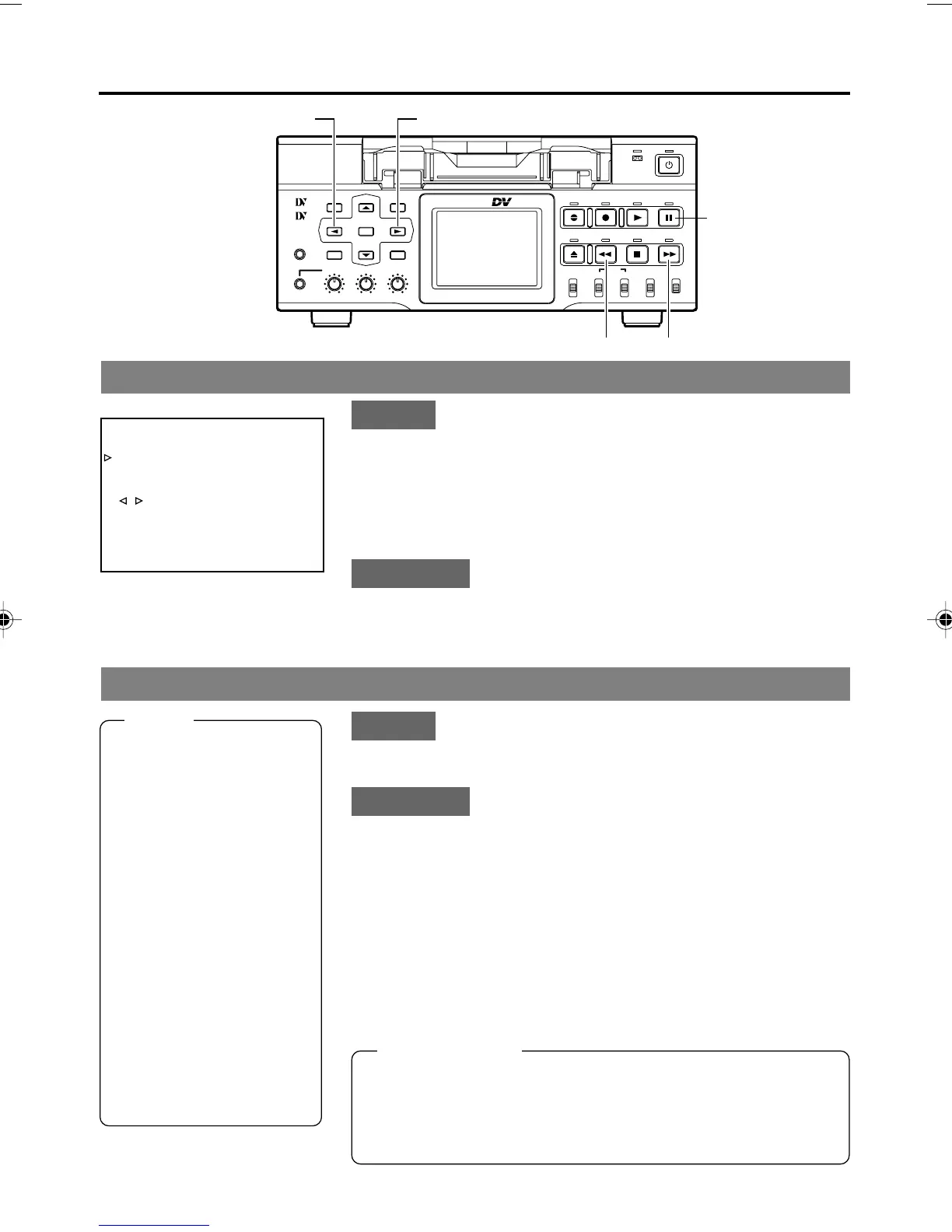
Frame-advance playback
SEARCH–/; button
SEARCH+/: button
PAUSE button
REW button FF button
SYSTEM (1/2) Menu screen
:Setting:
Set “;, :” KEY FUNC in the SYSTEM (1/2) Menu screen
to VAR.
::Operation:
1.
Set BR-DV6000 to the PLAYBACK or the STILL mode.
2.
Press the FF button to start fast-forward playback.
Press the REW button to start reverse playback.
Press the SEARCH+/: button to increase the search
speed. Every time you press this button, the speed in-
creases more.
Press the SEARCH–/; button to decrease the search
speed. Every time you press this button, the speed de-
creases more.
Search mode
Memo
● Whether to enable/dis-
able audio out in the
SEARCH mode can be
selected with A. OUT AT
SEARCH in the AUDIO
Menu screen.
● Playback at ± 0.1 X speed
is step-slow playback
(continuous frame-ad-
vance playback / frame-
reverse playback).
● During slow-playback or
frame-advance, noise is
generated to the output
images from the DV ter-
minal. For recording slow-
playback images, use
analog output signals of
BR-DV6000.
Search speed
SEARCH+/: button z (Fast) (Slow) { SEARCH–/; button
–20...–9...–5...–2...–1...–0.5...–0.33...–0.2...
0.1...STILL...0.1...0.2...0.33...0.5...1(PLAY)...2...
5... 9...20
❈
The maximum speed in the DVCAM mode is 15X.
DV6000U_28-051_Eng.p65e 06/03/03, 11:40 PM50



 To Next Page