70
BR-DV6000
PROFESSIONAL
MENU RESET
A.DUB
EJECT
COUNTER
AUDIO INPUT
SELECT
MONITOR OUTPUT REMOTE
LOCAL
CTL L
MIX
R
CH-1/2
MIX
CH-3/4
DV
LINE
Y/C
(CPN)
TC
UB
REW STOP FF
REC
OPERATE
PLAY PAUSE
DISP
SET SEARCH+
BLANK CUE UP
HOLD
PHONES REC LEVEL
CH-1/3 CH-2/4
MIC
SEARCH–
Mini
TIXE
..PILCEIVOM
..GIFNOCKCAPKROWTEN
..TESYALPSID
..KCOLC/BU/CT
..OEDIV
..OIDUA
..ETOMER
..METSYS
–––UNEM–––
KCABEGAP
EGAPTXEN
FFOEDOMTAEPER
XEDNI.CNUFYEK”,“
VDA.FEDOMESUAPGNOL
NIM5EMITESUAPGNOL
FFOEMITCERPUKCAB
DN2EDOMVDA.F/LTS
OTUATCELESCNYS
––––––]2/1[METSYS–––
TOP MENU screen
MENU SCREENS – Setting the menus –
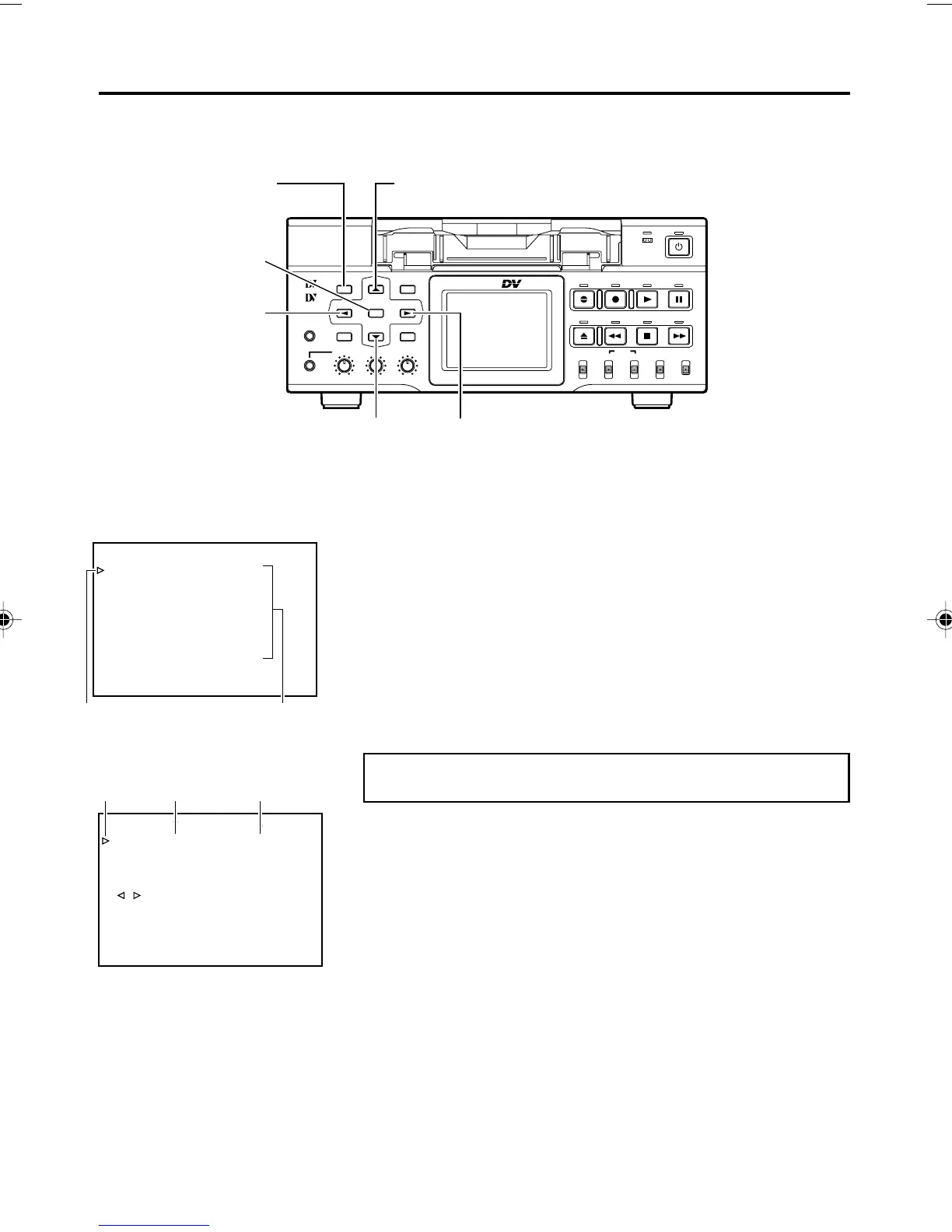
The functions of BR-DV6000 are configured in the Menu screens. The configured settings are
saved in the memory of BR-DV6000 and retained even after power off.
1.4.
MENU button
2.
-1,
3.
-1, 3
8 button
2.
-2,
3.
-2, 4
SET button
; button
2.
-1,
3.
-1, 3
9 button
2.
-2,
3.
-2
: button
Cursor
Menu items
Cursor Item
Setting value
Perform the menu settings while viewing the display on the moni-
tor connected to the VIDEO MONITOR OUT terminal or the LCD.
Set BR-DV6000 to the STOP or STILL mode.
1.
Displaying the TOP MENU screen.
Press the MENU button.
2.
Displaying the Menu screen items for setting.
1 Press the 8 or 9 button to bring the cursor to the Menu screen
item for setting.
2 Press SET or the : button.
Select EXIT of the TOP MENU screen to return to the normal
screen.
3.
Setting the Menu item for setting.
1 Press the 8 or 9 button to bring the cursor to the Menu screen
item for setting.
2 Press SET or the : button.
¥ The selected setting value blinks and becomes available
for changing.
3 Press the 8 or 9 button to change the value.
4 Press the SET button to confirm the change.
¥ Blinking stops and the new value is confirmed.
5 Repeat steps 1 - 4 and continue setting as necessary.
DV6000U_52-071_Eng.p65e 06/03/03, 11:40 PM70



 To Next Page