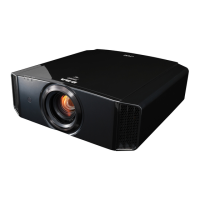
Remote Control
A
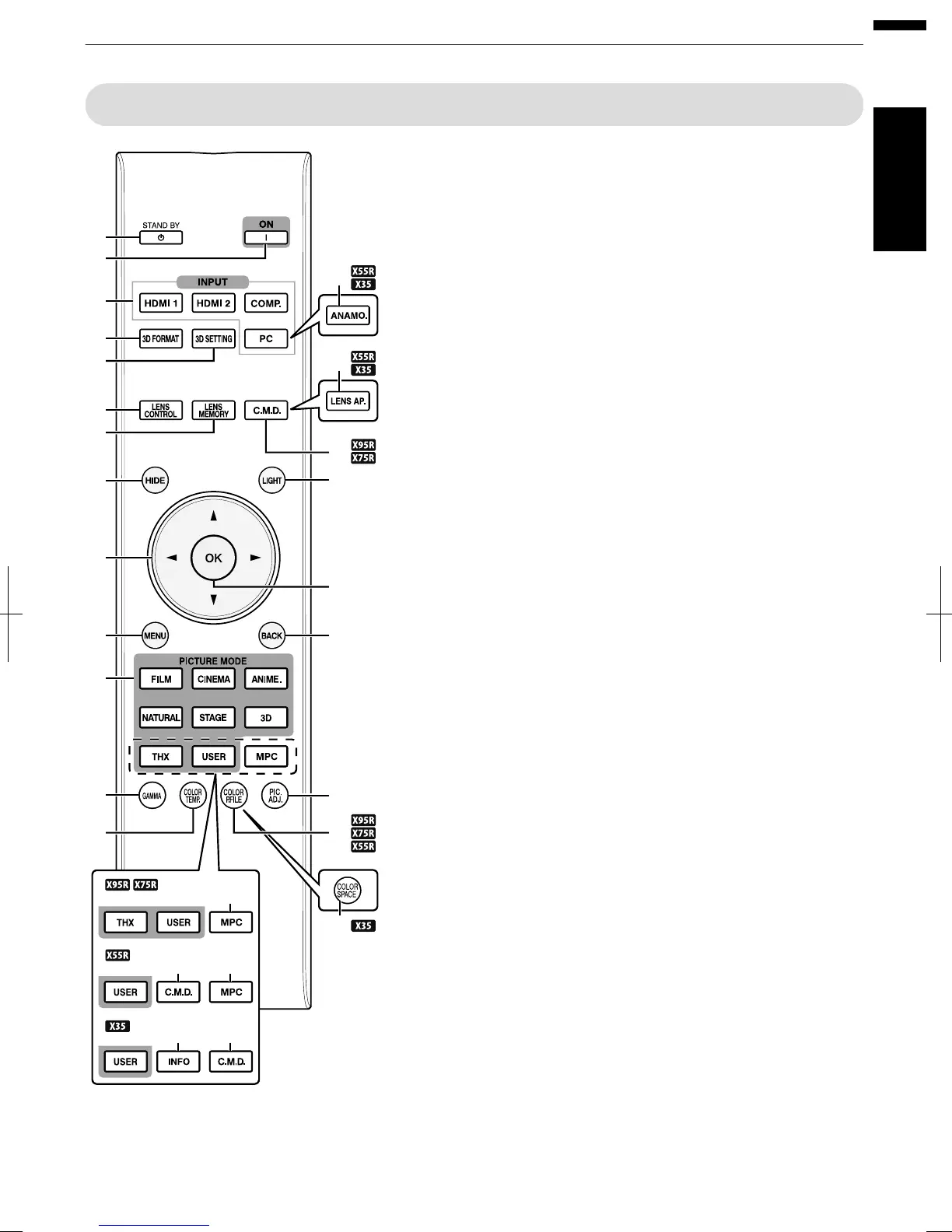
B [STAND BY]
Turns off the power. (
p. 27)
B
C [ON]
Turns on the power. (p. 26)
C
[INPUT]
Select an input from [HDMI 1],
[HDMI 2], [COMP.], and [PC]
(D
C only). (p. 26)
D
[3D FORMAT]
Switches the 3D format.
(p. 35)
E
[3D SETTING]
Displays the 3D setting menu.
(p. 35)
F
[ANAMO.]
B
A
Switches the anamorphic
mode. (p. 57)
G
[LENS CONTROL]
For adjusting focus, zoom, and
shift. (p. 28)
H
[LENS MEMORY]
Switches between saving,
retrieving, and editing of the
lens memory. (p. 29)
I
[C.M.D.]
For setting frame interpolation.
(p. 46)
J
[LENS AP.]
B
A
For setting the lens aperture.
(p. 52)
K
[HIDE]
Hides the image temporarily.
(p. 26)
L
[LIGHT]
Illuminates the buttons on the
remote control.
M
[JKH I] keys
For selecting an item.
N
[OK]
Confirms a selected item.
O
[MENU]
Displays the menu,
or hides the menu if it is
displayed.
P
[BACK]
Returns to the previous menu.
Q
[PICTURE MODE]
Switches the Picture mode to
[FILM], [CINEMA], [ANIME],
[NATURAL], [STAGE], [3D],
[THX] (D C only), or
[USER]. (
p. 37)
R
[MPC] D C
For setting the MPC level.
(p. 40)
S
[INFO]
A
Displays the information
menu. (p. 64)
T
[GAMMA]
For setting the gamma level.
(p. 41)
U
[COLOR TEMP]
For setting the color
temperature. (p. 49)
V
[COLOR P.FILE]
D
C
B
Switches the color profile.
(p. 38)
W
[COLOR SPACE]
A
Switches the color gamut.
(p. 51)
X
[PIC. ADJ.]
Switches the items for
adjusting the image quality,
such as contrast, brightness,
etc. (p. 50)
A
C
D
G
K
O
Q
T
M
B
E
H
U
I
N
L
P
X
F
J
R
R
I
I
S
V
W
17
Getting Started



 To Next Page
 Loading...