Adjusting the Digital Video Cassette Camera with JVC Service Support System Software
35
5.
Click the Cancel button on the EEPROM Utility window to exit the
comparison mode.
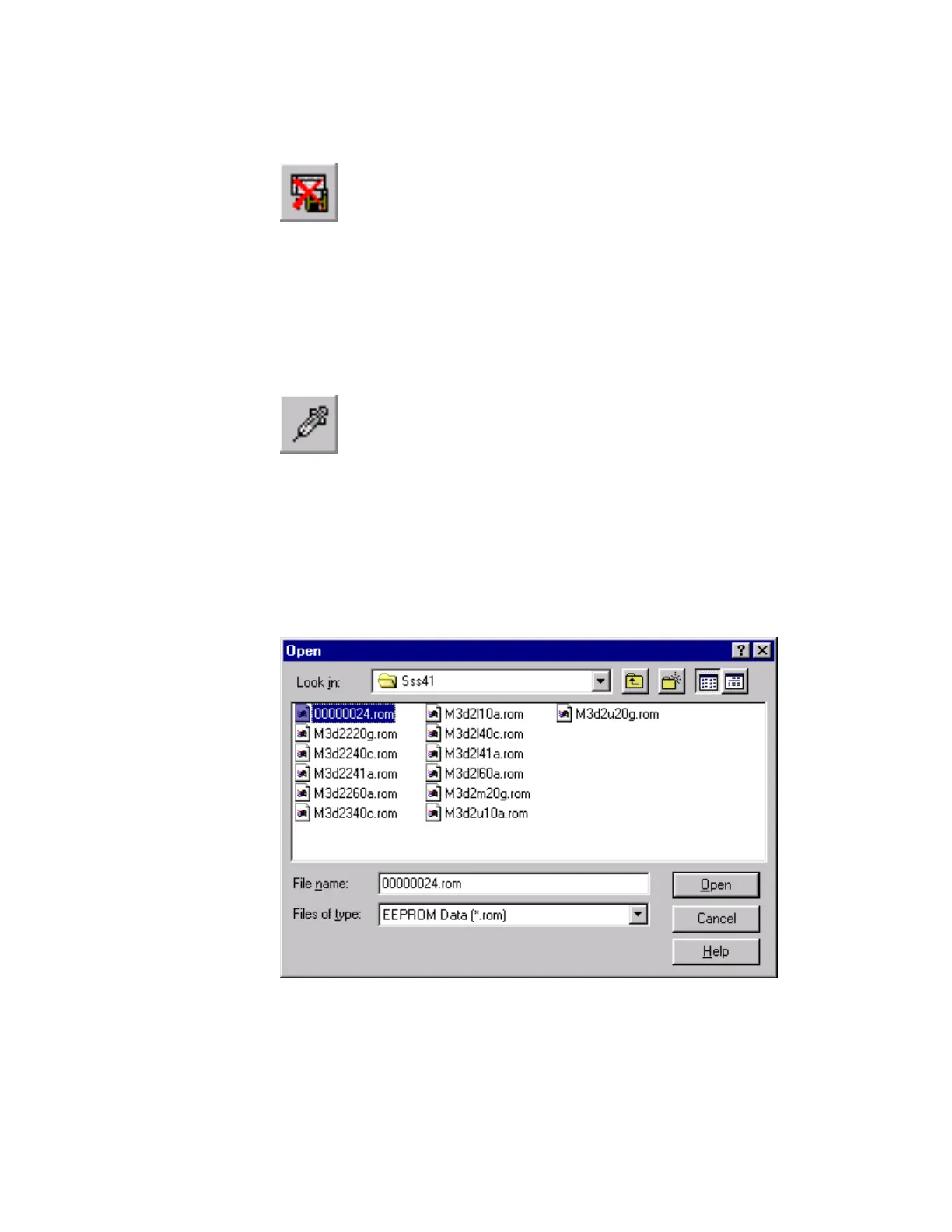
Figure 63 Cancel Toolbar Button
Update settings
On occasion JVC will provide an update to the unit’s operating software. This information is
released in conjunction with a service bulletin.
1. Click the Load Doctor Data button on the EEPROM Utility toolbar.
Figure 64 Load Doctor Data Toolbar Button
2. The Open window appears. Click the name of the file you saved earlier in
the list below Look in: to select it. This should be the serial number of your
camera and the file extension rom. Click the Open button in the Open
window.
Note: This is for demonstration only. Under normal circumstances you
would use a file specified in a service bulletin.
Figure 65 Open Window



 To Next Page