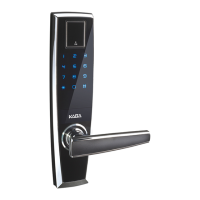
EasyManua.ls Logo

Kaba EF780 - User Manual

Kaba EF780
36 pages
Print Icon
To Next Page IconTo Next Page
Loading...
Kaba EF780
Please read these instructions carefully before you use the product.
Functions and design of this product are subject to change without prior
notice due to product improvement.

Questions and Answers

  • W
    wjonesAug 17, 2025
    What to do if Kaba EF780 Door locks are in privacy mode?
    • C
      Chad PachecoAug 17, 2025
      If the Kaba Door lock cannot be opened with a PIN code or a fingerprint from outside and the lock voice guide indicates "Privacy mode", it's likely that the privacy mode has been activated from inside. In this case, the door cannot be opened using a PIN code or a fingerprint from outside. The lock can be used again only after the privacy mode is deactivated from inside or by using the mechanical key.
  • J
    jasmine97Aug 20, 2025
    Why is the auto lock not working on my Kaba EF780 Door locks?
    • L
      Lisa JonesAug 20, 2025
      If the auto lock feature isn't working on your Kaba Door locks, first, verify that the [OPEN/LOCK] switch is on the right side. If it's on the left, the door won't lock automatically, even when closed. Also, ensure the gap between the door and the frame is less than 5mm.
  • A
    Angela FoleyAug 22, 2025
    What to do if the alarm is on suddenly when the Kaba EF780 Door locks are touched?
    • L
      Laura RileyAug 23, 2025
      If your Kaba Door locks' alarm goes off unexpectedly when touched, it might be due to a malfunctioning mortise sensor. To turn off the alarm, enter your PIN code, swipe a card key, or move the [OPEN/LOCK] switch to the right and hold it for about 5 seconds.
  • M
    Mark BrownAug 26, 2025
    Why a locked Kaba Door locks cannot be opened by a fingerprint?
    • A
      Ashlee SpearsAug 26, 2025
      If you're having trouble opening your Kaba Door locks with a fingerprint, make sure it's a registered fingerprint. Try wiping both your finger and the fingerprint reader. Also, try again by maximizing the contact area of your fingerprint on the reader. Keep in mind that if the lock is set to “Double Identification Mode”, fingerprint identification alone will not work.
  • T
    Tammy DavidAug 28, 2025
    Why is the remote control not working for my Kaba EF780 Door locks?
    • V
      Vanessa NewmanAug 28, 2025
      If the remote control for your Kaba Door locks isn't working, check if wireless communication is enabled. Also, check the remote control battery to ensure it's not flat.
  • T
    Tammy CruzAug 31, 2025
    Why is the power not on for my Kaba EF780 Door locks?
    • A
      Ashley ColemanAug 31, 2025
      If your Kaba Door locks are not powering on, check the battery. Ensure it's not faulty and is inserted with the correct polarity (+ -). Also, verify that the battery is not completely discharged.
  • M
    Michael ThompsonSep 2, 2025
    What to do if I cannot register a fingerprint on Kaba EF780 Door locks?
    • T
      tiffany52Sep 3, 2025
      If you're having issues registering a fingerprint on your Kaba Door locks, make sure to place your fingerprint on the reader within 10 seconds of the keypad illuminating. Also, ensure that you do not remove your fingerprint until identification is successful. Note that fingerprint registration or identification may be problematic if your fingerprint ridges are indistinct, damaged, or if the fingerprint belongs to a child.
  • C
    Cindy SanchezSep 5, 2025
    Why is the wireless repay not working on my Kaba EF780?
    • B
      Beth KennedySep 5, 2025
      If the wireless relay for your Kaba Door locks isn't working, check if the wireless relay battery is flat and check if it is a registered wireless relay.
  • J
    jennifer29Sep 8, 2025
    What to do if the keypad does not illuminate with your palm touch on Kaba EF780 Door locks?
    • D
      daniel42Sep 8, 2025
      If the keypad on your Kaba Door locks doesn't illuminate when touched or seems to malfunction, try touching the keypad again with your open palm.
  • P
    paul20Sep 12, 2025
    Why there is no sound on Kaba EF780?
    • N
      Nicole JenkinsSep 12, 2025
      If there's no sound coming from your Kaba Door locks, check if the lock is set to Mute.

Summary

Components

Name of Parts

Outside Lock (Front Body)

Details the external components of the Kaba EF780 lock, including the keypad, fingerprint reader, and handle.

Inside Lock (Main Body)

Describes the internal components of the Kaba EF780 lock, such as management buttons, battery cover, and mode switches.

How to Use

Factory Reset

Step-by-step guide to perform a factory reset on the Kaba EF780 lock, restoring default settings.

Reset Admin PIN Code

Instructions on how to reset the administrator's PIN code for the Kaba EF780 lock.

Delete All User Information

Procedure to delete all registered user data, including PIN codes and fingerprints, from the lock.

How to Enter the Menu

Guide on navigating the menu system of the Kaba EF780 lock using fingerprints or PIN codes.

Instruction Overview

A summary of common operations and functions for the Kaba EF780 lock, presented as a flowchart.

Fingerprint Registration

Detailed steps for registering fingerprints on the Kaba EF780 lock for user authentication.

Delete an Individual Fingerprint

Instructions for removing a single registered fingerprint from the Kaba EF780 lock.

Delete All Fingerprints

Process for erasing all stored fingerprints from the Kaba EF780 lock.

PIN Code Registration

Guide for registering new PIN codes for user access on the Kaba EF780 lock.

Delete an Individual PIN Code

Steps to remove a specific PIN code from the Kaba EF780 lock.

Delete All PIN Codes

Process for deleting all registered PIN codes from the Kaba EF780 lock.

Turn On Wireless Communication

Instructions for enabling wireless communication features on the Kaba EF780 lock.

Turn Off Wireless Communication

Steps to disable wireless communication features on the Kaba EF780 lock.

Remote Control Registration

Guide for registering a remote control with the Kaba EF780 lock.

Remote Control Deletion

Procedure for removing a registered remote control from the Kaba EF780 lock.

Sound Volume Setting

Instructions on how to adjust the sound volume levels for the Kaba EF780 lock.

Double Identification Mode Registration

Steps to set up dual authentication methods (e.g., PIN and fingerprint) on the Kaba EF780 lock.

Double Identification Mode Deletion

Procedure for removing double identification modes from the Kaba EF780 lock.

Open a Door From Outside

Explains how to unlock the Kaba EF780 door from the exterior using fingerprint, PIN code, or remote control.

Open Door with PIN & Fingerprint ID

Guide to opening the door using both PIN code and fingerprint authentication.

Open Door with Dual Fingerprint ID

Instructions for opening the door using two registered fingerprints for enhanced security.

Open Door with Mechanical Key

Procedure for opening the door using the provided mechanical key.

Open a Door From Inside

Instructions on how to open the door from the interior by turning the handle.

Lock a Door From Inside

Guide on how to lock the door from the interior using the internal lock switch.

Language Setting

Steps to select the desired language for voice prompts and interface on the Kaba EF780 lock.

Passage;Open Mode Setting

How to configure the lock to allow passage or normal locking modes.

Privacy Mode Setting

Guide to activate or deactivate the privacy mode on the Kaba EF780 lock.

Trespassing;Damage Alarm

Explains the alarms triggered by forced entry attempts or damage to the lock.

SOS Alarm

Information about the SOS alarm function and its activation conditions.

Keypad Lockout Alarm

Details the keypad lockout mechanism activated by multiple incorrect entries.

Security Linkage Alarm

Describes how the lock can trigger alarms and send SMS notifications via security linkage.

Low Battery Alarm

Explains the alert for low battery levels and how to address it.

Trouble Shooting

How to Replace a Battery

Step-by-step guide for replacing the batteries in the Kaba EF780 lock.

Solutions to Malfunction of the Product

Provides common solutions for malfunctions and issues encountered with the Kaba EF780 lock.

Product Specification

Kaba EF780 Specifications

General IconGeneral
BrandKaba
ModelEF780
CategoryDoor locks
LanguageEnglish

Related product manuals