27KANE 358 MANUAL
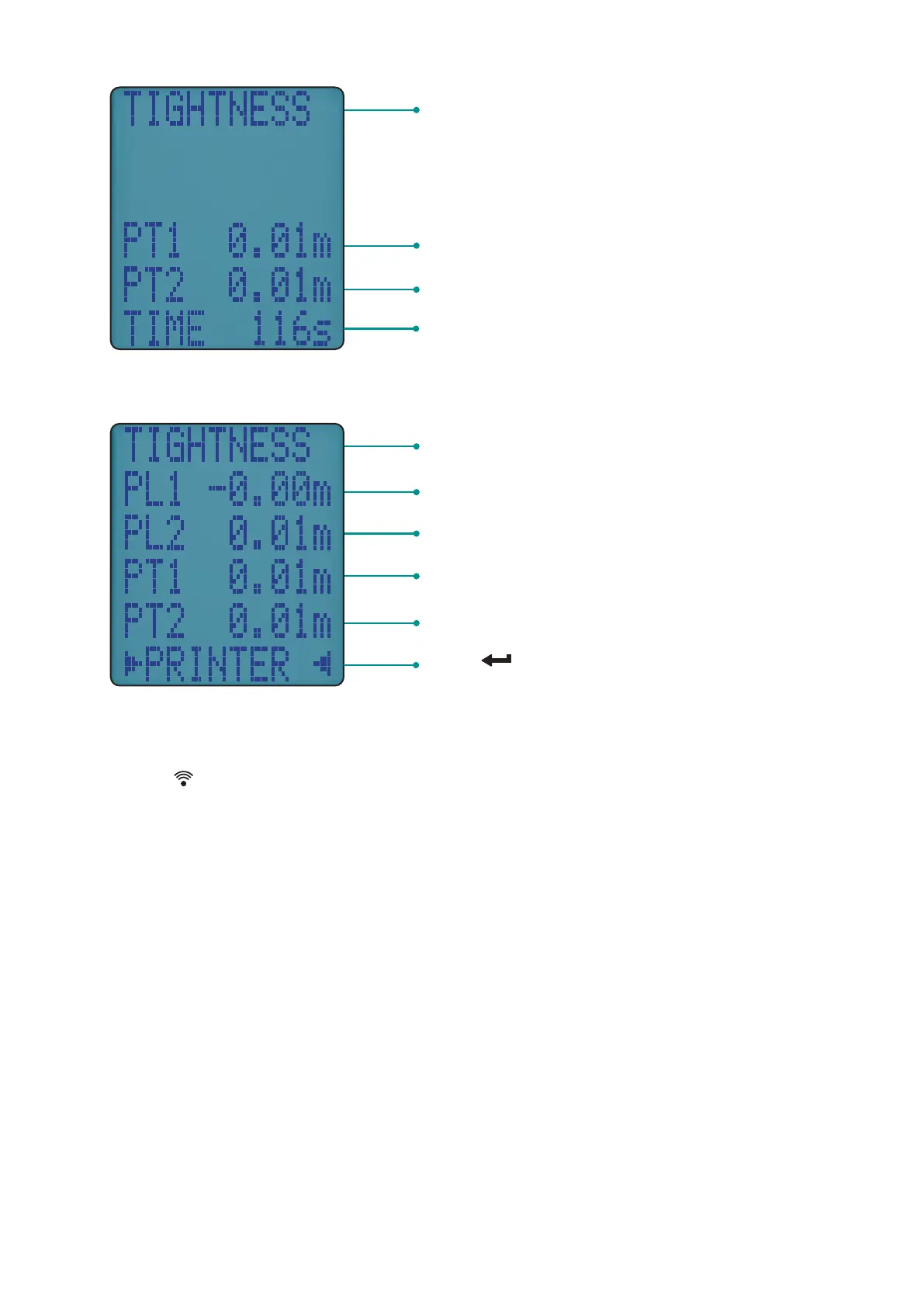
When complete display shows:
VIEWING/PRINTING
Press button to print a full Let-By & Tightness report to our
optional KANE IRP-2 printer or KANE’s App via wireless module.
Let-by & Tightness reports are automatically stored. Page 20 explains
how to view & print stored reports.
Tightness test is automatically stored in
the memory
Pressure at start of tightness test
Real time pressure reading
Tightness default time is 120 seconds –
can be changed via “Menu”
Tightness test is automatically stored in
the memory
Pressure at start of stabilisation test
Pressure at end of stabilisation test
Pressure at start of tightness test
Pressure at end of tightness test
Press to print the complete test



 To Next Page