109
SYSTEM Menu
SYSTEM Menu Parameters & Functions
4
Oset
1. EQ Oset ON/OFF
This parameter turns the EQ Oset function ON or OFF.
The EQ Oset function may be useful when performing at a venue
with certain room acoustics, or simply dierent amplier and
speaker equipment to that used normally. The Oset values can
be adjusted to create a ‘baseline’ character for the instrument,
rather than readjusting the EQ settings prepared for each SETUP.
* The default setting is OFF.
* The EQ Oset values will be added to the EQ values dened in each SETUP.
The combined EQ values are limited to ±10 dB.
2. Reverb Oset
This parameter adjusts the reverb depth oset, allowing the
reverb for all sound section to be reduced globally.
Similar to the EQ Oset function, Reverb Oset may be useful
when performing at a venue with reective acoustics, or when
connecting the instrument to a PA system with reverb pre-applied.
The reverb oset depth is reduced globally for all sound sections,
negating the need to readjust reverb settings for each SETUP.
* The default setting is 100%.
3. EQ Oset Low
This parameter adjusts the EQ Oset gain for the low range
frequency band.
* The default setting is 0 dB.
4. EQ Oset High
This parameter adjusts the EQ Oset gain for the high range
frequency band.
* The default setting is 0 dB.
5. EQ Oset Mid1
This parameter adjusts the EQ Oset gain for the Mid1 range
frequency band.
* The default setting is 0 dB.
6. EQ Oset Mid2
This parameter adjusts the EQ Oset gain for the Mid2 range
frequency band.
* The default setting is 0 dB.
5
User Edit
The User Edit category contains functions to create custom touch curves and keyboard temperaments.
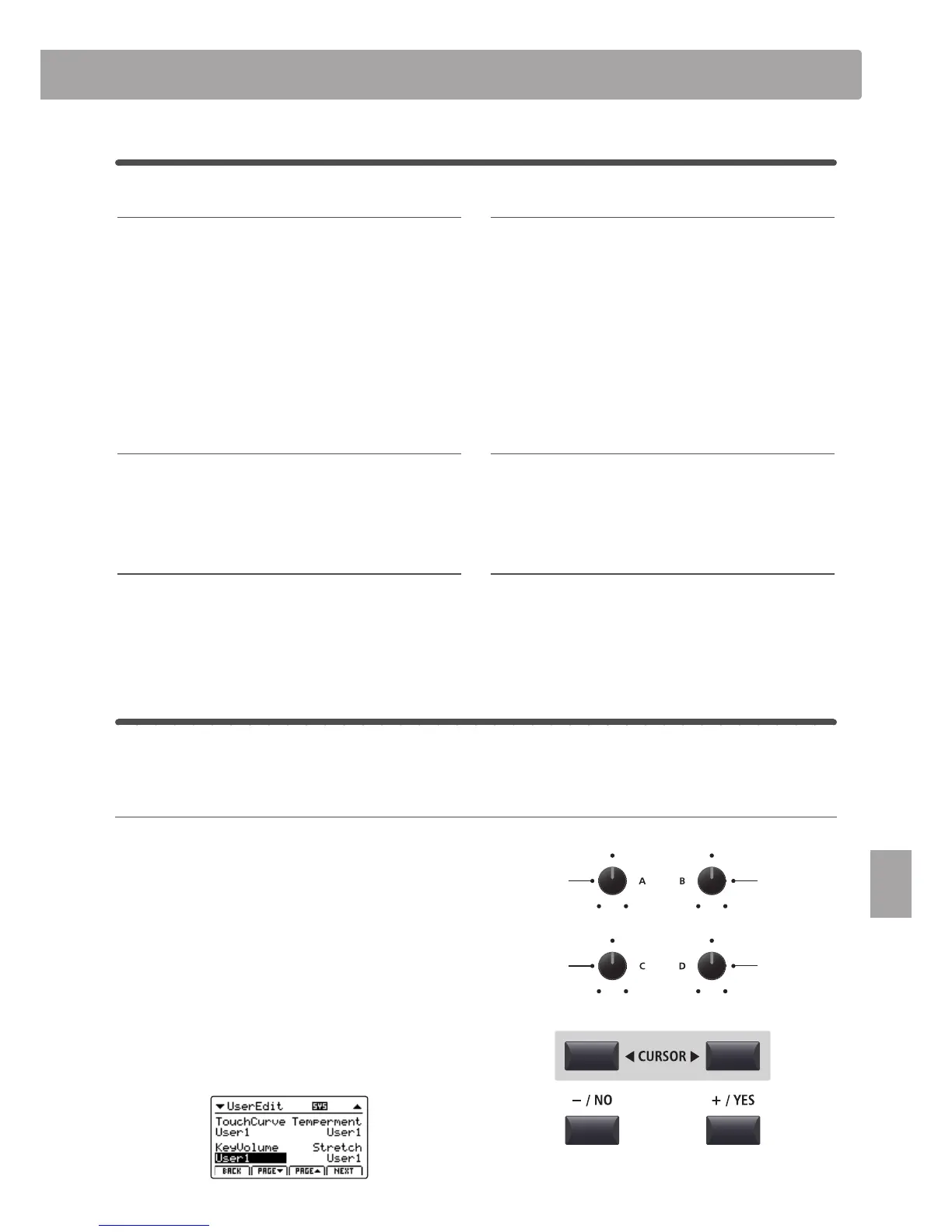
Selecting the User Touch Curve / Temperament / Key Volume / Stretch Tuning to edit
After selecting the User Edit SYSTEM menu category:
Turn control knob A to select the desired User Touch Curve.
Turn control knob B to select the desired User Temperament.
Turn control knob C to select the desired User Key Volume.
Turn control knob D to select the desired User Stretch Tuning.
The User Touch Curve, User Temperament, User Key Volume, and
User Stretch Tuning can also be selected by using the CURSOR
buttons and +/YES or –/NO buttons.
on, off value: 0% ~ 100%
value: –10 db ~ +10 db value: –10 db ~ +10 db
value: –10 db ~ +10 db value: –10 db ~ +10 db
Select User
Key Volume
Select User
Touch Curve
Select User
Stretch Tuning
Select User
Temperament



 To Next Page