99
USB Menu
USB Menu Functions
1
Load
These functions allow data stored on a USB memory device to be loaded into the instrument’s internal memory.
Load functions will overwrite the existing data stored in internal memory.
Exercise caution when using these functions in order to prevent accidental data loss.
1. Load One Sound
This function loads a SOUND le stored on a USB memory,
replacing the preset parameters for that specic sound.
After selecting this function, select the desired SOUND le
from the le/folder listing screen.
Finally, press the F2 or F3 function buttons to conrm or cancel
the load operation.
* After loading, the SOUND will be selected automatically, and all other
sections will be turned OFF. SETUPs will also be turned OFF.
2. Load One Setup
This function loads a SETUP le stored on a USB memory device
into one of the MP7’s 256 SETUP memories.
After selecting this function, select the desired SETUP le from
the le/folder listing screen. Then press the BANK and SETUP
memory buttons to specify the destination SETUP memory.
Finally, press the F2 or F3 function buttons to conrm or cancel
the load operation.
* After loading, the SETUP will be selected automatically.
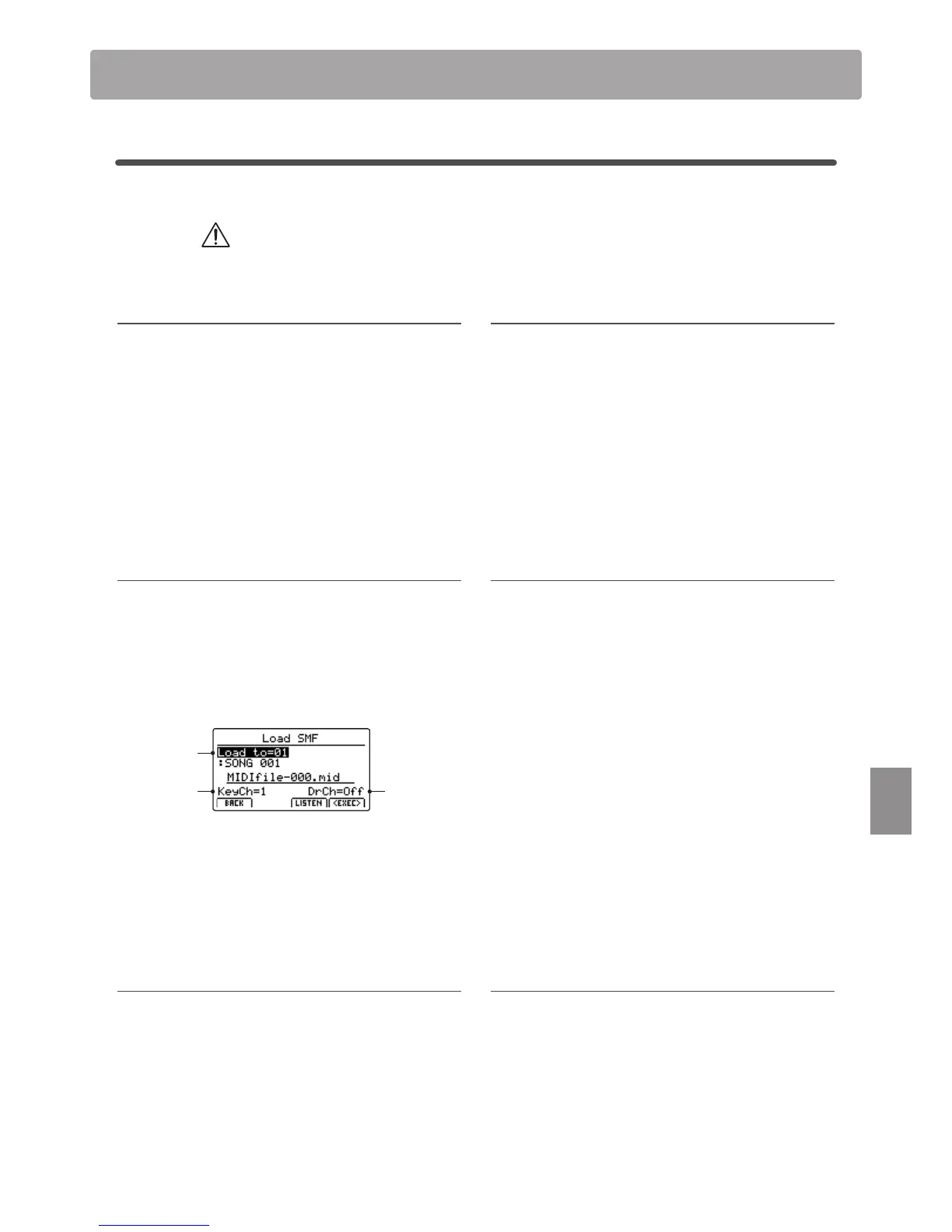
3. Load SMF
This function loads an SMF song le stored on a USB memory
device into the MP7’s internal song recorder memory.
After selecting this function, select the desired SMF le from
the le/folder listing screen. Then use the control knobs A, C,
and D to specify the destination song memory and keyboard/
drum channels.
Drum
channel
Keyboard
channel
Song
memory
Finally, press the F2 or F3 function buttons to conrm or cancel
the load operation.
* After loading, the MIDI record/playback screen will be shown in the LCD
display and the destination song memory will be selected automatically.
* For more information about the song recorder, please refer to page 68.
4. Load All Sound
This function replaces the preset parameters for all internal
sounds from an All Sound le stored on a USB memory device.
After selecting this function, select the desired All Sound le
from the le/folder listing screen.
Finally, press the F2 or F3 function buttons to conrm or cancel
the load operation.
5. Load All Setup
This function restores all SETUP memories from an All Setup le
stored on a USB memory device.
After selecting this function, select the desired All Setup le
from the le/folder listing screen.
Finally, press the F2 or F3 function buttons to conrm or cancel
the load operation.
6. Load All Backup
This function restores the parameters for all SETUP memories,
SOUND parameters, and SYSTEM settings from an All Backup
le stored on a USB memory device.
After selecting this function, select the desired All Backup le
from the le/folder listing screen.
Finally, press the F2 or F3 function buttons to conrm or cancel
the load operation.



 To Next Page