80
Recorder
1
Recording an audio le
The MP7 is also capable of recording performances (including LINE IN input audio) as digital audio – saving the data
to a USB memory device in either MP3 or WAV format. This useful function allows professional quality recordings to
be produced directly on the instrument – without the need for additional sound equipment – then emailed to band
members, listened to away from the instrument, or edited and remixed further using an audio workstation.
Audio Recorder format specications
Audio Format Specications Bitrate
MP3 44.1 kHz, 16 bit, Stereo 192 kbit/s (xed)
WAV 44.1 kHz, 16 bit, Stereo 1,411 kbit/s (uncompressed)
* MPEG Layer-3 audio coding technology licensed from Fraunhofer IIS and Thomson.
MP3 codec is Copyright (c) 1995-2007, SPIRIT
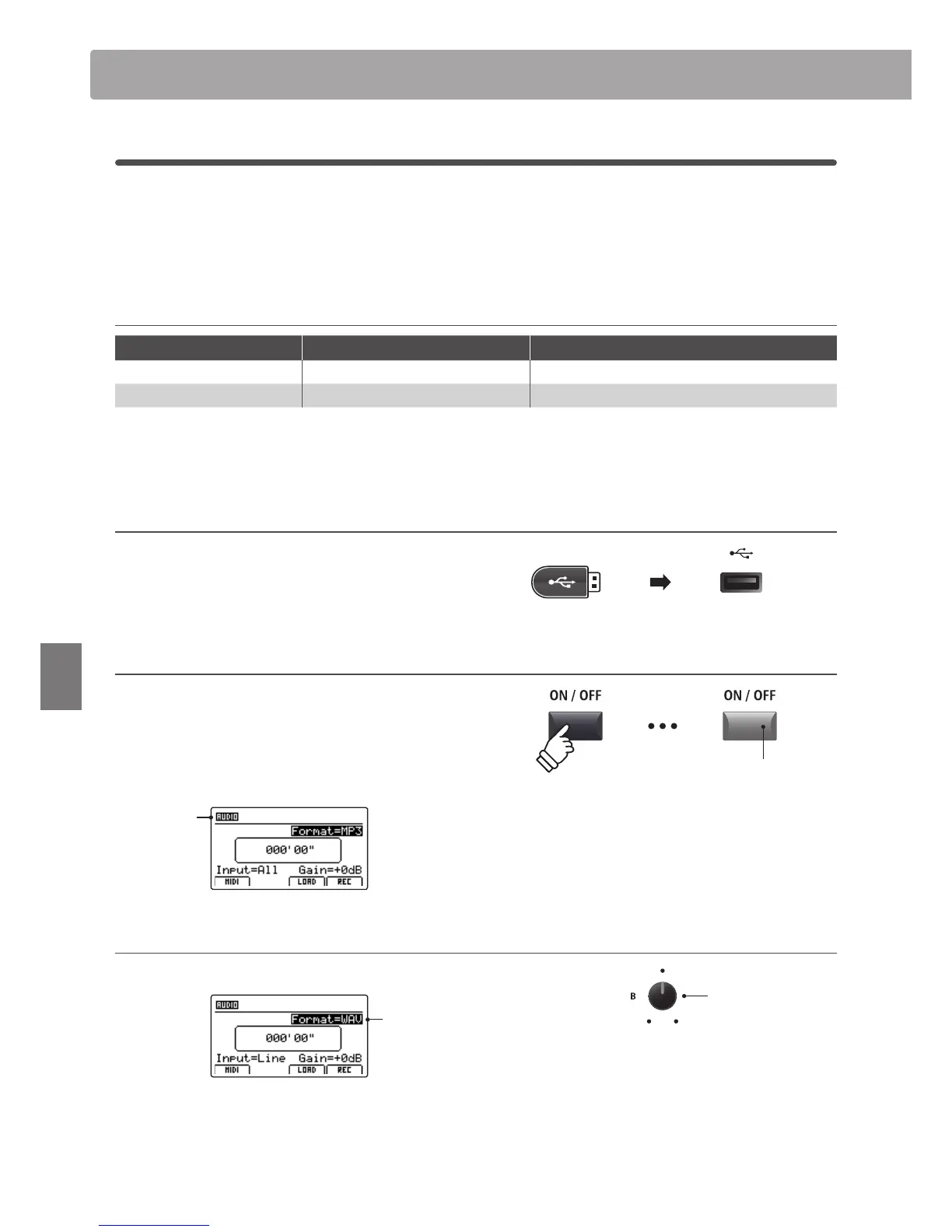
1. Connecting a USB memory device
Connect a USB memory device to the USB to Device port.
* USB devices should be formatted to use the ‘FAT’ or ‘FAT32’ lesystems.
The USB device will be scanned.
2. Turning the Recorder mode ON
Press the RECORDER section’s ON/OFF button to turn Recorder
mode ON.
The LED indicator for the RECORDER section’s ON/OFF button
will turn ON, and the Audio recorder screen will be shown in
the LCD display.
Audio
recorder
selected
Selecting the audio recorder le format
Turn control knob B to select the desired audio recorder format.
Audio
recorder
format
* MP3 audio les require less storage space than WAV audio les.
* A 1 GB USB memory device can store over 12 hours of MP3 audio data.
Audio Record/Playback (USB memory)
LED indicator ON:
Recorder mode is turned ON
Audio recorder
format
* If the MIDI recorder screen is shown, press the F1 function button (AUDIO)
to select the Audio recorder.



 To Next Page