93
Recorder
Metronome
Returning to the previous screen (BACK function)
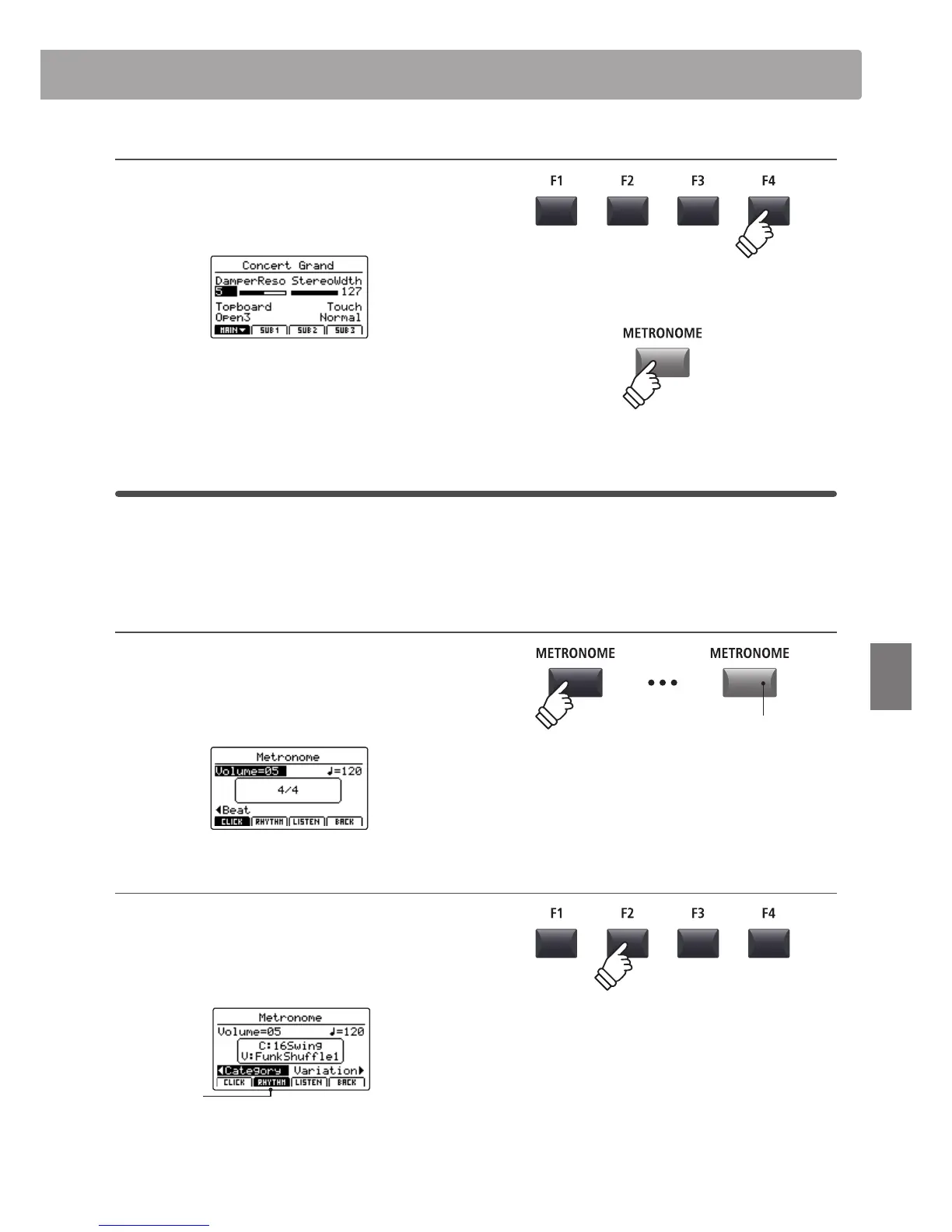
While the metronome is counting:
Press the F4 function button (BACK) to return to the previous
screen without stopping or deactivating the metronome.
Press and hold the METRONOME button again to show the
Metronome screen in the LCD display.
2
Rhythm mode
In Rhythm mode, the metronome function provides a more musically inspiring drum track. There are 100 dierent
drum patterns available, grouped into 13 categories.
* For a full listing of available drum patterns, please refer to page 95.
Activating the metronome function
Press the METRONOME button.
The LED indicator for the METRONOME button will turn ON
to indicate that the metronome function is in use, and the
Metronome screen will be shown in the LCD display.
Selecting Rhythm mode
Press the F2 function button (RHYTHM)
The RHYTHM icon will become highlighted, and the currently
selected drum rhythm category and variation will be shown in
the LCD display.
Rhythm mode
selected
hold
LED indicator ON:
Metronome is turned ON
* The metronome will be set to Click mode by default.



 To Next Page