73
Recorder
Song Recorder (Internal memory)
5. Saving the song
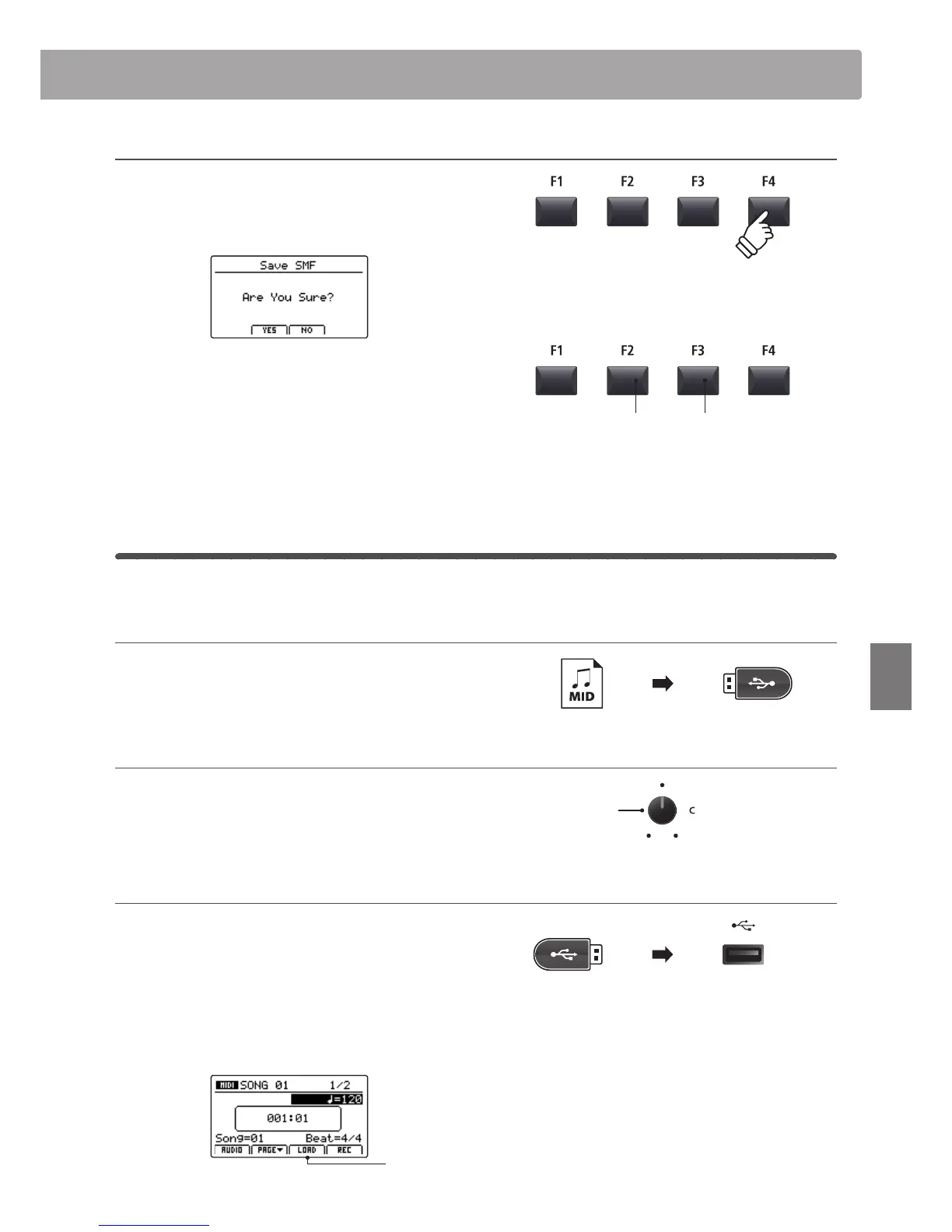
Press the F4 function button (EXEC).
The Save SMF conrmation screen will be shown in the LCD
display.
Press the F2 button (YES) to conrm the Save SMF operation, or
the F3 button (NO) to return to the previous screen.
* The +/YES and –/NO buttons can also be used to conrm or cancel the
save operation.
* To prevent data loss, avoid turning the power OFF while the MP7 is saving
les to USB memory.
4
Loading an SMF le into memory
This function can be used to load SMF les into an empty recorder song memory.
Preparing the USB memory device
Prepare a selection of SMF MIDI les, copying the data to a USB
memory device.
1. Selecting an empty song memory
After turning Recorder mode ON:
Turn control knob C to select an empty song memory.
2. Connecting a USB memory device
Connect a USB memory device to the USB to Device port.
* USB devices should be formatted to use the ‘FAT’ or ‘FAT32’ lesystems.
The USB device will be scanned, and the LOAD function will
appear at the bottom of the LCD display.
* The LOAD function will appear only when the selected song memory is
empty. For information about erasing song memories, please refer to
page 76
Load
function
F3 button:
NO: Cancel
F2 button:
YES: Conrm
Song
memory



 To Next Page