74
Recorder
4
Loading an SMF le into memory (cont.)
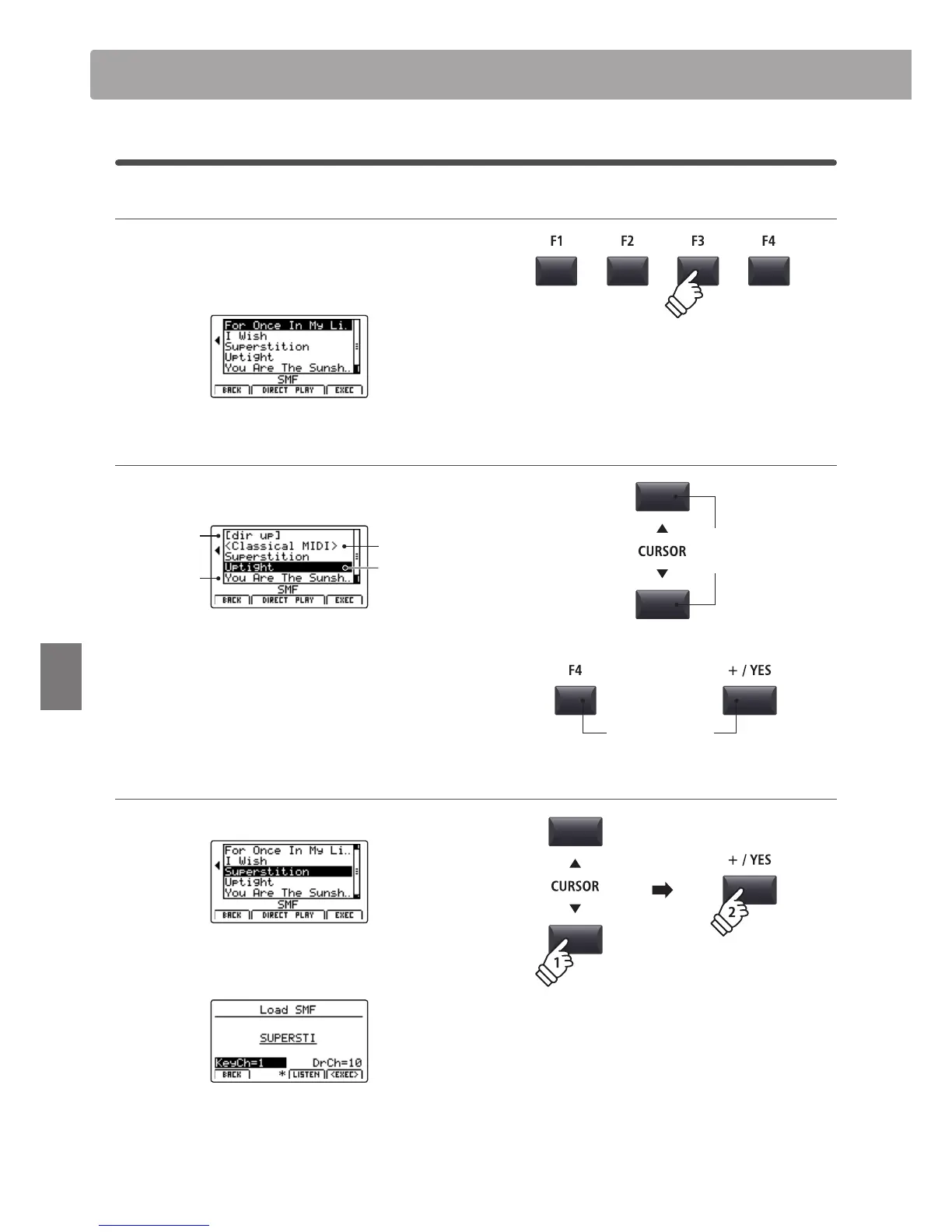
3. Selecting the Load SMF function
Press the F3 function button (LOAD).
A listing of the SMF les stored in the root folder of the USB
device will be shown in the LCD display.
USB device le/folder listing screen
The MP7’s le/folder listing screen lists relevant les and folders
stored in the root of the USB device.
Previous
folder
Folder
File
Selection
cursor
Press the CURSOR
buttons to move the selection cursor.
* Control knob A can also be used to move the selection cursor.
Press the F4 function button (EXEC) or +/YES button to select
the le or enter the selected folder.
4. Selecting the SMF le to load
Press the CURSOR
buttons to select the desired MIDI le.
Press the F4 function button (EXEC) or +/YES button.
The Load SMF screen will be shown in the LCD display.
Song Recorder (Internal memory)
Move
selection
cursor
or
Select le/folder



 To Next Page