115
SYSTEM Menu
Panel Lock ( )
The Lock ( ) function allows the state of the MP7’s various controls to be temporarily locked, preventing accidental
button pushes, pedal presses, or wheel movements.
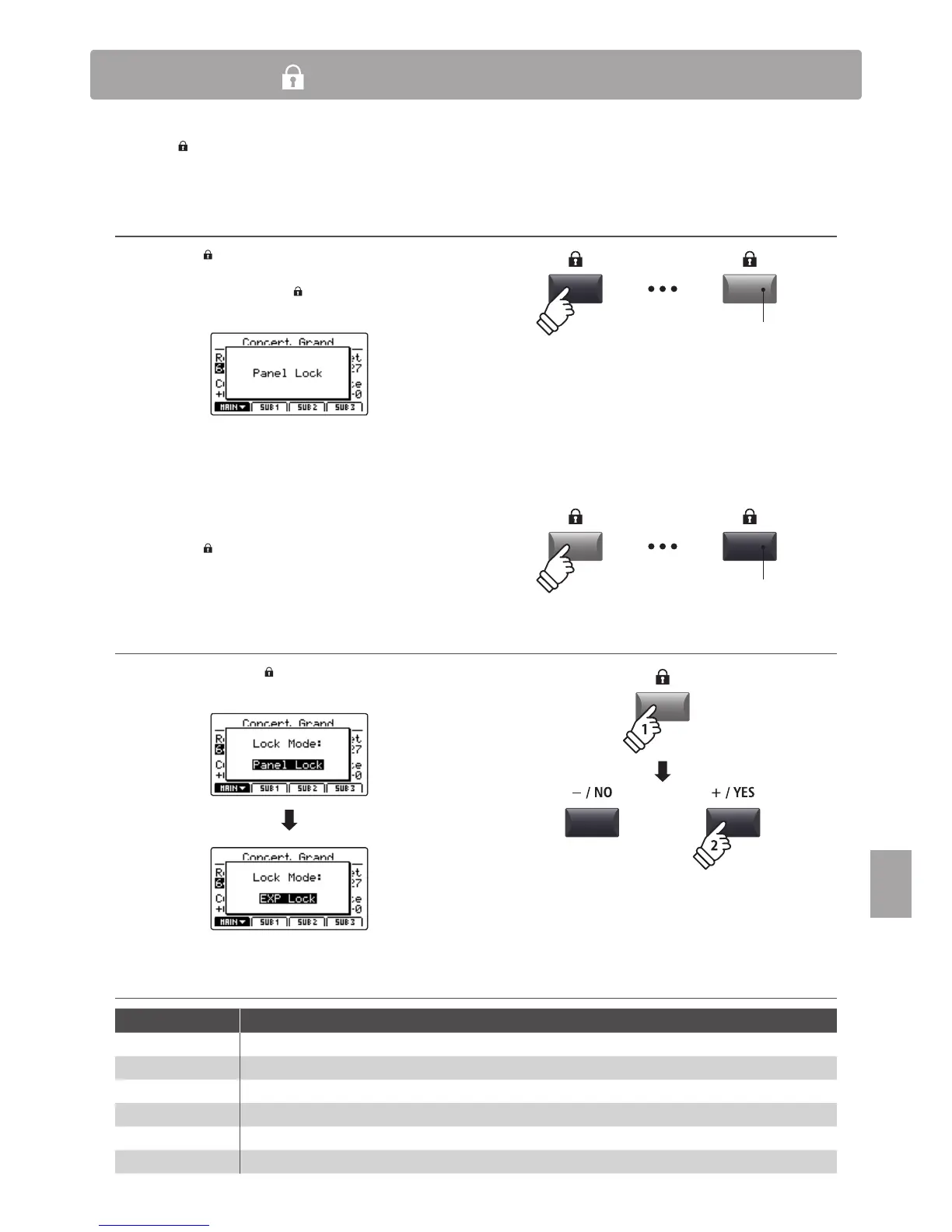
Activating and deactivating the Lock function
Press the LOCK ( ) button.
The LED indicator for the LOCK ( ) button will turn on, and the
lock pop-up will briey be shown in the LCD display.
By default, the Lock function will lock all of the MP7’s panel
buttons and knobs (Panel Lock), preventing any accidental
adjustments during performances etc.
* The VOLUME, LINE IN, and section VOLUME faders will not be locked. The
keyboard will also remain active.
Press the LOCK ( ) button again to deactivate the lock.
Changing the Lock mode
Press and hold the LOCK ( ) button, then press the +/YES or
–/NO buttons to cycle through the dierent Lock modes.
Lock modes
Lock mode Description
Panel Lock The main control panel buttons and knobs will be locked.
Bend Lock The pitch bend wheel will be locked.
Mod. Lock The modulation wheel will be locked.
Center Lock The centre pedal will be locked.
Left Lock The left pedal will be locked.
EXP Lock The expression pedal (EXP) will be locked.
LED indicator ON:
Lock function is activated
LED indicator OFF:
Lock function is deactivated
hold
* The Lock mode can also be changed in the SYSTEM menu. For more
information, please refer to page 105.



 To Next Page