34
Main Operation
1
EQ
The EQ function consists of a 4-band graphic equaliser that can be used to shape the overall tone of the MP7’s
internal sounds. Two of the mid-range frequency bands can also be adjusted as a parametric equaliser.
The equaliser settings are common for all zones.
* For more information about common parameters, please refer to page 38.
Turning EQ ON or OFF
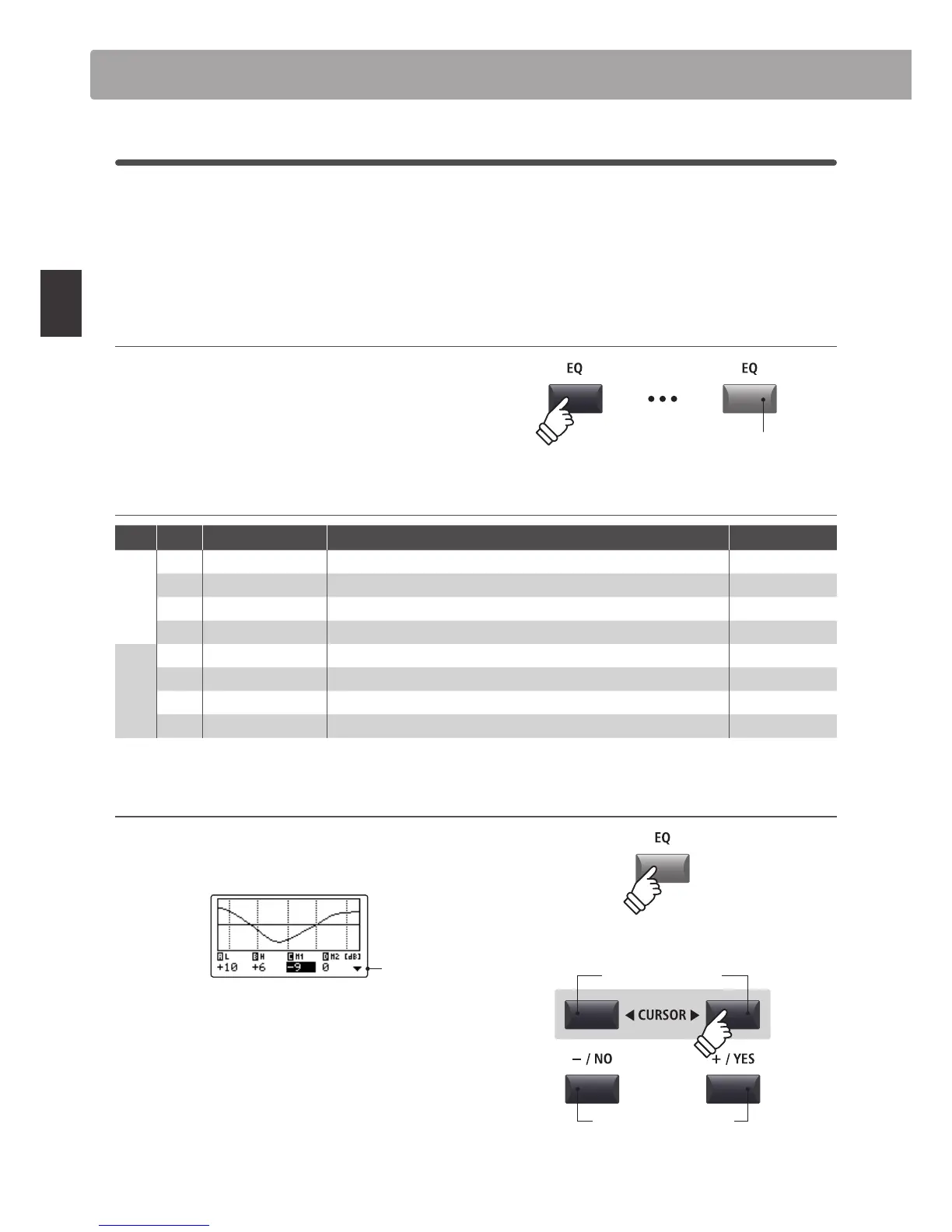
Press the EQ button to turn the MP7’s equaliser ON or OFF.
The LED indicator for the EQ button will turn ON or OFF to
indicate the current status of the equaliser.
EQ parameters
Page Knob Parameter Description Value range
1
A Low Gain Adjusts the gain of the low range frequency band (20 ~ 100 Hz). –10 dB ~ +10 dB
B High Gain Adjusts the gain of the high range frequency band (5000 ~ 20000 Hz). –10 dB ~ +10 dB
C Mid1 Gain Adjusts the gain of the Mid1 frequency band (200 ~ 3150 Hz). –10 dB ~ +10 dB
D Mid2 Gain Adjusts the gain of the Mid2 frequency band (200 ~ 3150 Hz). –10 dB ~ +10 dB
2
A Mid1 Q Adjusts the bandwidth of the Mid1 band. 0.5 ~ 4.0
B Mid2 Q Adjusts the bandwidth of the Mid2 band. 0.5 ~ 4.0
C Mid1 Freq. Adjusts the frequency of the Mid1 band. 200 Hz ~ 3150 Hz
D Mid2 Freq. Adjusts the frequency of the Mid2 band. 200 Hz ~ 3150 Hz
Adjusting EQ parameters
Press and hold the EQ button.
The gain page of the EQ will be shown in the LCD display.
Next
page
Press the CURSOR buttons to select the desired EQ
parameter, then press the +/YES or -/NO buttons to increase or
decrease the values.
Alternatively, turn the control knobs (A, B, C, D) to adjust the EQ
parameter assigned to that knob.
* The F1~F4 buttons can also be used to select the desired EQ parameter.
If the parameter is already selected, the F1~F4 buttons can be used to
alternate between the gain and frequency pages of the EQ.
LED indicator ON:
Equaliser is turned ON
hold
Decrease/Increase values
Select EQ parameter
Global Section



 To Next Page