46
EDIT Menu
5
Key Setup (cont.)
Touch Curve types
Touch Curve No. Description
Light +
Requires less striking force to achieve a forte note.
* This touch curve is intended for players with a very delicate touch.
Light
A louder volume is produced even when playing with a soft touch.
* This touch curve is intended for players who are still developing nger strength.
Normal Reproduces the standard touch sensitivity of a typical acoustic piano.
Heavy
Requires a heavier touch to produce a loud volume.
* This touch curve is intended for players with stronger ngers.
Heavy + Requires considerably more striking force to achieve a loud volume.
O (constant)
A constant volume is produced regardless of how hard the keys are struck.
* This touch curve is intended for playing sounds of instruments that have a xed dynamic range (e.g. harpsichord).
User* (User 1~User 5) – A custom touch curve, created to suit an individual’s personal playing style.
* For information about creating User touch curves, please refer to the User Edit explanation in the SYSTEM menu chapter (page 110).
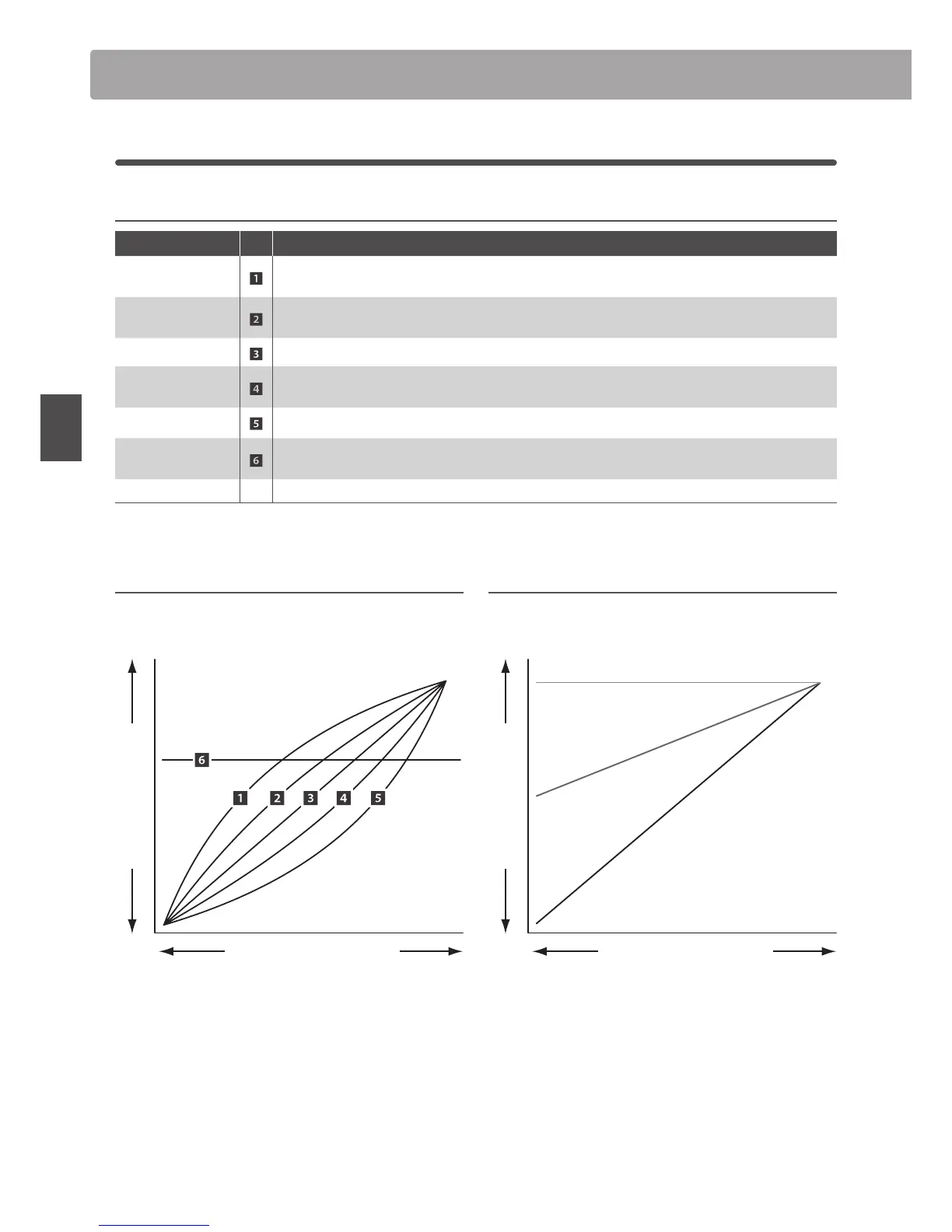
Touch Curve graph
The illustration below provides a visual representation of the
dierent Touch Curve types.
Loud
Soft
Gentle Strong
Sound Volume
Keyboard Pressure
Dynamics graph
The illustration below provides a visual representation of the
Dynamics parameter.
Loud
Soft
Gentle Strong
Sound Volume
Keyboard Pressure
Dynamics = 10
Dynamics = 5
Dynamics = OFF
EDIT Menu parameters (INT mode)



 To Next Page