42
Table of ContentsSetting UpWi-Fi StreamingUsing KEF Connect AppFAQ and Troubleshooting
12. Playback with Optical Input
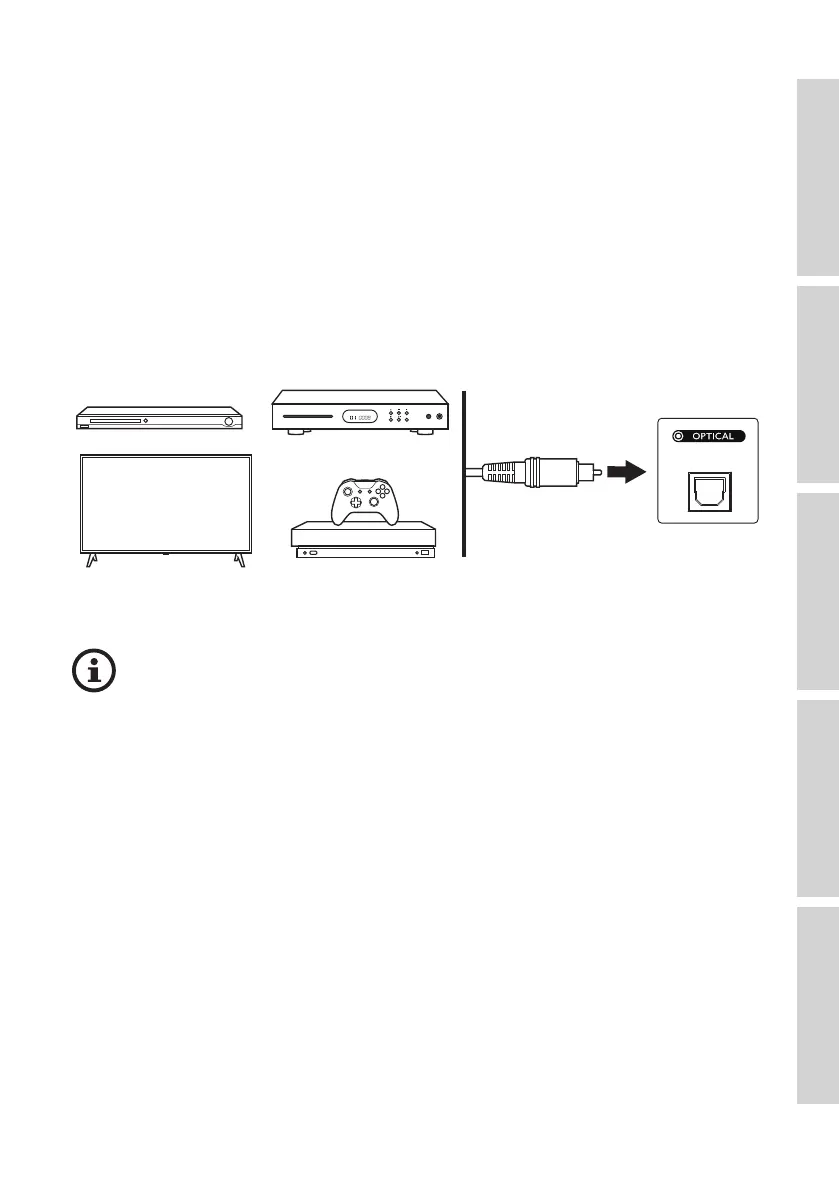
You can connect your devices with optical output (e.g. TV and game consoles) to the
speakers through an optical cable. The speakers must always be first connected to your
local network before optical connection.
12.1 Optical Cable Connection
Connect the optical output jack of your device and the optical input jack (O) on the back
panel of the Primary Speaker via an optical cable.
Make sure your TV is set to output digital audio in PCM format. Refer to the
user manual of your TV for details.



 To Next Page