51
Table of ContentsSetting UpWi-Fi StreamingUsing KEF Connect AppFAQ and Troubleshooting
14.3.1.4 Spotify
Through the KEF Connect App, you can be prompted to the Spotify App on your device
to stream music to the speakers. See chapter “Spotify Connect”.
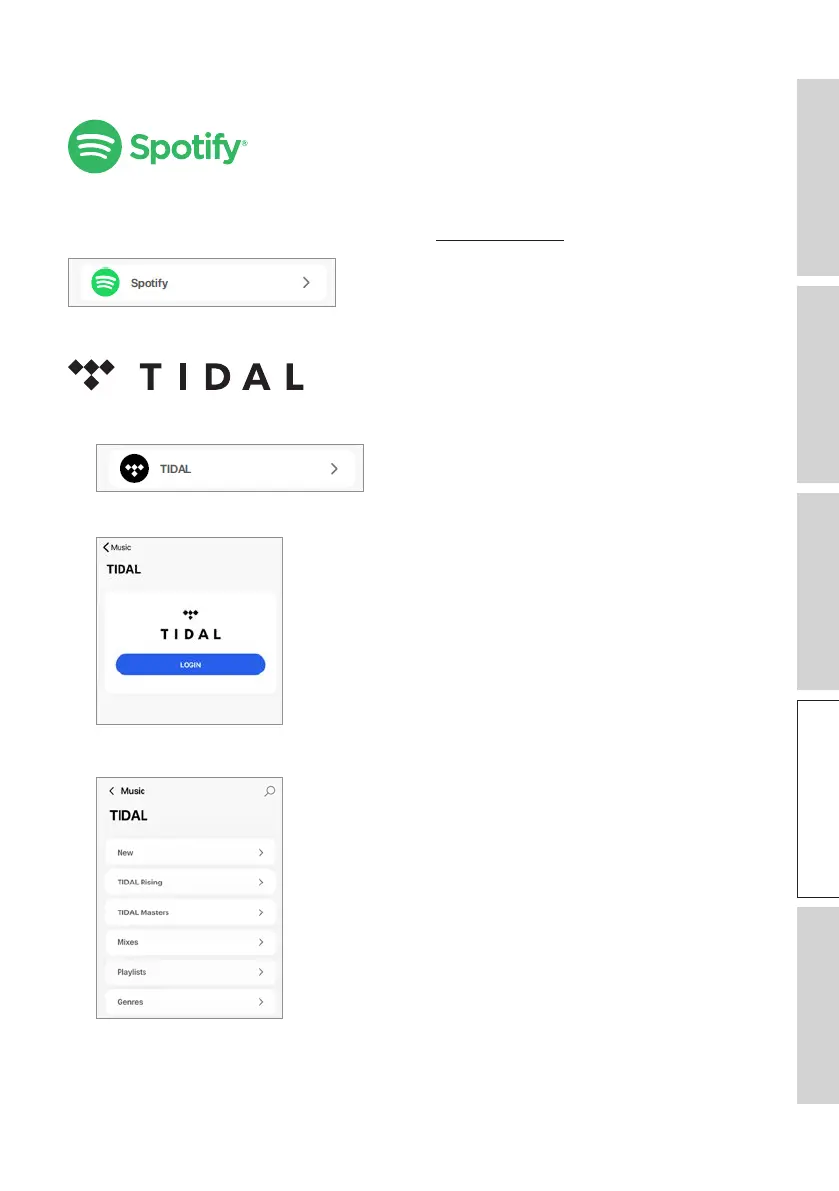
14.3.1.5 TIDAL
1. To stream music, tap “TIDAL” under “Music in the Cloud” in the KEF Connect App.
2. Login to your TIDAL account.
3. Browse and play music to start streaming.


 To Next Page
 Loading...