54
Table of ContentsSetting UpWi-Fi StreamingUsing KEF Connect AppFAQ and Troubleshooting
14.3.2.3 Favourites
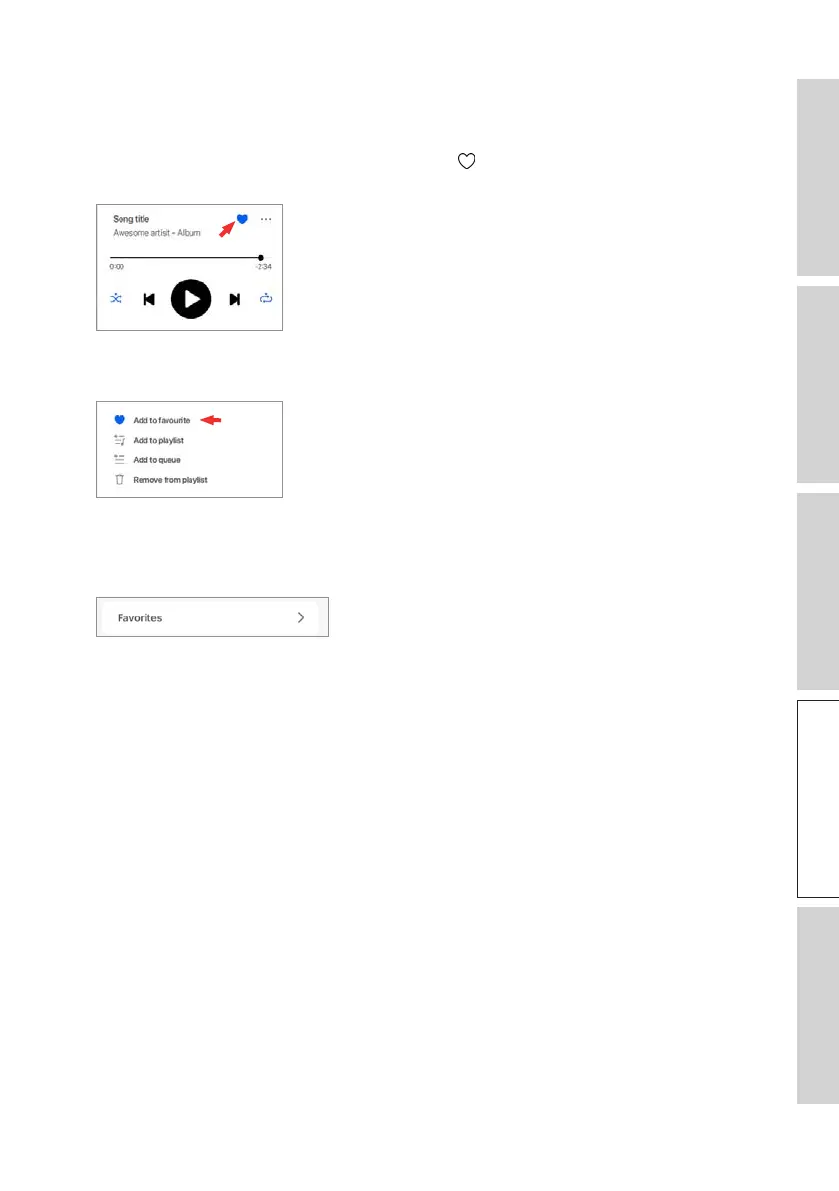
• Selecting or Deselecting as Favourites
In the playback screen, tap the favourite icon (
) to select or deselect an item (music,
podcast, radio station) as favourites.
Alternatively, tap the option icon (
…
) and then select “Add to Favorites” or “Remove
from Favourites”.
• Accessing your favourites
To show the favourites in your current music source, tap “Favourites” in the main
menu.



 To Next Page