EasyManua.ls Logo

Kemppi X3 - User Manual

Kemppi X3
21 pages
Print Icon
To Next Page IconTo Next Page
Loading...
1920840
1814
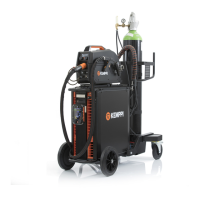
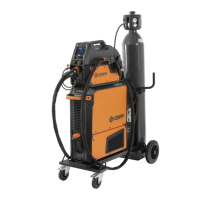
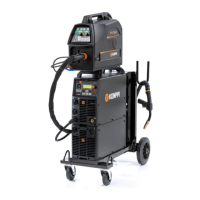
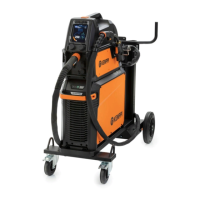
A7 MIG WelderX3 MIG Welder
EN
OPERATING MANUAL

Questions and Answers

  • C
    crystal46Jul 27, 2025
    What to do if Kemppi X3 stops and shows Err 4 with overheating indicator?
    • J
      Jennifer MosleyJul 27, 2025
      If your Kemppi Welding System stops, the overheating indicator is lit, and Err 4 is displayed, it means the machine has overheated. Ensure unrestricted cooling air flow. The machine’s duty cycle may have been exceeded. If no other damage occurs, the fan will start, and the machine will recover in a few minutes. If the problem continues, contact a Kemppi service representative.
  • T
    Tyler HarringtonAug 2, 2025
    What to do if Kemppi Welding System stops and shows Err 2 or Err 3?
    • N
      Nathan ZunigaAug 2, 2025
      If your Kemppi Welding System stops and displays Err 2 or Err 3, it indicates that the mains voltage is either too low (Err 2) or too high (Err 3). The machine will automatically recover when the mains voltage is within the recommended range of 342 – 484 V.
  • S
    Steven GordonAug 8, 2025
    What to do if Kemppi X3 stops and shows Err 43?
    • H
      hillrandyAug 8, 2025
      If your Kemppi Welding System stops and displays Err 43, the wire feeder motor is overloaded. Check that you are using the correct wire type and that the wire feed path is unobstructed.
  • E
    Eric MacdonaldAug 14, 2025
    Why is my Kemppi X3 Welding System producing poor welding results?
    • A
      Arthur NicholsAug 14, 2025
      Several factors can affect welding quality. Here's what to check: * Verify wire feed calibration. * Ensure the earth return clamp is properly attached to a clean contact point, and that the cable and connectors are intact. * Confirm the voltage and wire speed settings on the control panel are correct for the wire size and type. * Check the shielding gas flow rate at the gun nozzle. * Make sure the shielding gas is suitable for the filler wire used. * Ensure constant wire feed, adjusting if needed. * Check for irregular mains voltage.
  • S
    steve81Aug 20, 2025
    How to troubleshoot Kemppi X3 Welding System main switch indicator not turning on?
    • S
      Shannon MooreAug 20, 2025
      If the main switch indicator on your Kemppi Welding System doesn't turn on, the machine isn't receiving mains voltage. Check the mains fuses, the mains cable, and the wall plug.

Summary

READ FIRST

General Information

Provides introductory information and safety notes for the X3 MIG Welder operating manual.

About X3 MIG Welder Product Series

Overview of the X3 MIG Welder system, its components, and intended applications.

X3 MIG Welder Structure

System Introduction

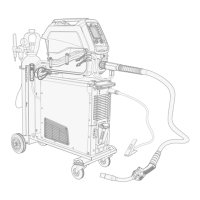
Overview of the X3 MIG Welder system components, including power source and wire feeder.

X3 Power Source Components

Identification and description of front and back panel components of the X3 Power Source.

Installation Guide

Pre-Use Checks and Positioning

Instructions for checking the machine before use and guidelines for proper positioning.

Machine Positioning Requirements

Details on surface inclination, clearance for cooling air, and protection against elements.

Installation Guide

Distribution Network Requirements

Information on harmonic currents and requirements for the power supply network (Ssc).

Connecting Cables and Mains

Guidance on connecting the mains cable, including safety precautions and replacement steps.

Installation Guide

Wire Feeder Connection

Step-by-step instructions for connecting the wire feeder to the power source.

Earth Return Cable Connection

Procedure for correctly attaching the earth return cable to the workpiece.

Installation Guide

Optional Accessories Overview

Details on wheel sets, undercarriage, wire feeder mounting plate, and gas heater.

Operation Procedures

Loading the Filler Wire

Steps for loading filler wire, including spool mounting, brake adjustment, and pressure arms.

Spool Mounting and Locking

Guide on how to mount and securely lock the wire spool onto the hub.

Spool Brake Adjustment

Instructions for adjusting the spool brake force to prevent wire spill during operation.

Pressure Arm Adjustment

Guidance on setting the correct drive pressure for the filler wire to ensure proper feeding.

Operation Procedures

Filler Wire Feeding

Steps for feeding the filler wire through the gun cable to the contact tip.

DuraTorque 400 Wire Feed Mechanism

Information on wire feed rolls and guide tubes for the DuraTorque 400 mechanism.

Controlling the Welding System

Setup Panel Functions

Explanation of buttons and knobs on the setup panel for welding system control.

Power Source Startup Sequence

Steps to turn on the power source and its initial display sequence.

LCD Display Information

Details on the LCD display, including parameter settings and welding values.

LED Indicator Lights

Description of the ON and overheat indicator LED lights on the control panel.

Controlling the Welding System

Settings Menu Parameters

How to enable/disable parameters and set values for Burn back time and Panel lock code.

Controlling the Welding System

Wire Feeder Control Panel

Overview of the wire feeder control panel for adjusting wire feed speed and voltage.

Shielding Gas Selection

Procedure for selecting the correct shielding gas type (CO2 or mixed gas).

Gas Test Function

Instructions for performing a shielding gas flow test.

Trigger Logic and Crater Fill

Explanation of trigger modes (2T/4T) and the Crater fill function for controlled weld finishing.

Controlling the Welding System

Calibrating Wire Feed Speed

Steps for calibrating the wire feed speed to ensure accurate pre-sets and meter readings.

Troubleshooting Guide

Common Issues and Causes

Addresses machine stops, overheating, voltage errors (Err 2, 3, 43), poor welding, and no mains voltage.

Maintenance and Disposal

Regular Maintenance Procedures

Guidelines for checking electrical connections and periodic servicing of the machine.

Machine Disposal Instructions

Information on environmentally responsible disposal of electrical equipment.

Technical Data

Ordering Codes

Kemppi X3 Specifications

General IconGeneral
BrandKemppi
ModelX3
CategoryWelding System
LanguageEnglish

Related product manuals