TEWJ-B-BA-e-2310 21
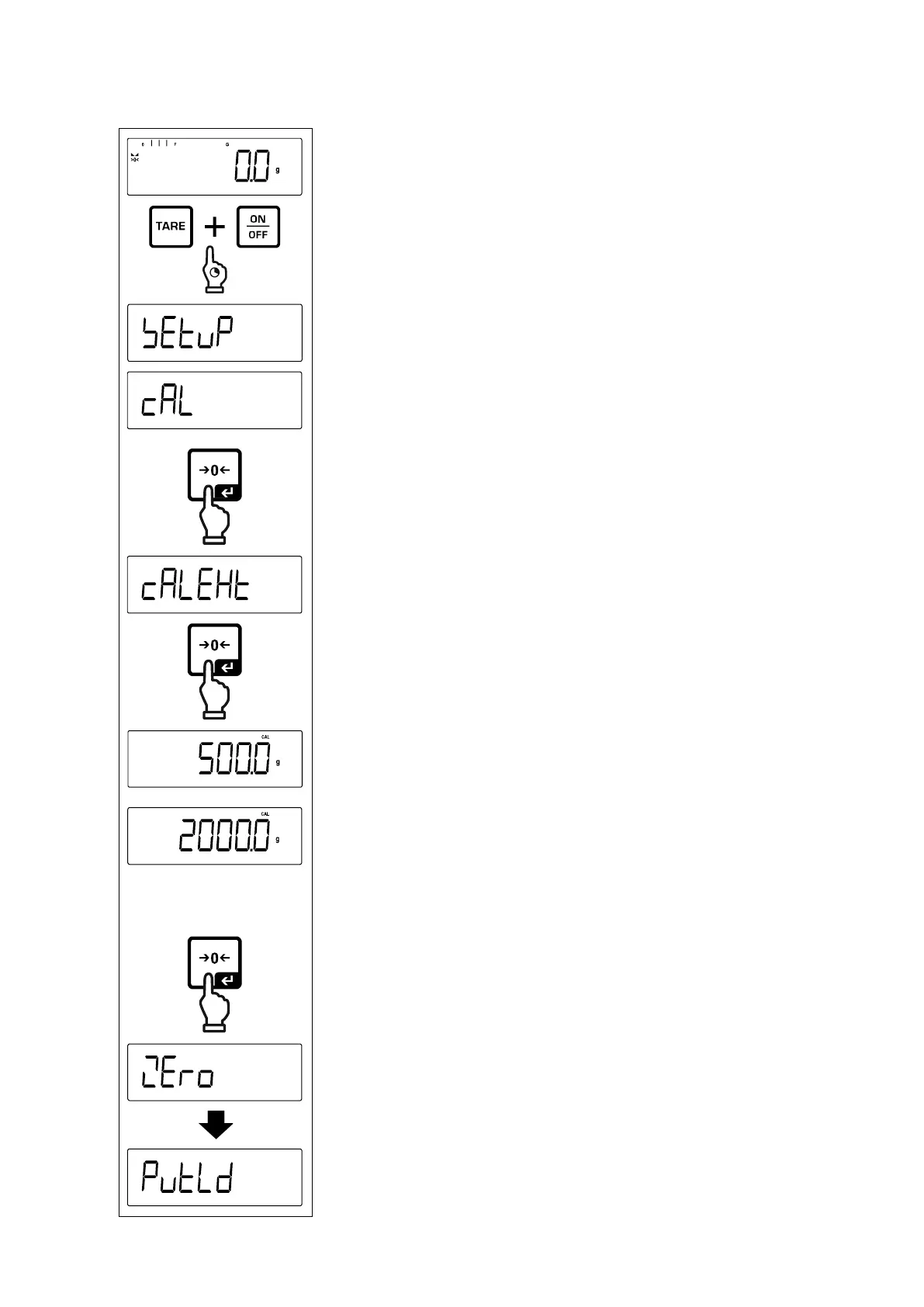
7.8.2 External adjustment < CalExt >
Press and hold the TARE and ON/OFF buttons simulta-
neously to enter the setup menu.
Wait until the first menu item < Cal> is displayed.
Confirm by [ ] button, < CalExt> will be displayed.
Confirm by pressing the [ ] button, the first selectable
adjustment weight is displayed.
Use the navigation keys to select the desired adjust-
ment weight, see chap. 1 „Recommended adjustment
weight“
Prepare the required adjustment weight.
Acknowledge selection by [ ] button.< Zero >, < Pt
ld > followed by the weight value of the adjustment
weight to be placed will be displayed.


 To Next Page