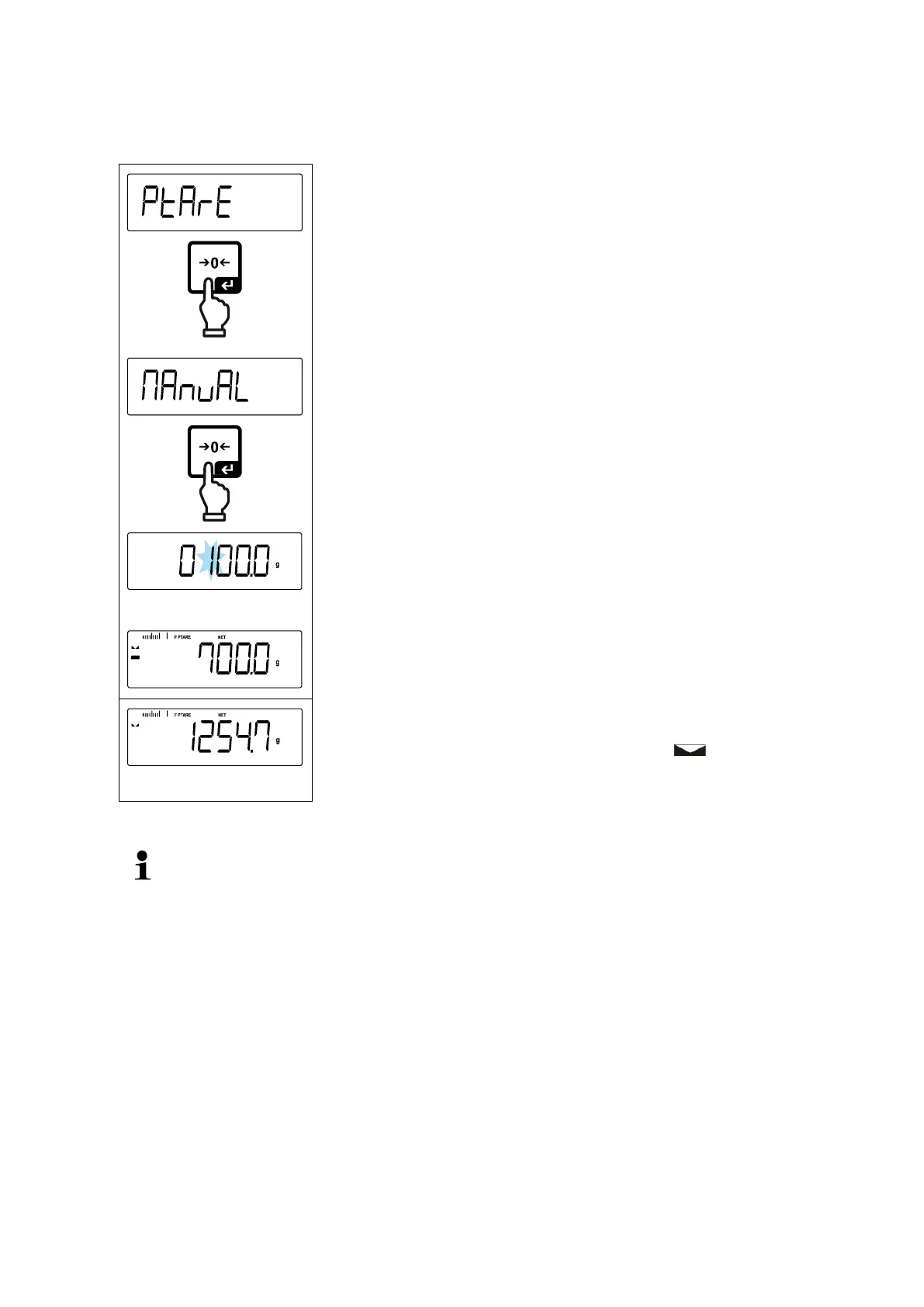
Using the navigation keys select the setting
Select < manuAl > and confirm by pressing the [ ]
button.
Enter known tare weight, numerical input
see chap. 3.2.2, the active digit flashes.
The input weight is saved as tare weight, the indicators <
PTARE > and < NET > and the tare weight with minus
sign will appear.
The entered tare weight remains valid until a new tare weight is input. To de-
lete enter the zero value or confirm the menu setting < clear > using the
[ ] button.


 To Next Page