• For the required settings of an application unit (FFA, %) selection,
please see chap. 11.4.2 and 11.4.3.
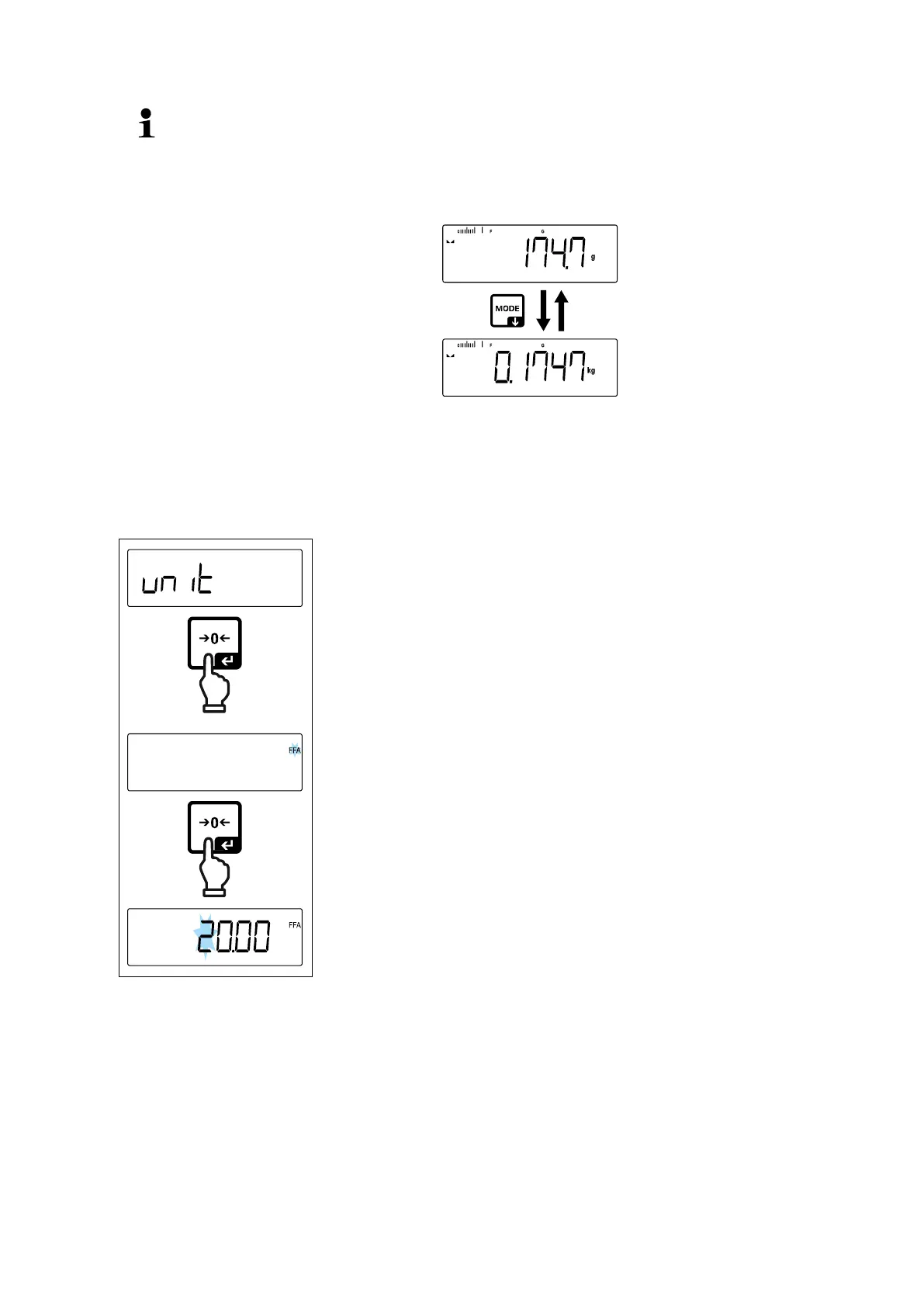
• Using the [MODE] button you can switch between the active unit 1 and
unit 2.
11.4.2 Weighing with multiplication factor via the application unit <FFA>
Here you determine with which factor the weighing result (in gram) will be multiplied.
By that way, e.g. a known error factor in the weight determination can be immediately
taken into account.
Select menu setting < unit> and confirm on [ ] but-
ton.
Use the navigation keys to select the setting < FFA >
and confirm on [ ] button.
Enter multiplication factor, numerical input
see chap. 3.2.2, the active digit flashes.


 To Next Page