36 TEWJ-B-BA-e-2310
11.2 PRE-Tare
11.2.1 Take over the placed weight as PRE-TARE value
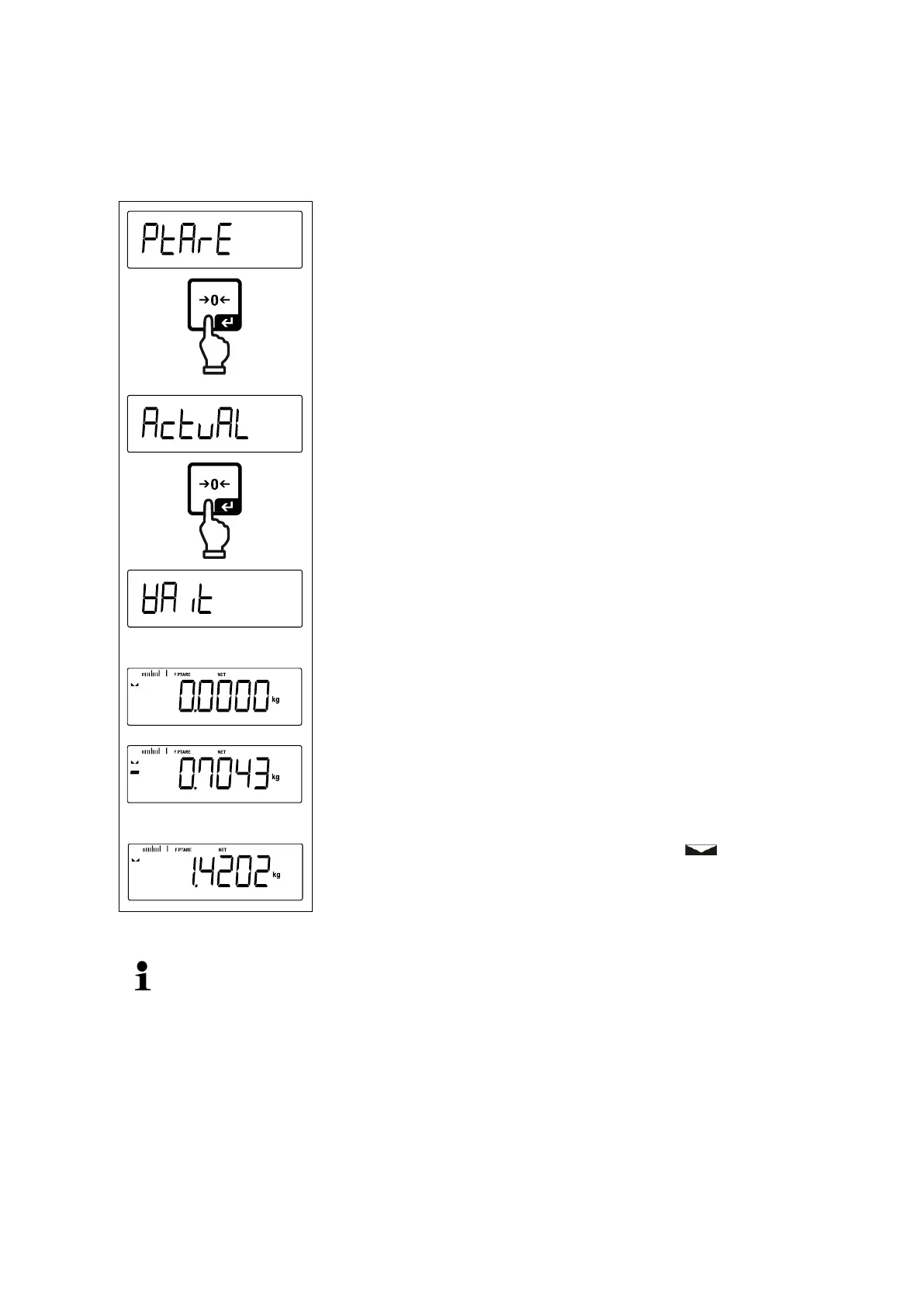
< Ptare > < actuAl >
Deposit weighing container
Invoke menu setting < Ptare > and confirm by [ ]
button.
To take over the placed weight as a PRE-TARE value,
use the navigation keys to select < actuAl >
Acknowledge by [ ] button. < wait > is displayed.
The weight of the weighing container is stored as tare
weight. Zero display and indicators <PTARE> and
<NET> will appear.
Remove the weighing container, the tare weight will ap-
pear with negative sign.
Place the filled weighing container.
Wait until the stability display appears ( ).
Read net weight.
The entered tare weight remains valid until a new tare weight is input. To de-
lete press the TARE key or confirm the menu setting < clear> using the
[ ] button.


 To Next Page