32 TEWJ-B-BA-e-2310
10 Operating concept
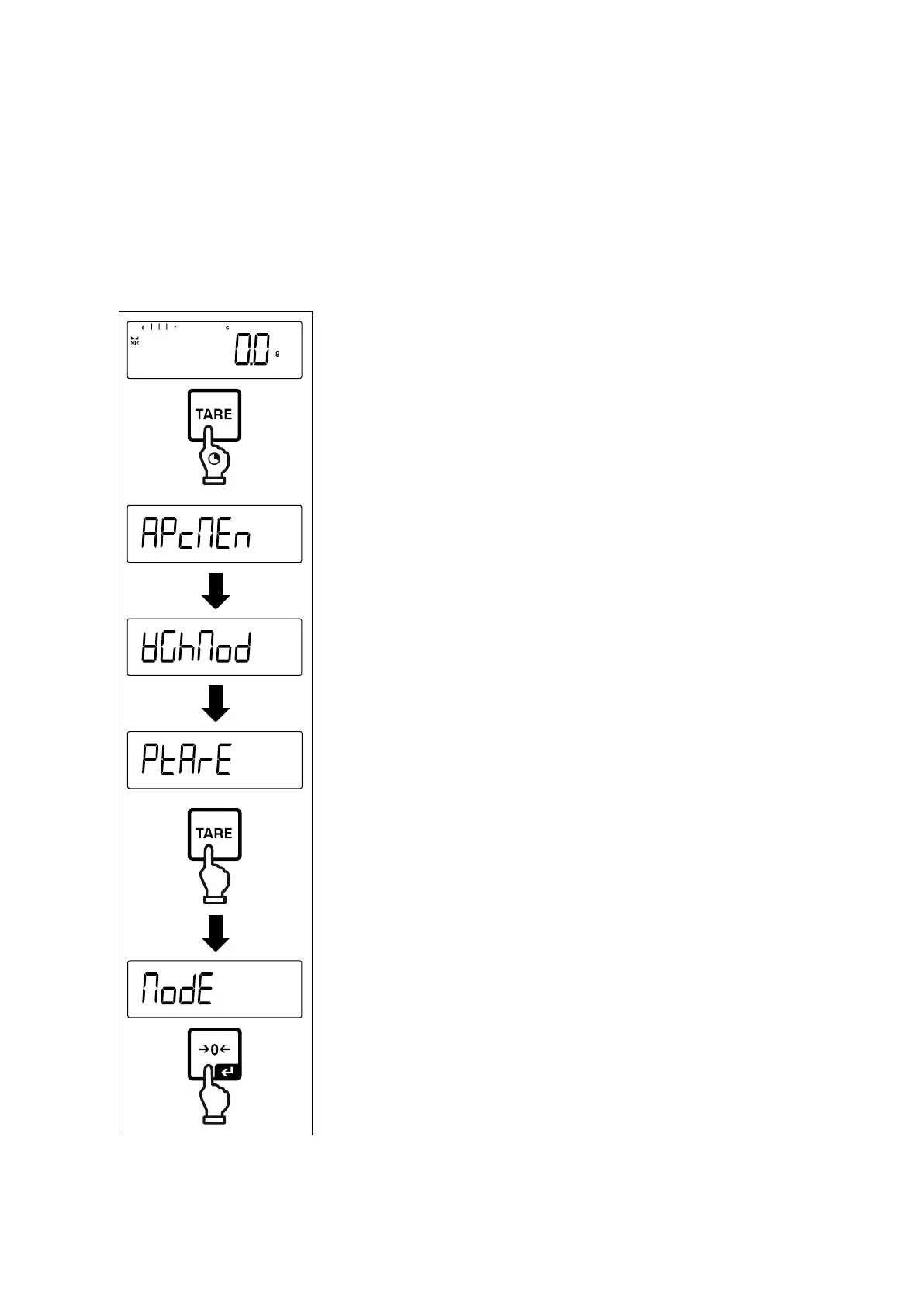
From factory the balance is delivered with various applications (weighing, check
weighing, counting). After the first start-up the balance is in the <Weighing> applica-
tion.
In the application menu (see chap.14.2.) however, you can define, selecting an ap-
plication, in which mode the balance after switching-on has to continue working. Ei-
ther as per standard in weighing mode or e.g. in check mode or counting mode.
Selecting an application:


 To Next Page