5 Local Operation
36 Keysight J7201A/B/C Operating and Service Manual
Ad vance Configuration
To configure delay start; start/stop attenuation and step size; dwell’s time and sweeping option:
1 Maximum and minimum limits for Delay start, sweep mode and sweep cycle are set similar to
quick configuration. Tune rotary knob to your desired values or enter value using keypad.
2 Press Next Item softkey to scroll from top to bottom of the setting options.
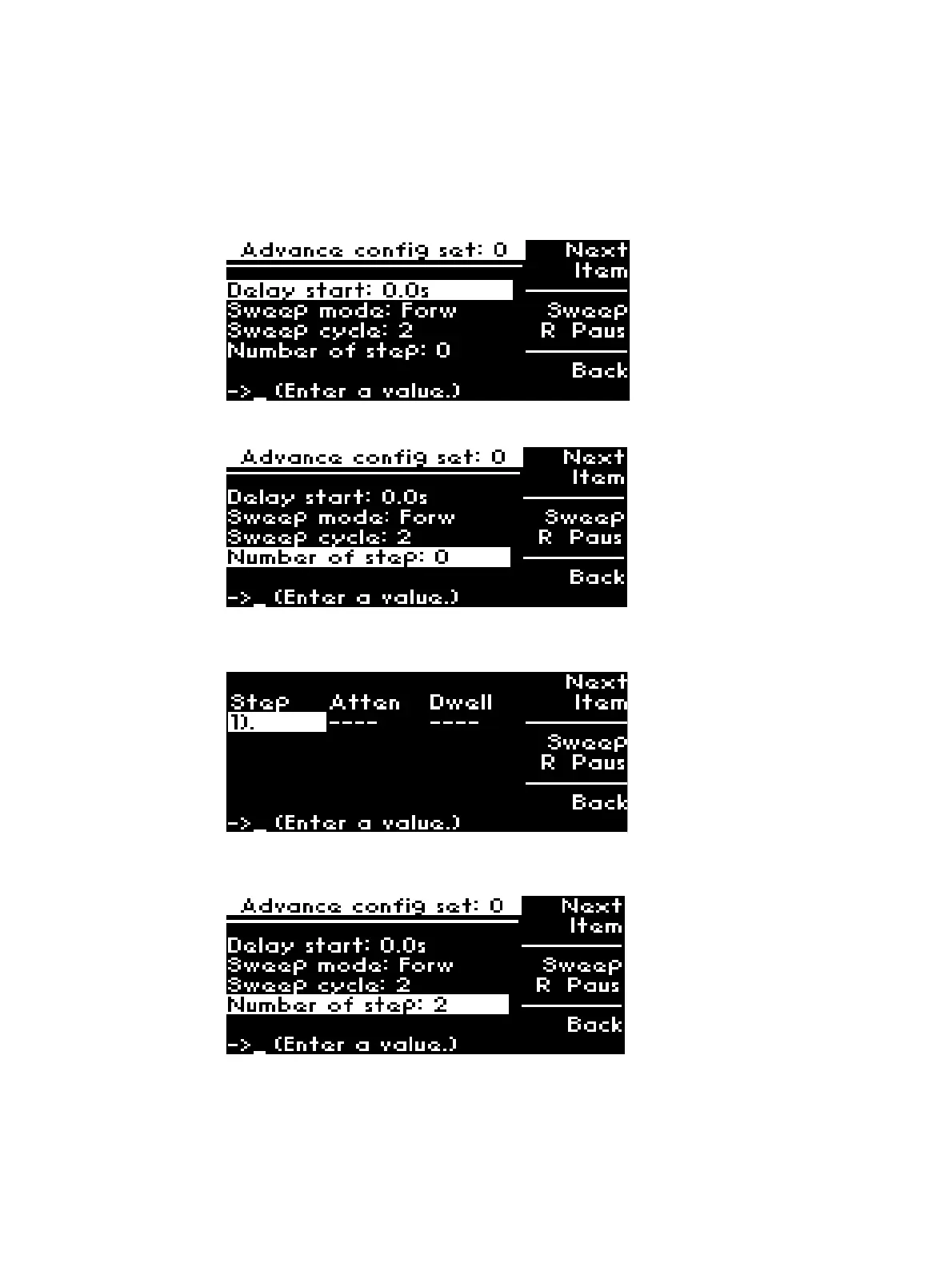
3 Initially, Number of step is set at 0. Press Next Item softkey once and observe that no step is
set (Atten and Dwell is blank).
4 Set Number of step to 2 by tuning the rotary knob or entering value via keypad.
Observe that 2 steps appear.
5 Set attenuation (ATTEN) and dwell time (Dwell) for the two steps. For example, set 100 dB
attenuation and dwell time of 2s for Step 1 while as set 20 dB attenuation and dwell time of 0s
for Step 2 as shown in the illustration.



 To Next Page