5 Local Operation
38 Keysight J7201A/B/C Operating and Service Manual
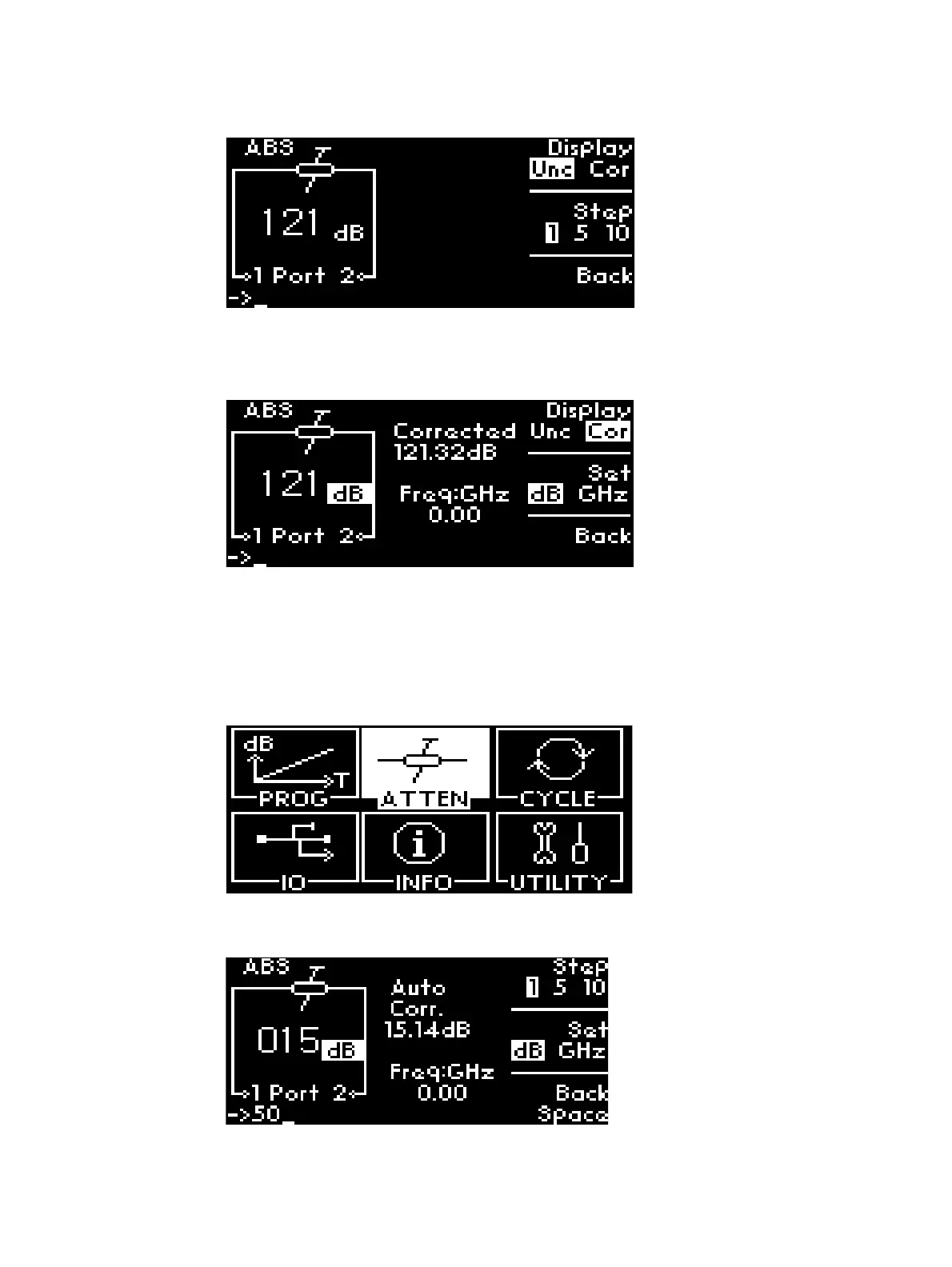
3 Press Display softkey once to change from Unc to Cor or vice-versa.
4 In Cor screen, it displays uncorrected (121 dB) and corrected attenuation (121.32 dB) value and
frequency (0 GHz) which is variable and can be set.
5 Press Back to return to previous main menu.
Display Auto Corrected Value
To display auto corrected value:
1 Navigate to the ATTEN icon using the navigation rotary encoder and press Menu/Enter button
once.
2 Enter digit 50 manually using keypad to select attenuation of 50 dB. Before setting 50 dB,
ensure dB is selected by pressing the Set softkey.



 To Next Page