50 N5186A MXG and X-Series SA Measurement Guide
Corrections
Corrections/De-embedding Using PathWave E7653APPC Software
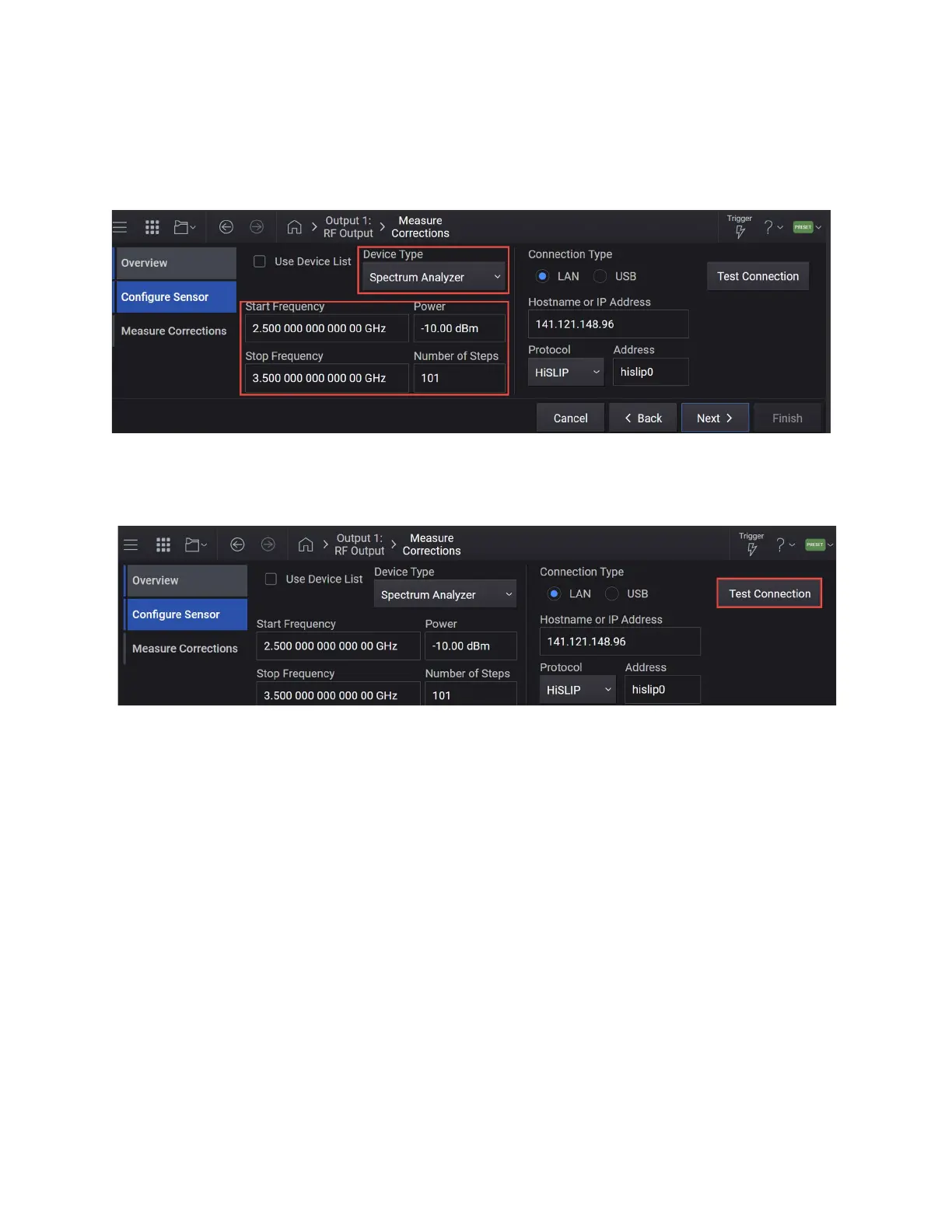
already set in the main window. If you change the value here, it will update
the value in the main measurement window.) and Number of Steps to 101
> x1.
6. Set Connection Type to LAN, enter the LAN Address and set the Protocol
parameters to HiSLIP, and then select Test Connection.
7. Once you are successfully connected, select Next to move to the Measure
Corrections step.
8. Select Measure Correction Data.



 To Next Page