Features of your vehicle
485
LCD display
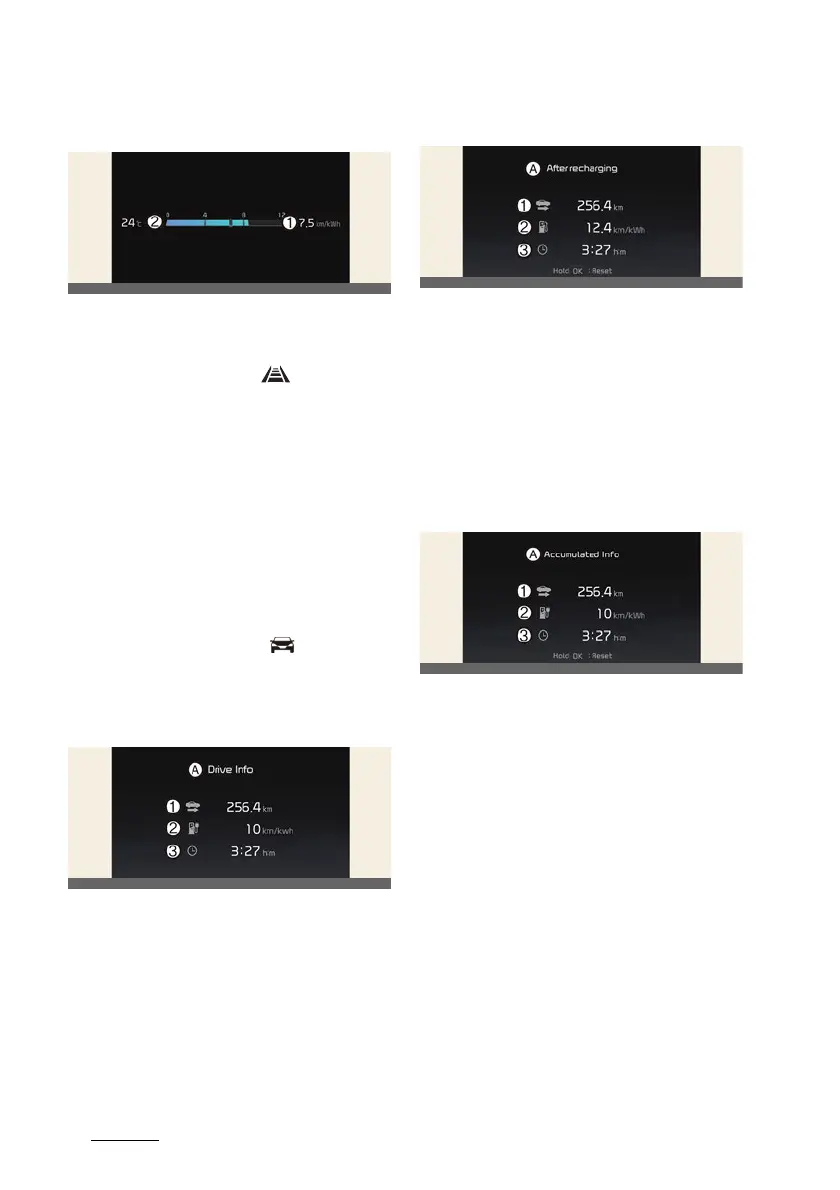
Electric energy economy
1
Average electric energy economy
2
Instant electric energy economy
Driving assist mode
This mode displays the state of:
僅 Forward Collision-Avoidance Assist
Lane Keeping Assist
Blind-Spot Collision-Avoidance Assist
Smart Cruise Control
Lane Following Assist
Highway Driving Assist
僅 Driver Attention Warning
僅 Speed Limit System
Trip computer mode
* You may change through items in the
following order.
Drive Info
A:
Drive Info
1
Accumulated trip distance
2
Average energy consumption
3
Total driving time
The driver's door is opened after turning
off the vehicle or the vehicle is turned on
after 3 minutes have passed, the Drive
Info screen will reset.
After recharging
A:
After recharging
1
Accumulated trip distance
2
Average energy consumption
3
Total driving time
The information after recharging.
To manually reset the information, press
and hold the OK button when viewing
the
After recharging
.
Accumulated Info
A:
Accumulated Info
1
Accumulated trip distance
2
Average energy consumption
3
Total driving time
The information is accumulated starting
from the last reset.
To manually reset the information, press
and hold the OK button when viewing
the
Accumulated Info
.



 To Next Page