Electric vehicle guide
242
AC charge
AC charge
* Actual charger image and charging
method may vary in accordance with
the charger manufacturer.
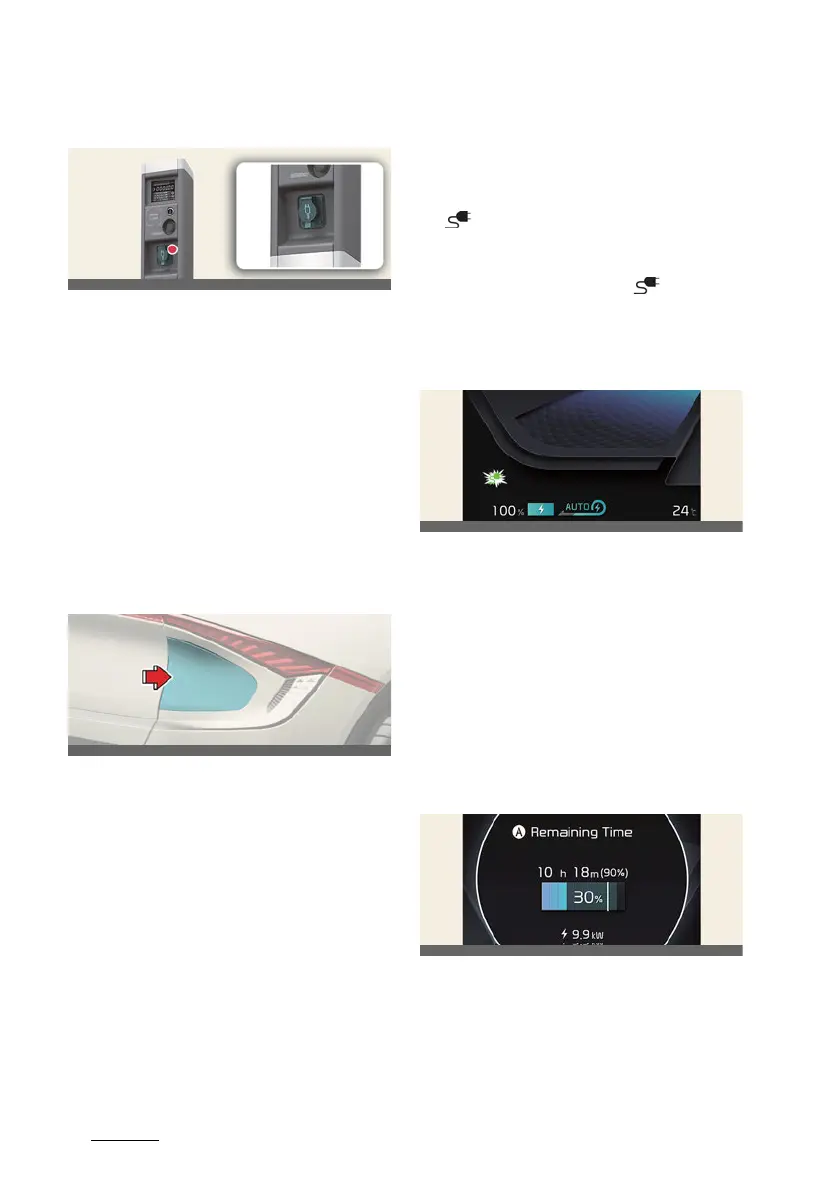
How to connect AC charger
1. Depress the brake pedal and apply
the parking brake.
2. Turn OFF all switches, shift to P
(Park), and turn OFF the vehicle. If
charging is initiated without the gear
in P (Park), the charging will start after
the gear is automatically shifted to P
(Park).
3. Open the charging door.
For more details, refer to
"Electric
charging door" on page 2-21
.
4. Check if there is dust on the charging
connector and charging inlet.
5. Hold the charging connector handle
and connect it to the vehicle charging
inlet. Push the connector all the way
in. If the charging connector and
charging terminal are not connected
properly, this may cause a fire.
For more details, refer to
"Locking
charging cable" on page 2-19
.
6. Connect the charging plug to the elec
-
tric outlet at a AC charging station to
start charging.
7. Check if the charging indicator light
( ) of the high voltage battery in the
instrument cluster is turned ON.
Charging is not active when the
charging indicator light ( ) is OFF.
When the charging connector and
charging plug are not connected
properly, reconnect the charging
cable to charge.
8. After charging has started, the esti
-
mated charging time is displayed on
the instrument cluster for about 1
minute.
If you open the driver seat door while
charging, the estimated charging time
is also displayed on the instrument
cluster for about 1 minute. When
scheduled charging or scheduled air
conditioner/heater is set, the esti
-
mated charging time is displayed as "-
-".
A:
Remaining Time



 To Next Page