Electric vehicle guide
142
EV menu
mode will shut off. If you want to use
the indoor and outdoor V2L simulta
-
neously, firstly connect the V2L con
-
nector to the charging inlet and use
the indoor V2L.
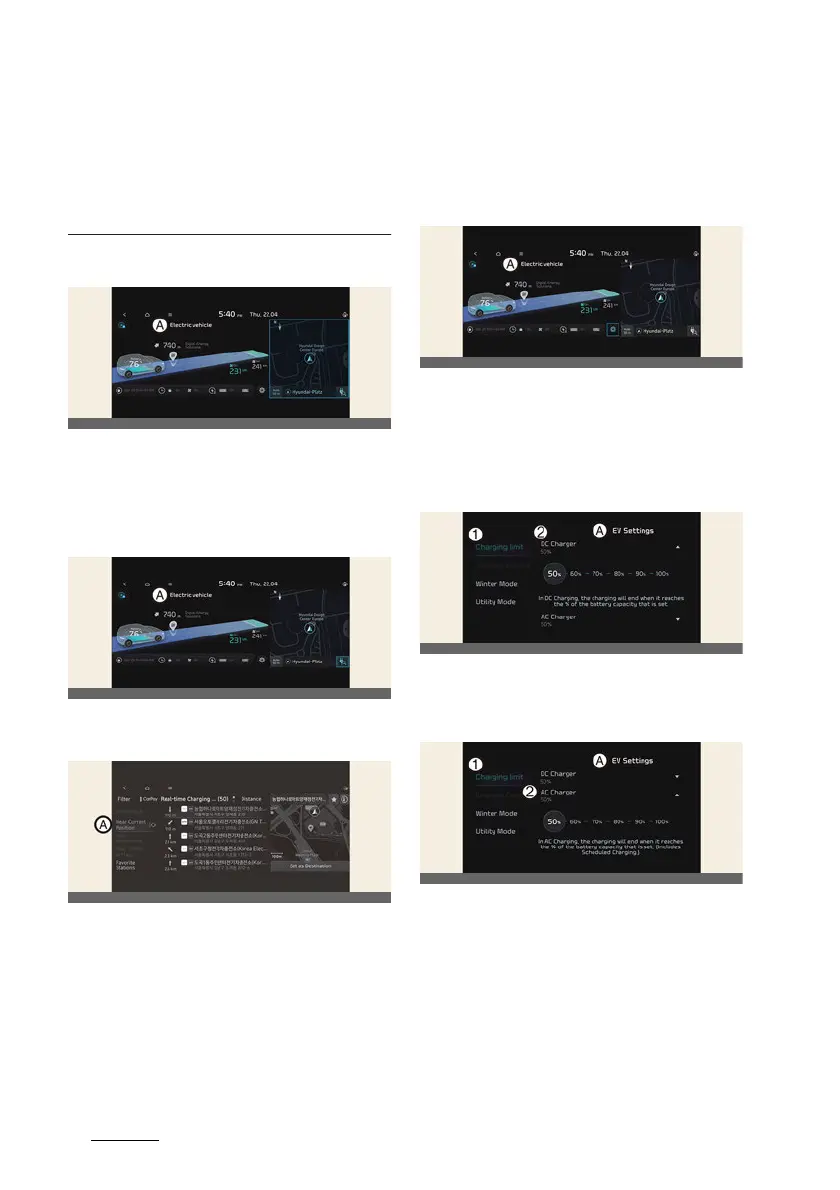
Nearby stations
A:
Electric Vehicle
Select
EV
and see the map from the
infotainment system screen. Stations
around the current location are
searched.
A:
Electric Vehicle
Select the icon on the screen.
A:
Near Current Position
Around the course, around the current
site, around the selected destination or
charging stations of interest will be
searched. If you choose the charging
station, the detailed information will be
provided.
For more detailed information, please
refer to Navigation Quick Reference
Guide.
EV settings
A:
Electric Vehicle
Select the icon on the screen. You can
set the charging limit, charging current,
winter mode and utility mode functions.
Charging limit
A:
EV Settings
1 Charging limit
2 DC Charger
A:
EV Settings
1 Charging limit
2 AC Charger
僅 The target battery charge level can be
selected when charged with AC char
-
ger or DC charger.
僅 The charging level can be changed by
10%.



 To Next Page