Driving your vehicle
586
Lane Keeping Assist (LKA)
僅 The driver should always be aware of
the surroundings and steer the vehi
-
cle if
Off
is selected.
Turning Lane Keeping Assist On/
Off
Except Europe, Australia, Russia
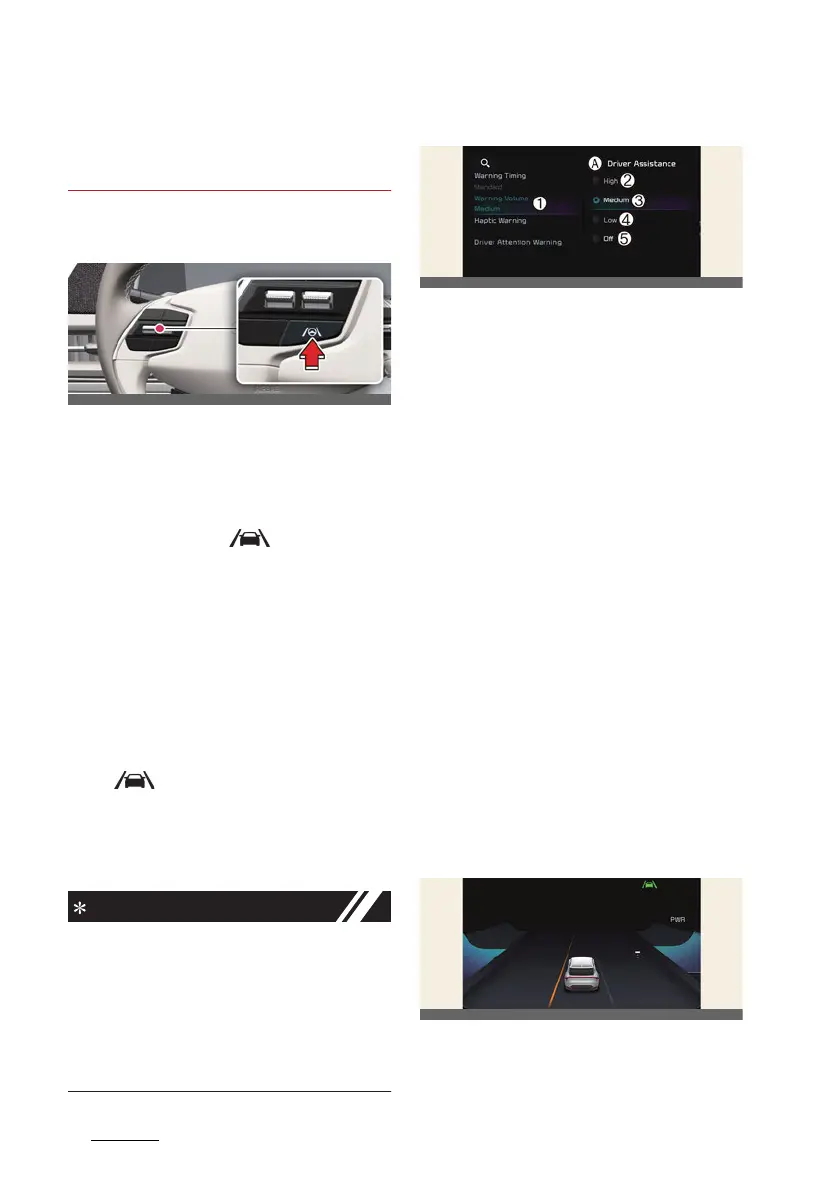
With the vehicle on, press and hold the
Lane Driving Assist button located on
the steering wheel to turn on Lane Keep
-
ing Assist. The grey ( ) indicator light
will illuminate on the cluster.
Press and hold the button again to turn
off the function.
If the vehicle is restarted, Lane Keeping
Assist will maintain the last setting.
For Europe, Australia, Russia
Whenever the vehicle is turned on, Lane
Keeping Assist will always turn on. The
grey ( ) indicator light will illuminate
on the cluster.
When Lane Keeping Assist is on, press
and hold the Lane Driving Assist button
to turn off the function.
僅When the Lane Driving Assist button
is pressed shortly, Lane Following
Assist will turn on and off.
僅 When Lane Keeping Assist is turned
off with the Lane Driving Assist but
-
ton, the Lane Safety setting also
changes to
Off
.
Warning volume
A:
Driver assistance
1 Warning volume
2 High
3 Medium
4 Low
5 Off
With the vehicle on, select
Settings
→
Vehicle
→
Driver assistance
→
Warn
-
ing volume
from the infotainment sys
-
tem screen to change the Warning
Volume to
High
,
Medium
,
Low
or
Off
for Lane Keeping Assist.
However, even if
Off
is selected, the
Hands-off Warning Volume will not be
turned off. Steering wheel vibration
function will also remain on even if
Off
is
selected.
If you change the Warning Volume, the
Warning Volume of other Driver Assis
-
tance functions may be changed.
Lane Keeping Assist operation
Warning and control
Left



 To Next Page